


Windows 10 reached EOS (end of support) on October 14, 2025. For more information, see this article.

Caută ajutor

Atenție la excrocheriile de asistență. Noi nu îți vom cere niciodată să suni sau să trimiți vreun SMS la vreun număr de telefon sau să dai informații personale. Te rugăm să raportezi activitățile suspecte folosind opțiunea „Raportează un abuz”.

Află mai multe

Language compatibility issue on chrome os

  • 2 răspunsuri
  • 1 are această problemă
  • 57 de vizualizări
  • Ultimul răspuns dat de bluemoon7744

mai multe opțiuni

I installed linux firefox by this instruction: https://support.mozilla.org/en-US/kb/run-firefox-chromeos?utm_source=www.mozilla.org-firefox-browsers-chromebook&utm_medium=referral&utm_campaign=seo

and Korean website looks like the screenshot.

I tried setting Chromebook default language on Korean and English, and browser settings set on Korean and English for each. Nothing worked.
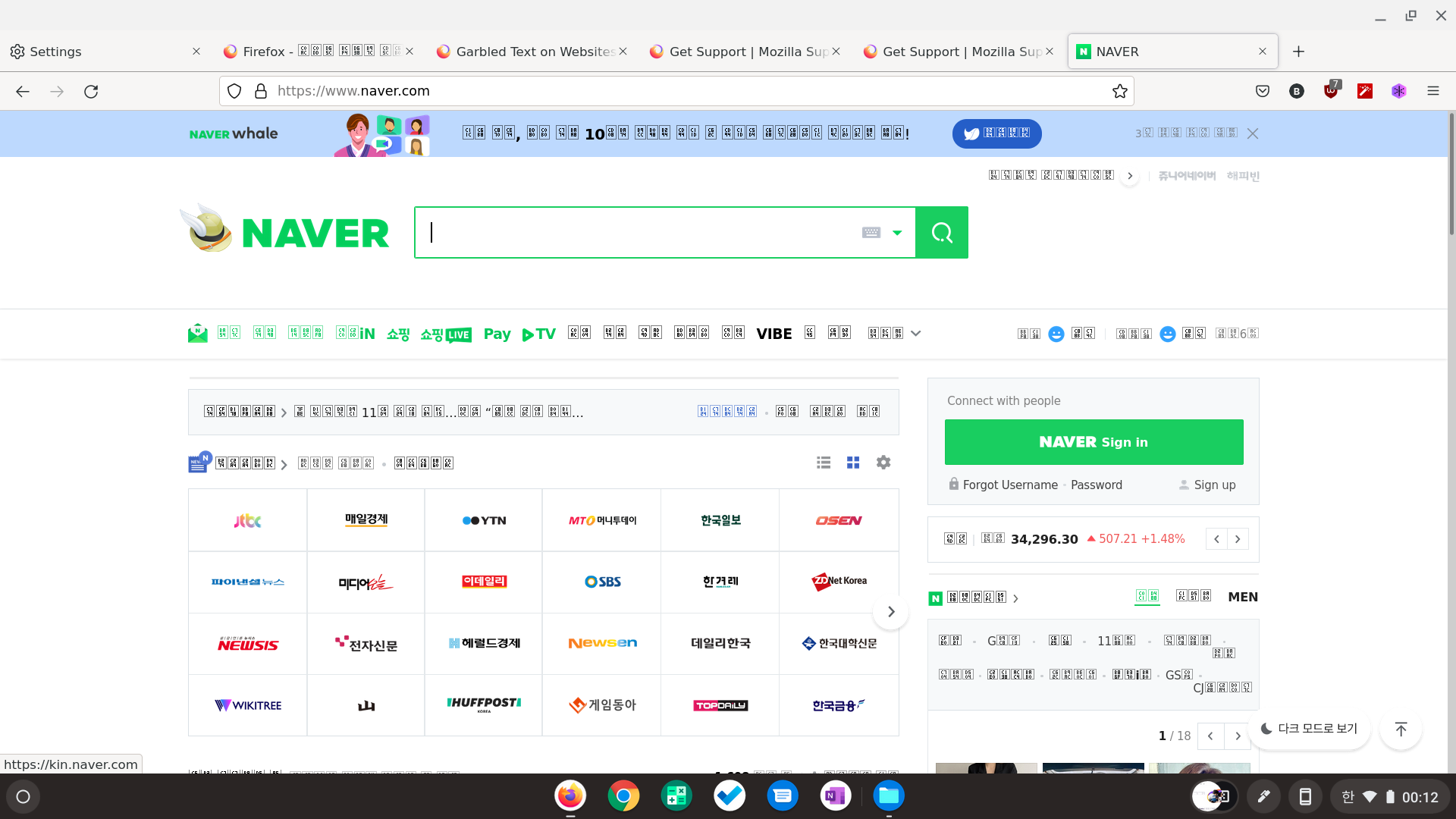
I installed linux firefox by this instruction: https://support.mozilla.org/en-US/kb/run-firefox-chromeos?utm_source=www.mozilla.org-firefox-browsers-chromebook&utm_medium=referral&utm_campaign=seo and Korean website looks like the screenshot. I tried setting Chromebook default language on Korean and English, and browser settings set on Korean and English for each. Nothing worked.
Capturi de ecran atașate

Soluție aleasă

You see little boxes with the hex code of the character if there isn't a font installed that covers this Unicode range or Firefox doesn't find it.

Does this work properly in other browsers ?

Citește răspunsul în context 👍 1

Toate răspunsurile (2)

mai multe opțiuni

Soluție aleasă

You see little boxes with the hex code of the character if there isn't a font installed that covers this Unicode range or Firefox doesn't find it.

Does this work properly in other browsers ?

mai multe opțiuni

It worked properly on any other non-linux application.

But I searched and followed the instruction of how to install fonts for chrome-os-linux: https://www.linuxmadesimple.info/2020/09/how-to-install-custom-fonts-on.html

and it's immediately solved. Thanks!