


Can't go to ebay or amazon from the address bar any more. How to fix that?

Hi,
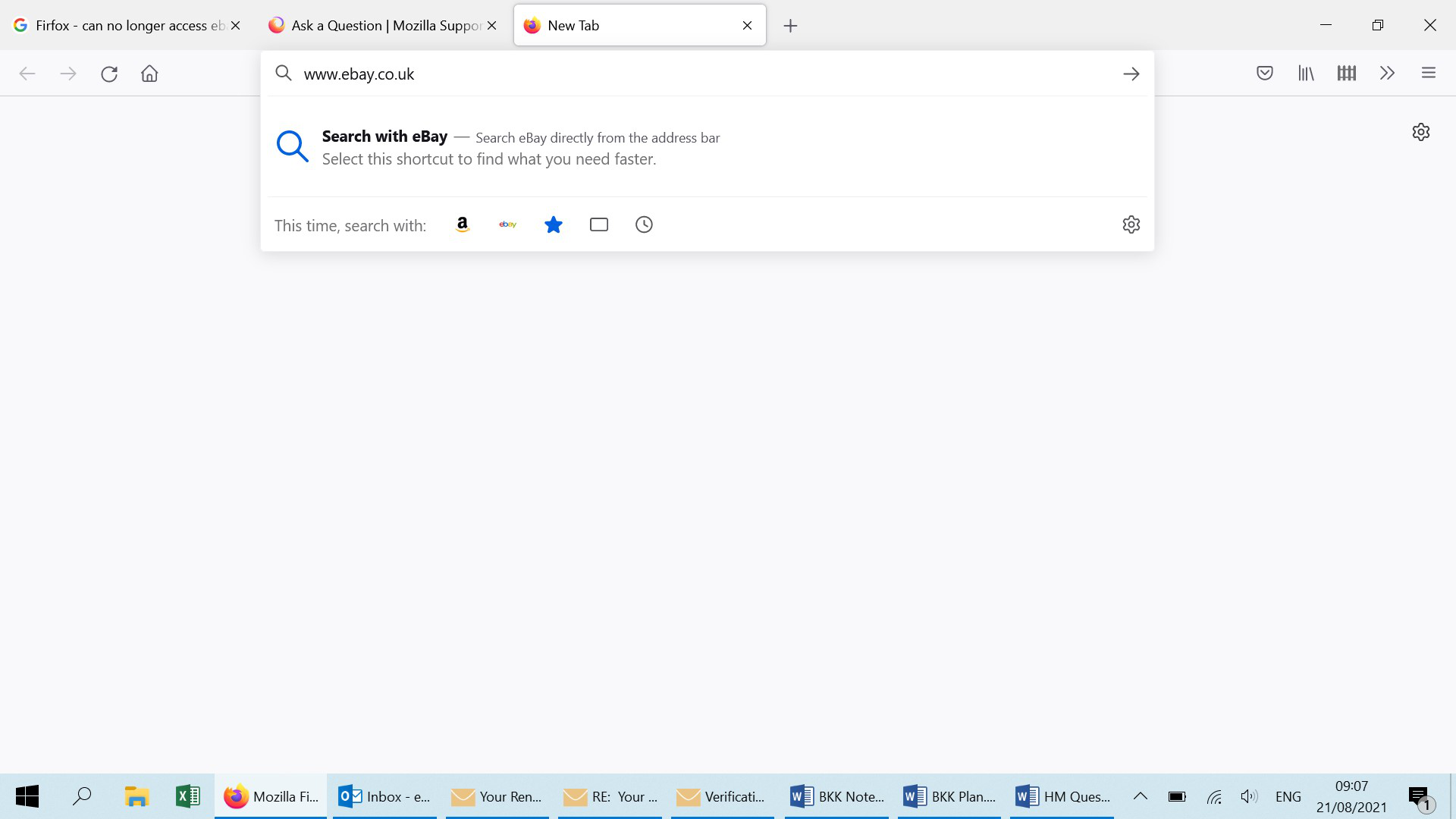
Type www.ebay.co.uk in address bar. I'm offered the chance to search Ebay but not to go to it. When I simply press return on the address nothing happens. Firefox doesn't go to ebay. Tried www.amazon.com, same result can't get firefox to go to either site unless I search for them on google and click a link.
These are popular sites for me. How can I just type in the site I want I get it to go there? And how come it's suddenly stopped allowing me to go directly to ebay & amazon?
Many thanks!
Evan
Soluție aleasă
Solved it!
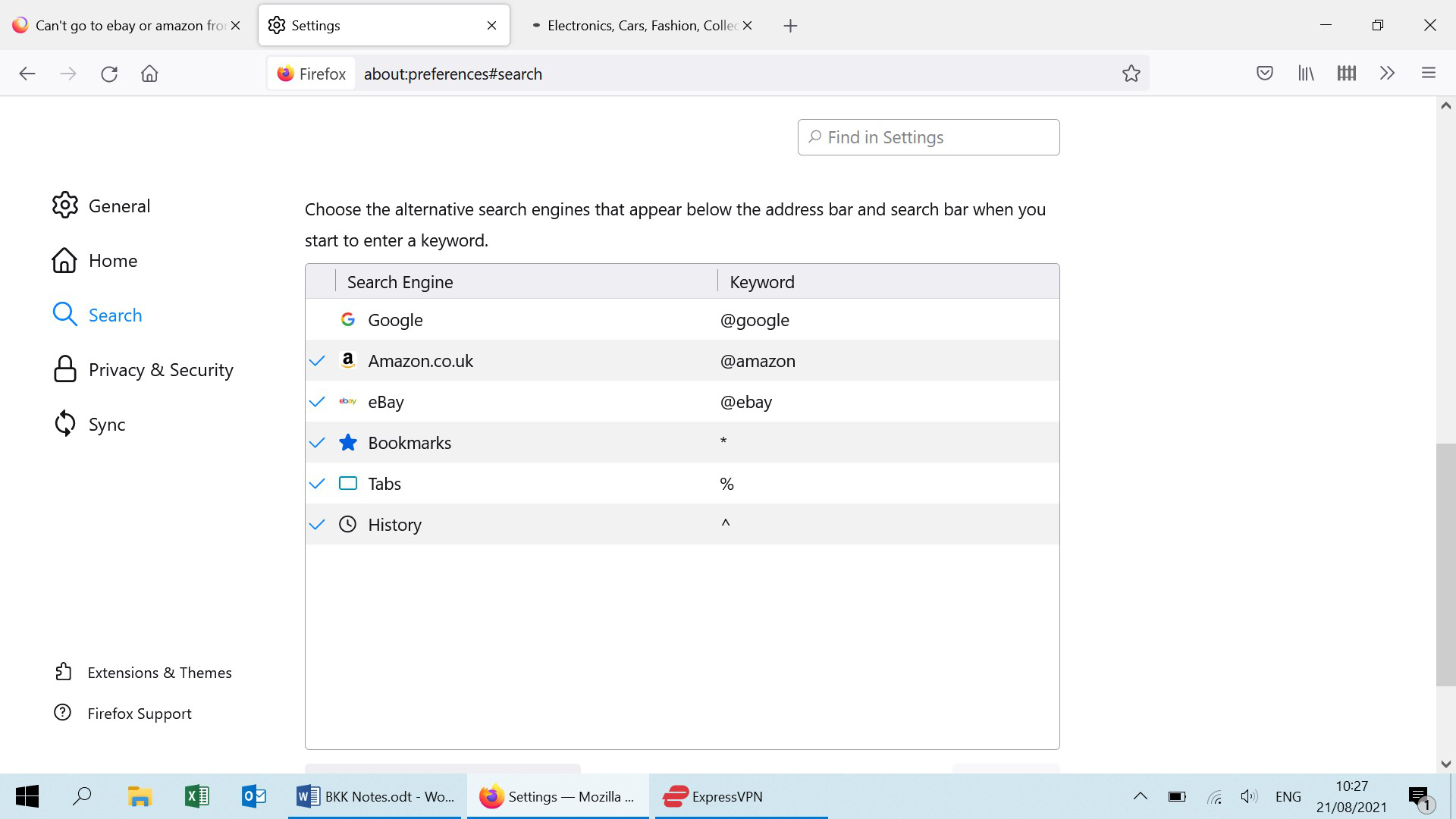
Recent update appears to have defaulted "Search Shortcuts, Choose the alternative search engines that appear below the address bar and search bar when you start to enter a keyword" to include ebay and amazon as ticked options. This means that the address bar no longer accepts ebay or amazon URLs but rather asks if you want to search using them as search engines. I don't, I want to go to my account.
To resolve the issue untick all of the "search shortcuts". 3 horizontal lines top right -> Settings -> Search -> Search Shortcuts, untick all. Screenshot below.
Evan
Citește răspunsul în context 👍 0Toate răspunsurile (5)

Have you tried other links? Do they give the same results?
Start Firefox using Troubleshoot(Safe) Mode {web link}
A small dialog should appear. Click Start In Troubleshoot(Safe) Mode (not Refresh). Is the problem still there?
As far as I can tell, it's only those links that are listed under "this time search with...." that fail. IE ebay and amazon.
Google.co.uk behaves normally (home page anyway) as do other URLS such as news.bbc.co.uk.
Thanks!
Evan
Opened Firefox in troubleshooting mode (thanks for tip Fred McD :-) ), same result: unable to access either ebay or amazon from the address bar
Soluție aleasă
Solved it!
Recent update appears to have defaulted "Search Shortcuts, Choose the alternative search engines that appear below the address bar and search bar when you start to enter a keyword" to include ebay and amazon as ticked options. This means that the address bar no longer accepts ebay or amazon URLs but rather asks if you want to search using them as search engines. I don't, I want to go to my account.
To resolve the issue untick all of the "search shortcuts". 3 horizontal lines top right -> Settings -> Search -> Search Shortcuts, untick all. Screenshot below.
Evan
That was very good work. Well Done. Please flag your last post as Solved Problem as this can help others with similar problems. Go to that post and click the 'Solved' button to its right.