

Firul de discuție a fost arhivat.
Adresează o întrebare nouă dacă ai nevoie de ajutor.

Rezolvat
Arhivate
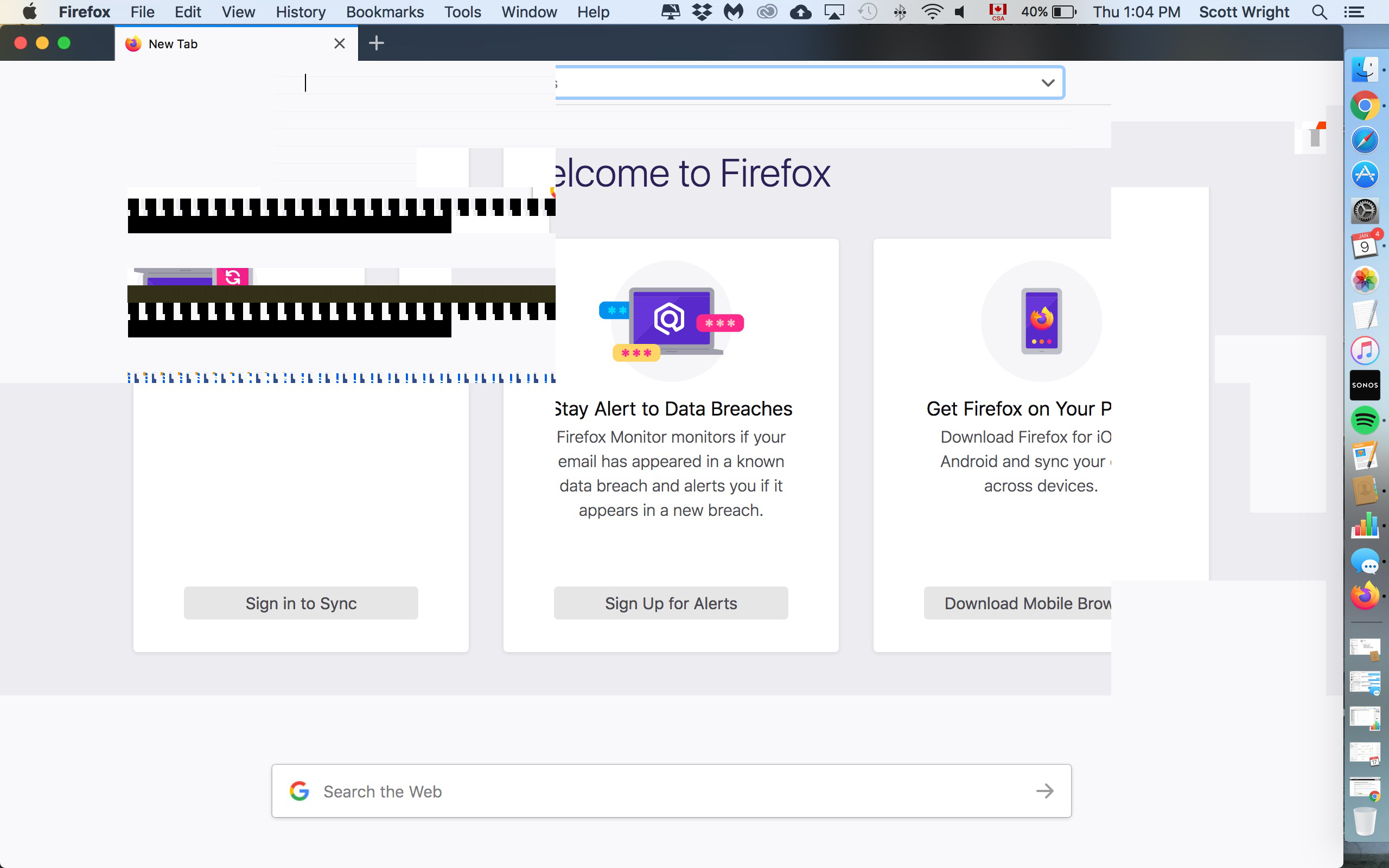
Screen shakes and jumps, shows multiple lines of code when opening firefox, unable to use the browser
Have scanned for and removed malware, have un-installed and re-installed firefox, but it is not functional. Chrome, Safari work normally. Prior to this, firefox was crashing every time I tried to attach a doc or photo. Help!
Have scanned for and removed malware, have un-installed and re-installed firefox, but it is not functional. Chrome, Safari work normally. Prior to this, firefox was crashing every time I tried to attach a doc or photo. Help!
Toate răspunsurile (1)
Soluție aleasă
Does this still happen when opening Firefox in Safe Mode?
If not, my first guess would be that it's a hardware acceleration related issue, which can usually be resolved by disabling hardware acceleration in the settings.
NOTE: Your may need to restart Firefox for the changes to be applied.
If that doesn't help, it could be caused by a faulty extension that you have installed in Firefox. In that case, you will need to use a bit of trial and error to find what one is causing the problem.
Hope this helps.