


facebook news feed issue
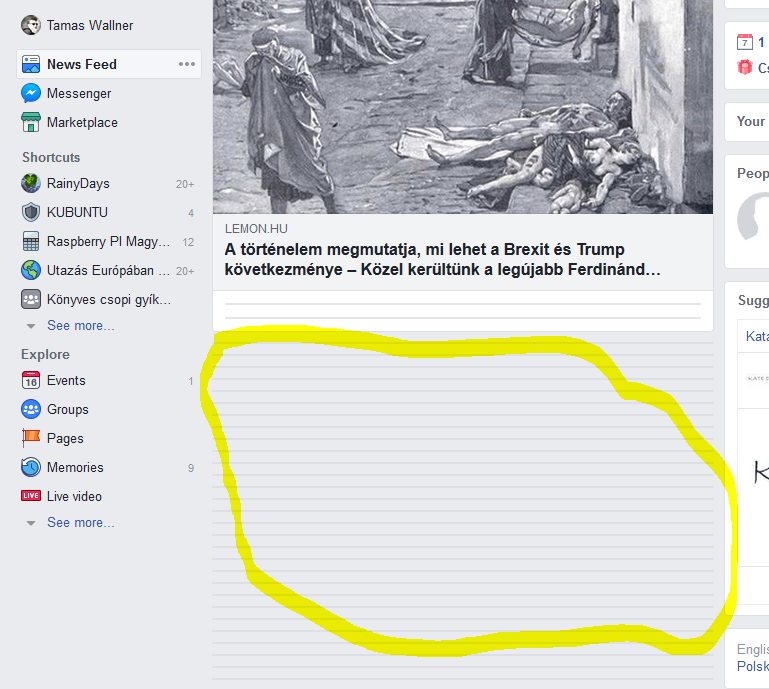
Hi, Since last update FF (63.0.3 x64) cannot display facebook news feed. Start to load the page and then "close" all the posts (see attached). Same with disabled addons and/or private mode browsing.
Soluție aleasă
waces said
In safe mode works fine
Firefox Safe Mode, or the computer?
It could be the work of one of your add-ons, or it could be Hardware Acceleration. How to disable Hardware Acceleration {web link}
Type about:addons<enter> in the address bar to open your Add-ons Manager. Hot key; <Control> (Mac=<Command>) <Shift> A)
In the Add-ons Manager, on the left, select Extensions. Disable a few add-ons, then Restart Firefox.
Some added toolbar and anti-virus add-ons are known to cause Firefox issues. Disable All Of them.
If the problem continues, disable some more (restarting FF). Continue until the problem is gone. After, you know what group is causing the issue. Re-enable the last group ONE AT A TIME (restarting FF) until the problem returns.
Once you think you found the problem, disable that and re-enable all the others, then restart again. Let us know who the suspect is, detective.
Citește răspunsul în context 👍 1Toate răspunsurile (6)

Start Firefox in Safe Mode {web link} by holding down the <Shift> (Mac=Options) key, and then starting Firefox.
A small dialog should appear. Click Start In Safe Mode (not Refresh). Is the problem still there?
Start your Computer in safe mode with network support. Then start Firefox. Try Secure websites. Is the problem still there?
http://encyclopedia2.thefreedictionary.com/Linux+Safe+Mode Starting Any Computer In Safe Mode; Free Online Encyclopedia
Hi,
Thanks for the quick reply. In safe mode works fine. No issues with any other random https sites so far
Soluție aleasă
waces said
In safe mode works fine
Firefox Safe Mode, or the computer?
It could be the work of one of your add-ons, or it could be Hardware Acceleration. How to disable Hardware Acceleration {web link}
Type about:addons<enter> in the address bar to open your Add-ons Manager. Hot key; <Control> (Mac=<Command>) <Shift> A)
In the Add-ons Manager, on the left, select Extensions. Disable a few add-ons, then Restart Firefox.
Some added toolbar and anti-virus add-ons are known to cause Firefox issues. Disable All Of them.
If the problem continues, disable some more (restarting FF). Continue until the problem is gone. After, you know what group is causing the issue. Re-enable the last group ONE AT A TIME (restarting FF) until the problem returns.
Once you think you found the problem, disable that and re-enable all the others, then restart again. Let us know who the suspect is, detective.
thanks. that helped. the ublock origin plugin was the faulty one. disabled it and now everything is back to normal. thanks for all your help
Hello waces,
Would you be so kind as to mark FredMcD's last post as Chosen Solution ? (button to the right of that post)
Thank you in advance !
Glad to help. Safe Surfing.