


Can't read a lot of the text on my Mac after FF update

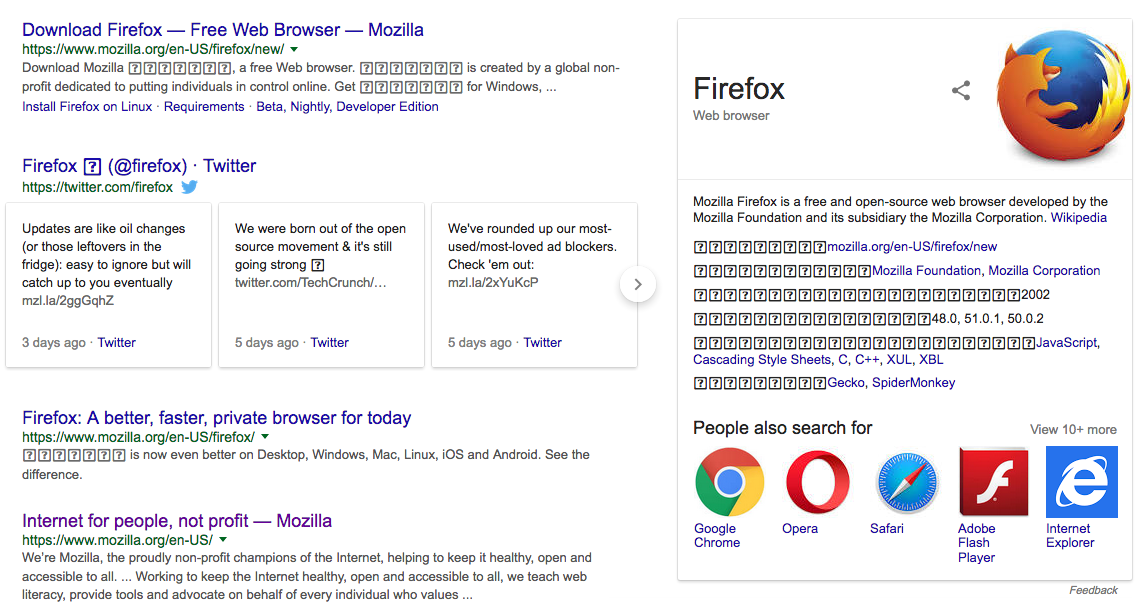
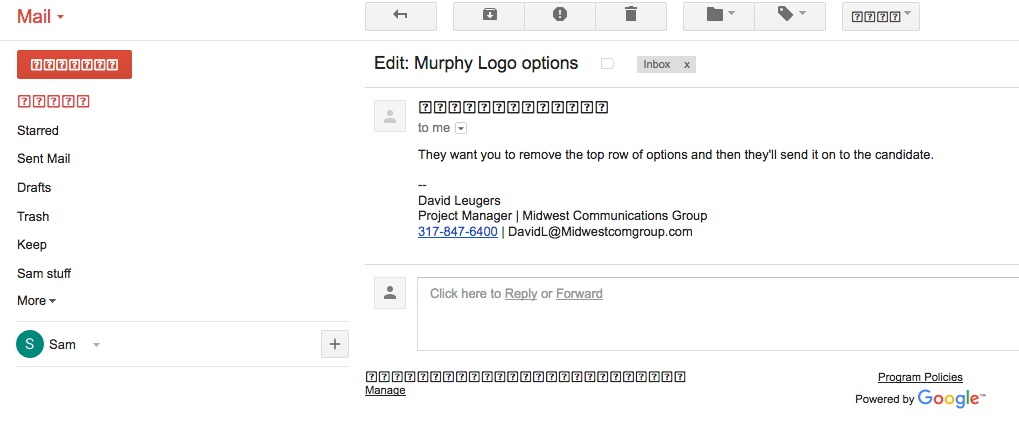
Firefox upgraded today, and now a LOT of the text renders as little boxes with "?" inside them. No problem prior to update. I have attached screenshots of a search in firefox and also a gmail page. I have tried to find a place where a font may have changed, but the default FF font looks OK. I cant read ANY of the settings in Gmail because almost all the text now renders as the "?" graphic.
Got to find a fix or I have to switch browsers.
Or, can I go back to a previous version of FF?
Toate răspunsurile (6)
Would you try this :
Type in the address bar about:config (press Enter) Promise to be careful, if asked) Type and look for the preference : security.sandbox.content.level and set its value to 1 (one) (default value is 3 )
Everything back to normal now, or still no joy ?
Well, I tried the old standard method first... reboot the computer.
That seems to have fixed the issue. Something in the update needed to have a complete system restart to make it work right.
Of course, that was just a band aid. Upon startup today, the problem was back.
In the latest version of Firefox for the Mac, all text in Google related screens and apps is trashed. Checked it in Chrome, works just fine. Even in Safari.
Don't make me give up Firefox, please fix the issue, or give me a way to go back to a previous version of Firefox.
Did you modify the above posted pref?
This is likely a problem on Mac with sandbox permissions where Firefox can't access a specific font and falls back to a Last Resort font that displays all glyphs as a '?'.
When you set this pref to 1 then Firefox will be able to use the specified font.
You can set this pref to 1 on the about:config page.
- security.sandbox.content.level = 1
- close and restart Firefox to make the change effective.
You can open the about:config page via the location/address bar. You can accept the warning and click "I accept the risk!" to continue.
resetting to "1" seems to have done the trick
Enigma said
Would you try this : Type in the address bar about:config (press Enter) Promise to be careful, if asked) Type and look for the preference : security.sandbox.content.level and set its value to 1 (one) (default value is 3 ) Everything back to normal now, or still no joy ?
The default value "3" has no option for editing.???