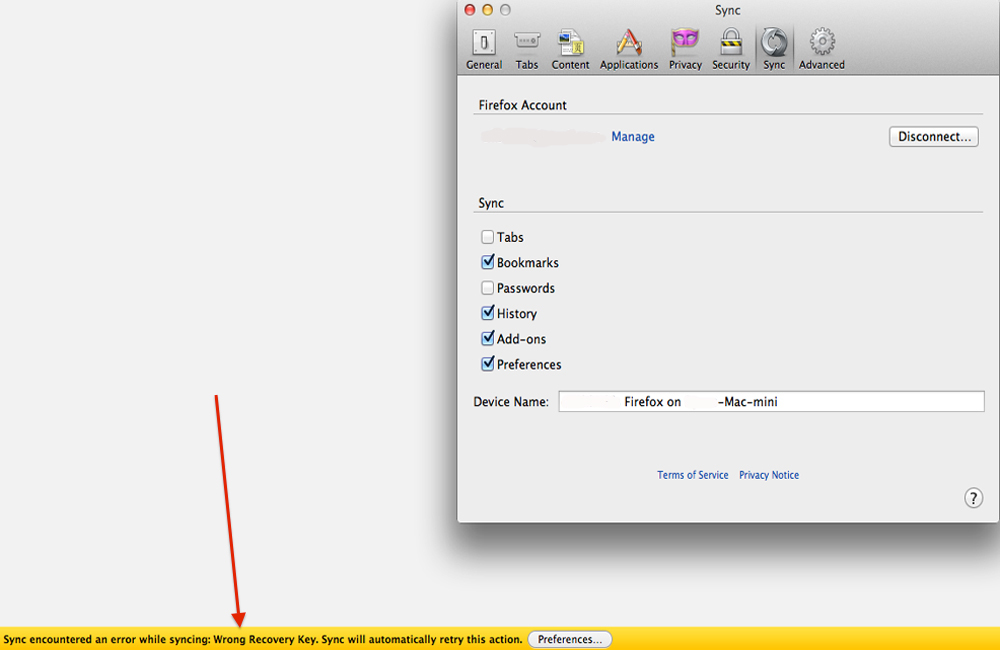
Mozilla Sync not working after getting the new Sync account.

No matter what I do Sync does not work. The error message says, there is an unknown sync error and that Firefox will attempt to reconnect in a few moments. I have tried resetting Firefox and it will sync for a few browser start-ups then back to the same error message. I have turned off each individual sync (History, Bookmarks, etc...) in the preferences and tried it and it gives the same error message. I have tried this article: http://mzl.la/1wT2QEE and it doesn't help. I even tried emptying the cache and a system restart, still hasn't stopped.
Modificat la de saneman
Toate răspunsurile (8)

Type about:accounts and create a new account with your old Firefox SYNC email and verify the email ID.
Now you SYNC your old data to New SYNC
I'm already using the new Sync and have a new account, I'm sorry that I didn't make that part more clear.
Modificat la de saneman
Remove your SYNC account and RESYNC it.
So far it has synced correctly but I am going to wait a few days before marking this as solved.
It started doing it again after restarting the browser a second time when reopening the browser application.
Type about:sync-log in URL and check the SYNC logs
Type about:sync-progress in URL and check your SYNC progress
Here is my sync progress:
Modificat la de saneman
I have a Seamonkey Sync account that uses the same email as this account could that be causing the issue? The recovery key that I have worked with both accounts.
This is the new error message after removing the SYNC and RESYNCING, here is the screen shot: