


Windows 10 reached EOS (end of support) on October 14, 2025. If you are on Windows 10, see this article.

Pesquisar no apoio

Evite burlas no apoio. Nunca iremos solicitar que telefone ou envie uma mensagem de texto para um número de telefone ou que partilhe informações pessoais. Por favor, reporte atividades suspeitas utilizando a opção "Reportar abuso".

Saber mais

I deleted an email account ***@gmail.com I am no longer authorized to use. I persistently receive Google "Verification" screens for that email account. These only appear if I have thunderbird running.

  • Nenhuma resposta
  • 0 têm este problema
  • Open

Every time I start up Thunderbird, I receive a "Please verify" message from Google (see screen shot). This message refers to an email account that I deleted because I am no longer authorized to use it ["s***@old****.com]. These requests also turn up regularly if I remain connected. I cannot verify the account because the password has been changed and the verification email is no longer mine.

I have 2 other accounts on Thunderbird; one is linked to a private domain; one is an ***@gmail.com account. Both perform correctly; are configured correctly and cause no problems with passwords, etc.. Other evidence:

In Box: The s***@old****.com account is not present in the left menu window. When I go to Accounts, Settings: The s***@old****.com account is not listed. When I go to Server Settings (In or Out) there is no trace of the 's***@old****.com' account, although the other two accounts have correct settings in the 'Outgoing' server.. Previosly, this email "s***@old****.com" was also linked to my Google Account. I have deleted it from my Google Account; I have deleted it from Thunderbird as an Account. When I disconnect my Google Accounts: This has no apparent effect on frequency of Verification prompts [I close my Safari browser]. When I Close Thunderbird: The Verification prompts for "s***@old****.com" no longer appear.

It seems like Thunderbird is still trying to "Get Messages" from "s***@old****.com" and triggering the Google password protection system (?).

IS THERE A WAY TO FIX THIS IN THUNDERBIRD?

Thanks, Al
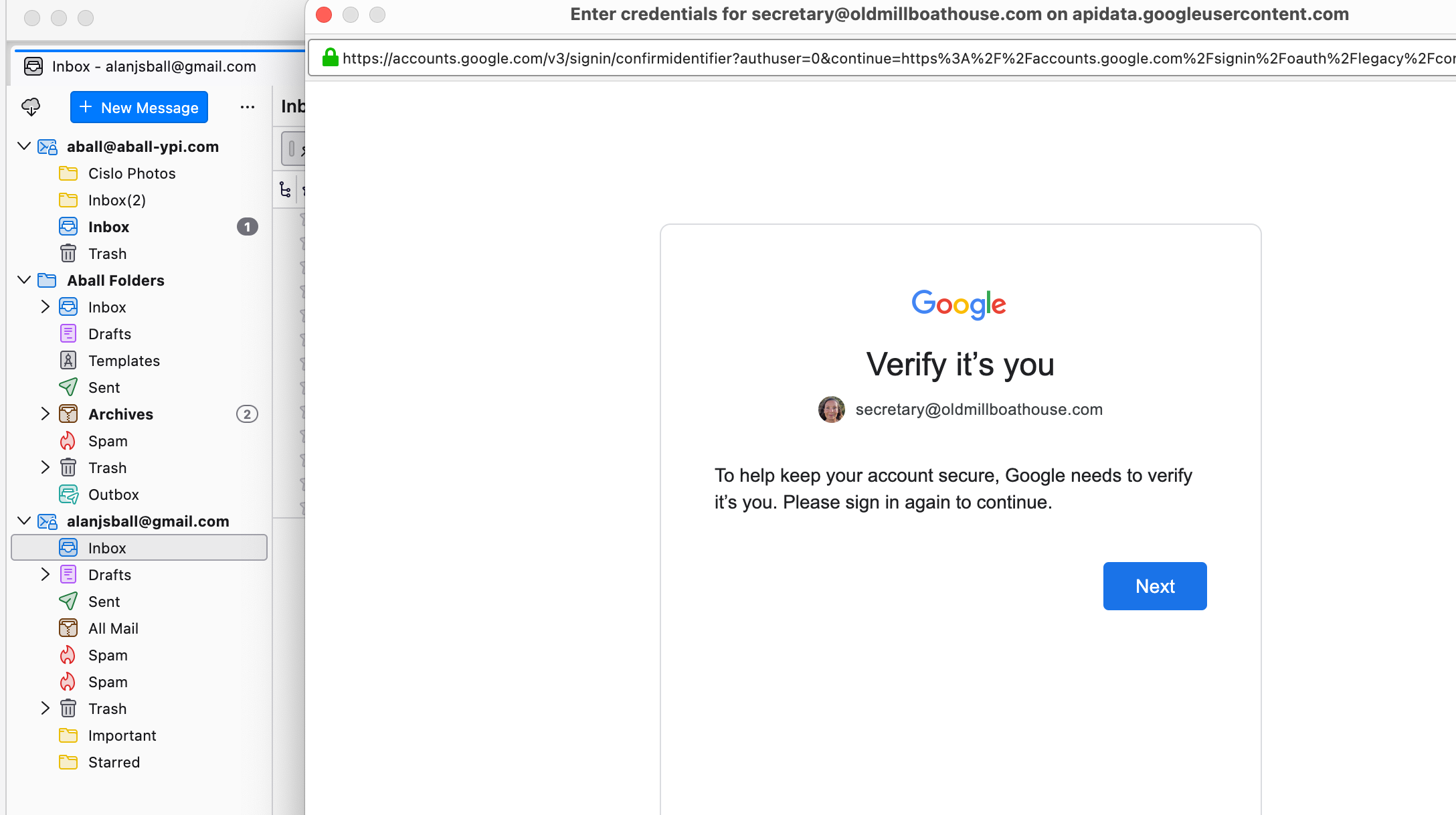
Every time I start up Thunderbird, I receive a "Please verify" message from Google (see screen shot). This message refers to an email account that I deleted because I am no longer authorized to use it ["s***@old****.com]. These requests also turn up regularly if I remain connected. I cannot verify the account because the password has been changed and the verification email is no longer mine. I have 2 other accounts on Thunderbird; one is linked to a private domain; one is an ***@gmail.com account. Both perform correctly; are configured correctly and cause no problems with passwords, etc.. Other evidence: In Box: The s***@old****.com account is not present in the left menu window. When I go to Accounts, Settings: The s***@old****.com account is not listed. When I go to Server Settings (In or Out) there is no trace of the 's***@old****.com' account, although the other two accounts have correct settings in the 'Outgoing' server.. Previosly, this email "s***@old****.com" was also linked to my Google Account. I have deleted it from my Google Account; I have deleted it from Thunderbird as an Account. When I disconnect my Google Accounts: This has no apparent effect on frequency of Verification prompts [I close my Safari browser]. When I Close Thunderbird: The Verification prompts for "s***@old****.com" no longer appear. It seems like Thunderbird is still trying to "Get Messages" from "s***@old****.com" and triggering the Google password protection system (?). IS THERE A WAY TO FIX THIS IN THUNDERBIRD? Thanks, Al
Capturas de ecrã anexadas

Deve iniciar a sessão com a sua conta para responder às mensagens. Por favor, comece uma nova pergunta, se ainda não tiver uma conta.