


Windows 10 reached EOS (end of support) on October 14, 2025. If you are on Windows 10, see this article.

Pesquisar no apoio

Evite burlas no apoio. Nunca iremos solicitar que telefone ou envie uma mensagem de texto para um número de telefone ou que partilhe informações pessoais. Por favor, reporte atividades suspeitas utilizando a opção "Reportar abuso".

Saber mais

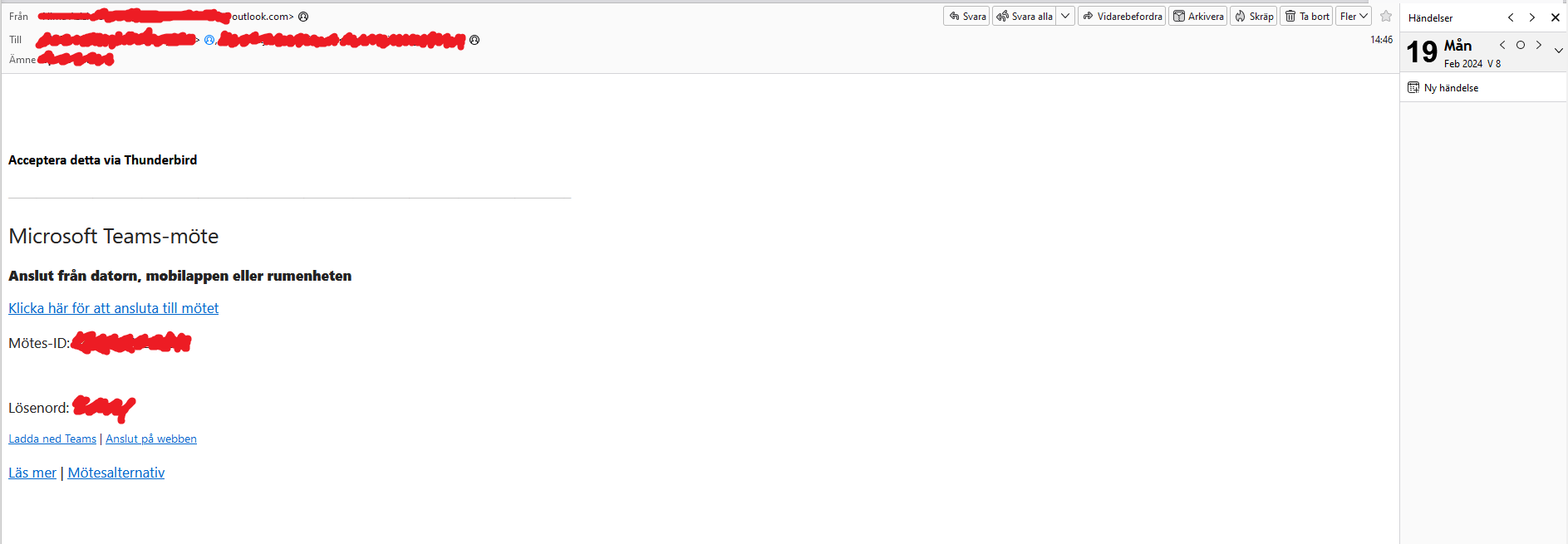
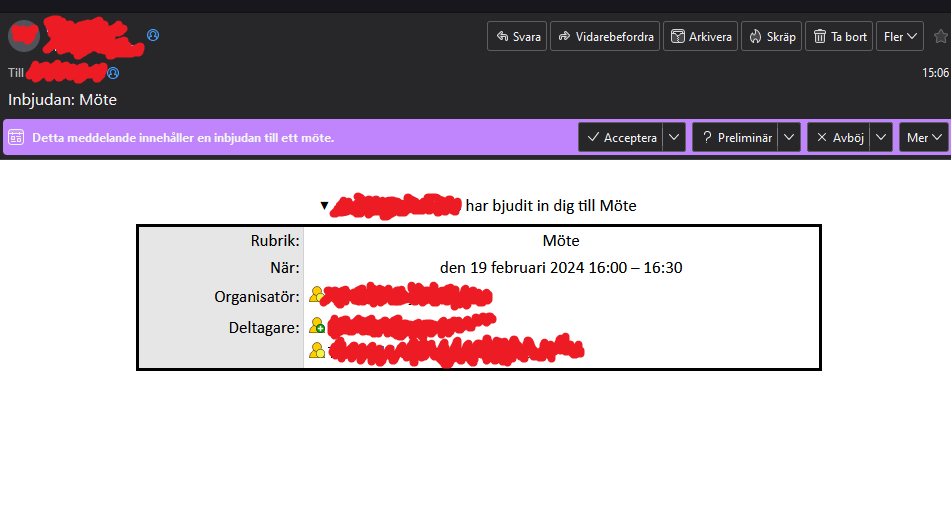
No purple bar with Accept button in meeting invitation email

  • Nenhuma resposta
  • 0 têm este problema
  • 2 visualizações

Hi,

I recently installed a CalDAV server at my workplace to connect to in the Thunderbird calendar, as we all already use Thunderbird for e-mail.

If I create a meeting in the calendar and invite everyone else, they all get an email invite with the name, time & place of meeting etc.. And at the top of the email, just below the title of the email, there is a purple bar with boxes saying "Accept", "Tentative", "Deny" and "More" (or something synonymous, I have it in Swedish).

For one employee that purple bar with the "Accept"-box does not appear, and the only way for him to get the meeting to his calendar is by downloading the "invite.ics" file that is attached and importing it afterwards.

I have added two screenshots showing what I mean. One with the Accept, Deny etc. and the one person's e-mail that doesn't have the boxes.


We have checked his settings without finding anything that seems wrong in first glance. I have checked the caldav user account but the user account has the same settings as the others. Thunderbird is updated to the latest version (115.7.0, same as I use and it works for me).

When he invites people to a meeting they all get the invite correctly, so nothing is wrong when he creates a meeting invitation, only when he recieves an invite.

What could be wrong? Is there a setting he might've activated/deactivated in Thunderbird that we missed when looking or could there be something else we have thought of?

Thanks, Tim
Hi, I recently installed a CalDAV server at my workplace to connect to in the Thunderbird calendar, as we all already use Thunderbird for e-mail. If I create a meeting in the calendar and invite everyone else, they all get an email invite with the name, time & place of meeting etc.. And at the top of the email, just below the title of the email, there is a purple bar with boxes saying "Accept", "Tentative", "Deny" and "More" (or something synonymous, I have it in Swedish). For one employee that purple bar with the "Accept"-box does not appear, and the only way for him to get the meeting to his calendar is by downloading the "invite.ics" file that is attached and importing it afterwards. I have added '''two screenshots''' showing what I mean. One with the Accept, Deny etc. and the one person's e-mail that doesn't have the boxes. We have checked his settings without finding anything that seems wrong in first glance. I have checked the caldav user account but the user account has the same settings as the others. Thunderbird is updated to the latest version (115.7.0, same as I use and it works for me). When he invites people to a meeting they all get the invite correctly, so nothing is wrong when he creates a meeting invitation, only when he recieves an invite. What could be wrong? Is there a setting he might've activated/deactivated in Thunderbird that we missed when looking or could there be something else we have thought of? Thanks, Tim
Capturas de ecrã anexadas