


Unable to sign into google sites

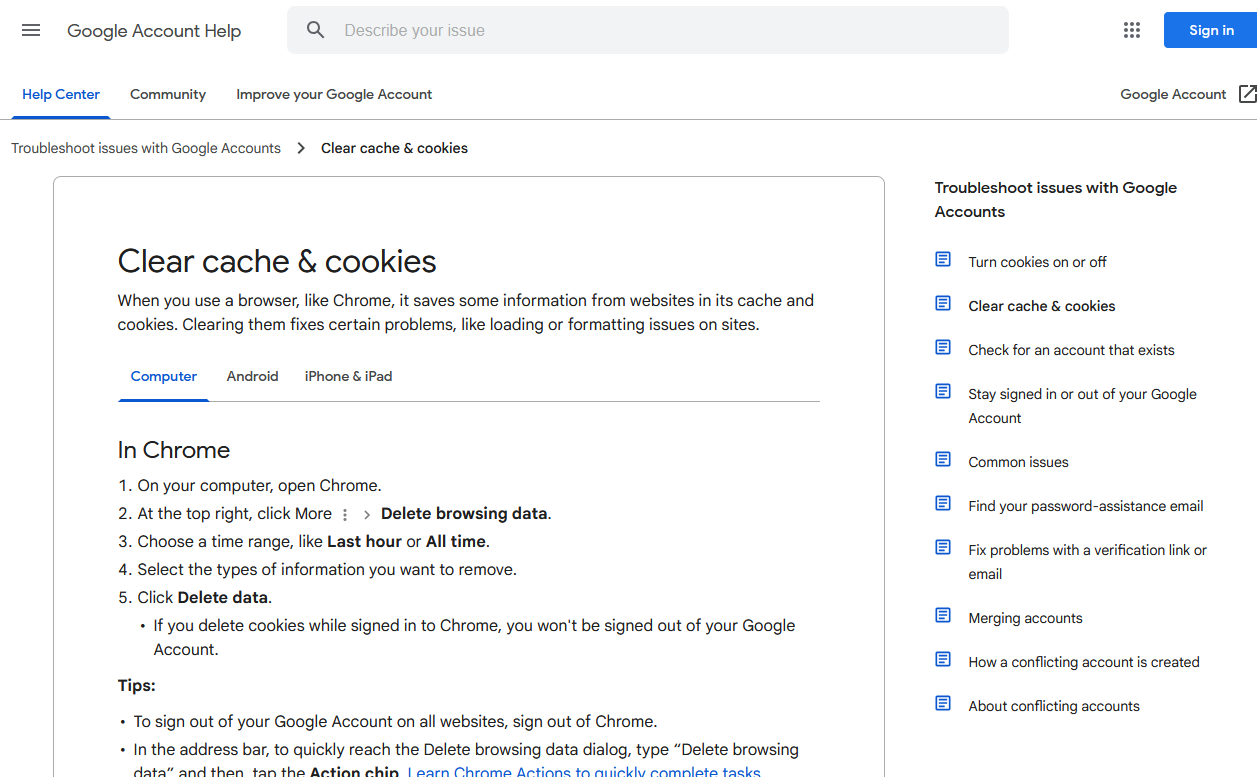
Whenever I try to sign into any Google site whether it is Gmail, Google, Youtube. or even signing into a site with a google account like Pinterest I get sent to the google help page taking about clearing cache & cookies. Even from there when i click sign in it just refreshes the page never actually taking me to the sign in page.
Solução escolhida
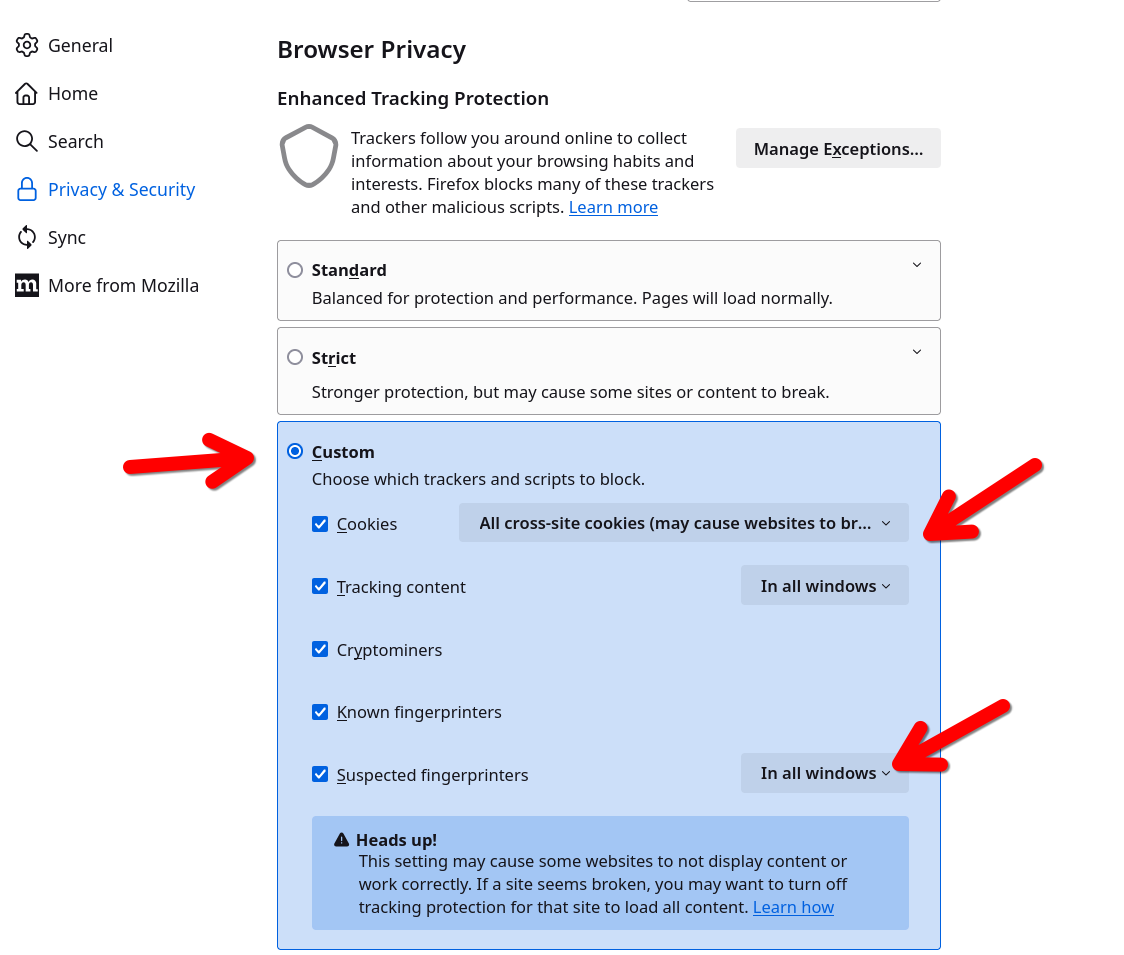
Gotcha. Windows home or pro? If you're running Windows Pro version, I would test in the Sandbox to confirm. https://www.howtogeek.com/399290/how-to-use-windows-10s-new-sandbox-to-safely-test-apps/ What security software are you running? What are your security settings in Firefox? see screenshot Mine are really strict, but sites work.
Ler esta resposta 👍 2Todas as respostas (6)
Also forgot to mention that yes I have already cleared my cache and cookies as well as completely Closing down Firefox and it still has issues.
That screenshot does not show the issue. Show what happens when you try to access the site. They work for me. see screenshots For Pinterest, I use my google account.
Do you have the same issue with Firefox in Troubleshoot Mode?


Alterado por jonzn4SUSE em
I cant show what happens when I try to access any site using google. When ever I click sign in it takes me to that page that I screenshot. The exact process would be as follows for example. Go to Youtube click sign into account. White screen for half a second before being routed to the google help page with no opportunity to even put my information in to attempt to log in. and yes it still does it in troubleshoot mode
Solução escolhida
Gotcha. Windows home or pro? If you're running Windows Pro version, I would test in the Sandbox to confirm. https://www.howtogeek.com/399290/how-to-use-windows-10s-new-sandbox-to-safely-test-apps/ What security software are you running? What are your security settings in Firefox? see screenshot Mine are really strict, but sites work.
Alterado por jonzn4SUSE em
You can check the connection settings and check for possible issues with a Proxy or VPN service.
- Settings -> General -> Network: Connection -> Settings
If you do not need to use a Proxy to connect to internet, select "No Proxy" if "Use the system proxy settings" or one of the others do not work properly.
See also:

jonzn4SUSE said
Gotcha. Windows home or pro? If you're running Windows Pro version, I would test in the Sandbox to confirm. https://www.howtogeek.com/399290/how-to-use-windows-10s-new-sandbox-to-safely-test-apps/ What security software are you running? What are your security settings in Firefox? see screenshot Mine are really strict, but sites work.
I thank you so much dear stranger! This worked for me. My main issue was that I cleared coockies and cashe and it changed my settings for some reasons. Thank you hero!