


icloud plugin not found, but is installed
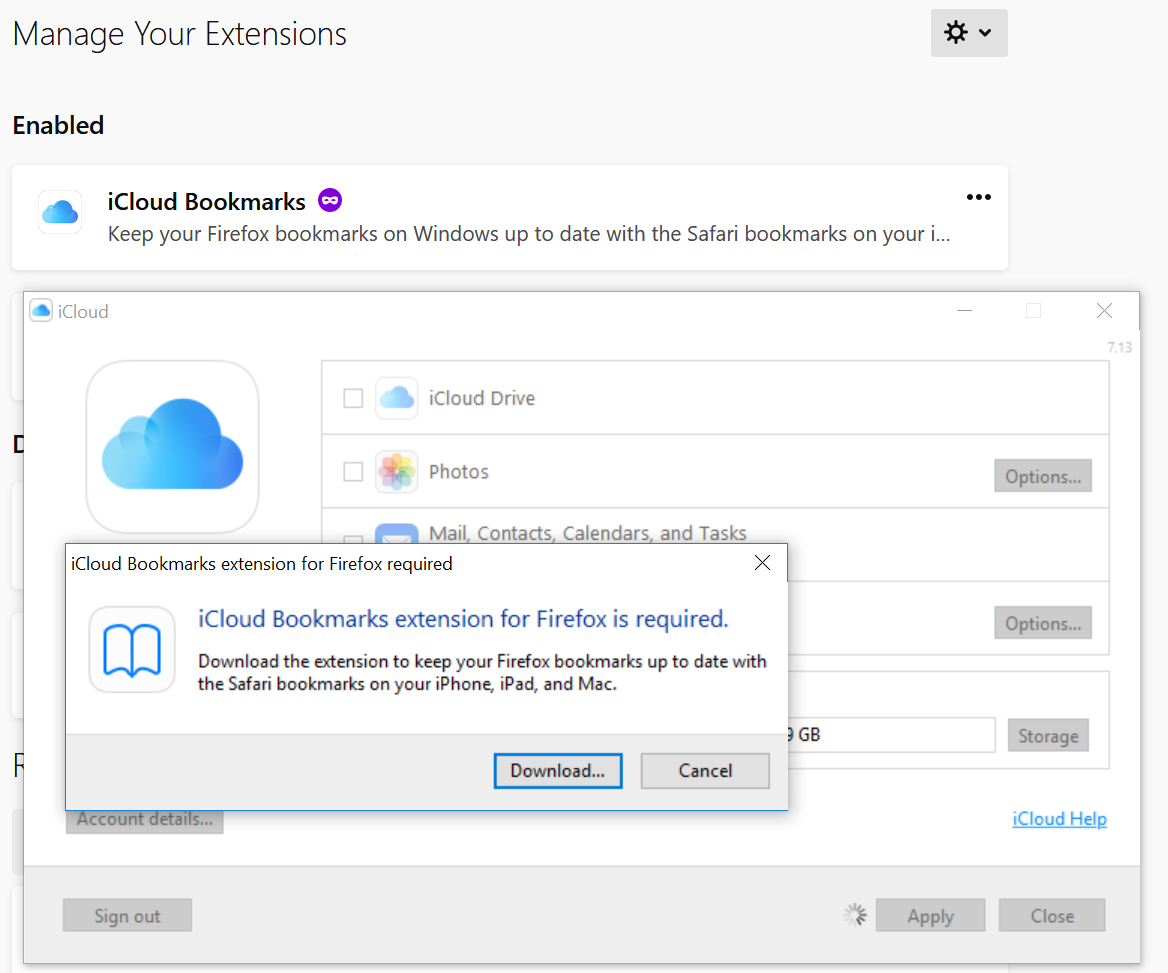
When I try to turn on icloud bookmark syncing i get an error that the firefox bookmark plugin is not found. Have tried reinstalling firefox, disabling all other plugins, loading in safe mode, etc.
Windows 10 Pro 1803 iCloud 7.13 Firefox 68.0.2 (64-bit)
Todas as respostas (7)
Apple was not able to help me resolve this issue and referred me to mozilla support
Per the information that you posted, the iCloud Bookmarks extension is installed and enabled. iCloud Bookmarks 2.1.23 (firefoxdav@icloud.com)
Yes, it's installed. iCloud doesn't recognize it, which is the problem. See attached screenshot.
If you click the extension name to go to its details page, are there any settings that might need to be adjusted?
You can try to uninstall and reinstall the iCloud extension.
I’ve tried that. Still not working
In this article it says :
"The only catch with iCloud Bookmarks for Windows users is that you need to install the iCloud desktop app. "
Maybe you'll find some tips here :
https://www.makeuseof.com/tag/icloud-sync-problems-x-fixes-common-cloud-storage-issues/
Or use an alternative add-on like :
https://addons.mozilla.org/en-US/firefox/addon/fvd-synchronizer/