

Esta discussão foi arquivada.
Faça uma nova pergunta se precisa de ajuda.

Solved
Arquivado
Add certificate window resize

OCarinha said
On the Add A New Certificate page, for "unauthorized websites", if you click on the "View certificate" button the window automatically resizes for a bigger size, eventually it turns out to get out of screen reach and you can't see the whole window anymore. The problem is that the (Shift+F4) Size option is greyed out, and you can't resize the window with your mouse too. Also, starting Mozilla with a bigger administration level puts everything back to default, the window does too, but when I resynchronize my configurations, it gets back to its immense size. There's a topic on a different website that talks about this, yet it has never been correctly answered. Here's the link: https://superuser.com/questions/1253507/windows-firefox-security-exception-window-resizing-itself
''OCarinha [[#question-1207052|said]]''
<blockquote>
On the Add A New Certificate page, for "unauthorized websites", if you click on the "View certificate" button the window automatically resizes for a bigger size, eventually it turns out to get out of screen reach and you can't see the whole window anymore.
The problem is that the (Shift+F4) Size option is greyed out, and you can't resize the window with your mouse too.
Also, starting Mozilla with a bigger administration level puts everything back to default, the window does too, but when I resynchronize my configurations, it gets back to its immense size.
There's a topic on a different website that talks about this, yet it has never been correctly answered.
Here's the link: https://superuser.com/questions/1253507/windows-firefox-security-exception-window-resizing-itself
</blockquote>
Todas as respostas (3)
Solução escolhida
Try to rename/remove xulstore.json and if present delete localstore.rdf in the Firefox profile folder with Firefox closed.
You can use the button on the "Help -> Troubleshooting Information" (about:support) page to go to the current Firefox profile folder or use the about:profiles page.
- Help -> Troubleshooting Information -> Profile Directory:
Windows: Show Folder; Linux: Open Directory; Mac: Show in Finder - http://kb.mozillazine.org/Profile_folder_-_Firefox
please fix this!!!!!
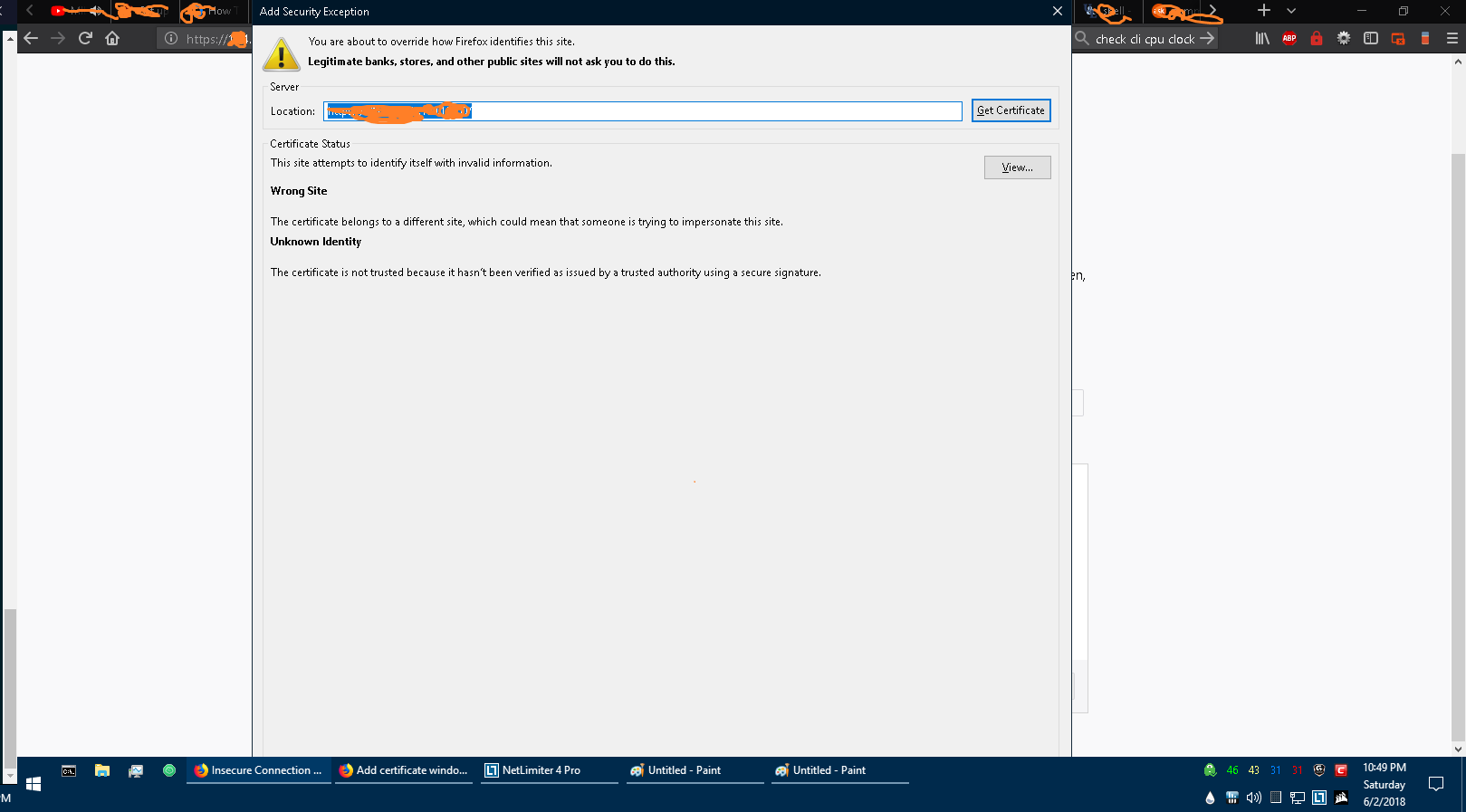
You can open the Add Security Exception page in a new tab:
- chrome://pippki/content/exceptionDialog.xul