


Getting font size right.
I use calibri as my default font. If I select "medium" for the composition font size, it's too small, showing up as 9.5 size font in Gmail and Outlook (copying and pasting the received text into Word to see sizing). If I select "large" it comes through as 13.5, too large, larger than I want. Is there a way to fix this?
I understand from reading other posts on this that the recipients' display is set by their system. But I sent tests to a number of people and they all say - "too small" or "too large" Obviously, I can send bigger or smaller to them, and the standard (medium) is too small.
Using Thunderbird 45.8.0.
Thanks.
Todas as respostas (3)
Most of my recipients don't use TB (their loss). The reader doesn't seem to matter. See the attachment, which shows how the text looks with first "large" and then "medium" chosen in TB Options|Composition. Thanks.
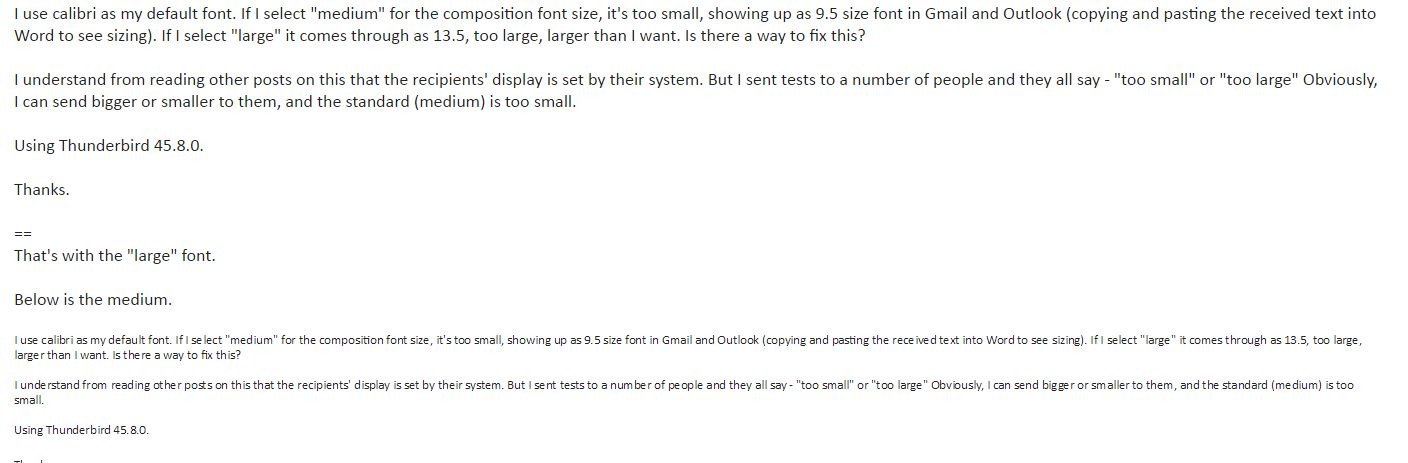
I'm not going to ask my recipients to change their displays. The standard Gmail web-based email "site" shows the font sizing that I posted the screenshot of. If no one else has this problem, I need to make the best of it. I thought I might hear from someone who did and who'd solved it.

I have an addon that provides additional formatting buttons, including one with a drop down list of font sizes. Note that in Thunderbird these sizes are in pixels, not points. This practice is a w3c recommendation.
I use this myself simply to repair the messages I recieve that have been damaged by Outlook, which insists on inappropriately inserting absolute point sizes into email. What looks good on a 23" monitor may not work on a 14" laptop, a 7" tablet or a 5" phone. And don't be surprised if settings that satisfy one correspondent don't suit others. You really shouldn't need to be setting absolute for sizes in email.
You could use css style tags to set default font values in your outgoing messages. You shouldn't need to do this because "medium" should render it at the recipient's default text size. The Stationery addon is a handy way to apply a template containing such settings.
Or use plain text, which is absolutely devoid of any font-related information and can only show according to your correspondents' settings.