


mp3 download "Save target as" does not work

Since I am running Firefox on Lubuntu 14.04, I cannot any longer save mp3 files from websites using right-click and "Save target as". The right-click menu appears, but when choosing "Save target as" or "Save audio as", nothing happens.
Here, a link to an example: http://www.deutschlandfunk.de/fluesterbremsen-fuers-mittelrheintal-es-geht-darum-dass.697.de.html?dram:article_id=292085
Here, a link to an image with the right-click menu: http://imgur.com/9X2smyw
I am using Lubuntu 14.04 and Firefox 30.0 (User-Agent: Mozilla/5.0 (X11; Ubuntu; Linux x86_64; rv:30.0) Gecko/20100101 Firefox/30.0).
Downloading graphics and other file format using right-click and "Save target as" works fine, i.e. a save as menu opens, one can specify location and name and the file is saved.
I tested also Chromium; there everything works well.
Todas as respostas (11)
On that example page the link next to "Recorder" is the link to the mp3 file. It gives the option to "Save Link As...". Check to see if there is a user preference saved Options> Applications with the mp3 file type.
There are four preferences listed: MP3-Audio (application/save): Save file MP3-Audio (audio/mpeg): Audacious (standard) MP3-Audio (stream): Audacious (standard) MP3-ShoutCast-Playlist: Audacious (standard)
Start Firefox in Safe Mode to check if one of the extensions (Firefox/Tools > Add-ons > Extensions) or if hardware acceleration is causing the problem.
- Switch to the DEFAULT theme: Firefox/Tools > Add-ons > Appearance
- Do NOT click the Reset button on the Safe Mode start window
- https://support.mozilla.org/kb/Safe+Mode
- https://support.mozilla.org/kb/Troubleshooting+extensions+and+themes
Try to rename (or delete) the mimeTypes.rdf file in the Firefox profile folder to reset all file actions.
- http://kb.mozillazine.org/mimeTypes.rdf
- http://kb.mozillazine.org/File_types_and_download_actions#Resetting_download_actions
You can use this button to go to the currently used Firefox profile folder:
- Help > Troubleshooting Information > Profile Directory: Show Folder (Linux: Open Directory; Mac: Show in Finder)
Thanks; I tried as described; the problem continues.
What happens if you open the link in a new tab?
See attached picture.
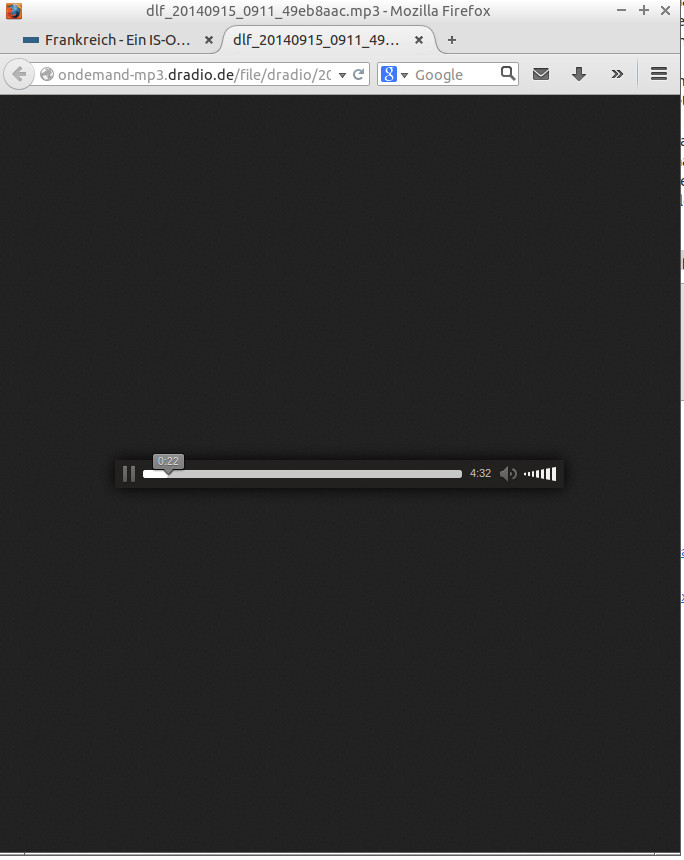
So, it looks that that works.
Can you save the MP3 file from that page?
Alterado por cor-el em
No, unfortunately not. If I click "save audio as" nothing happens.
I meant via "Save Page As", either by right-clicking on free space (i.e. not the player) or via the File menu or the "3-bar" Firefox menu button.
Using "Save Page As", I can save the html file and a folder with related files. However, they do not include an mp3 file. Opening the saved webpage, I cannot play the radio file.
When you right click and select "Save Audio As" what format is selected underneath the download options?