


How to show bookmark bar

How can do get this very basic setup on my new PC??? I don't understand why this did not happen automatically when I imported my bookmarks. This has been very frustrating.

Wybrane rozwiązanie
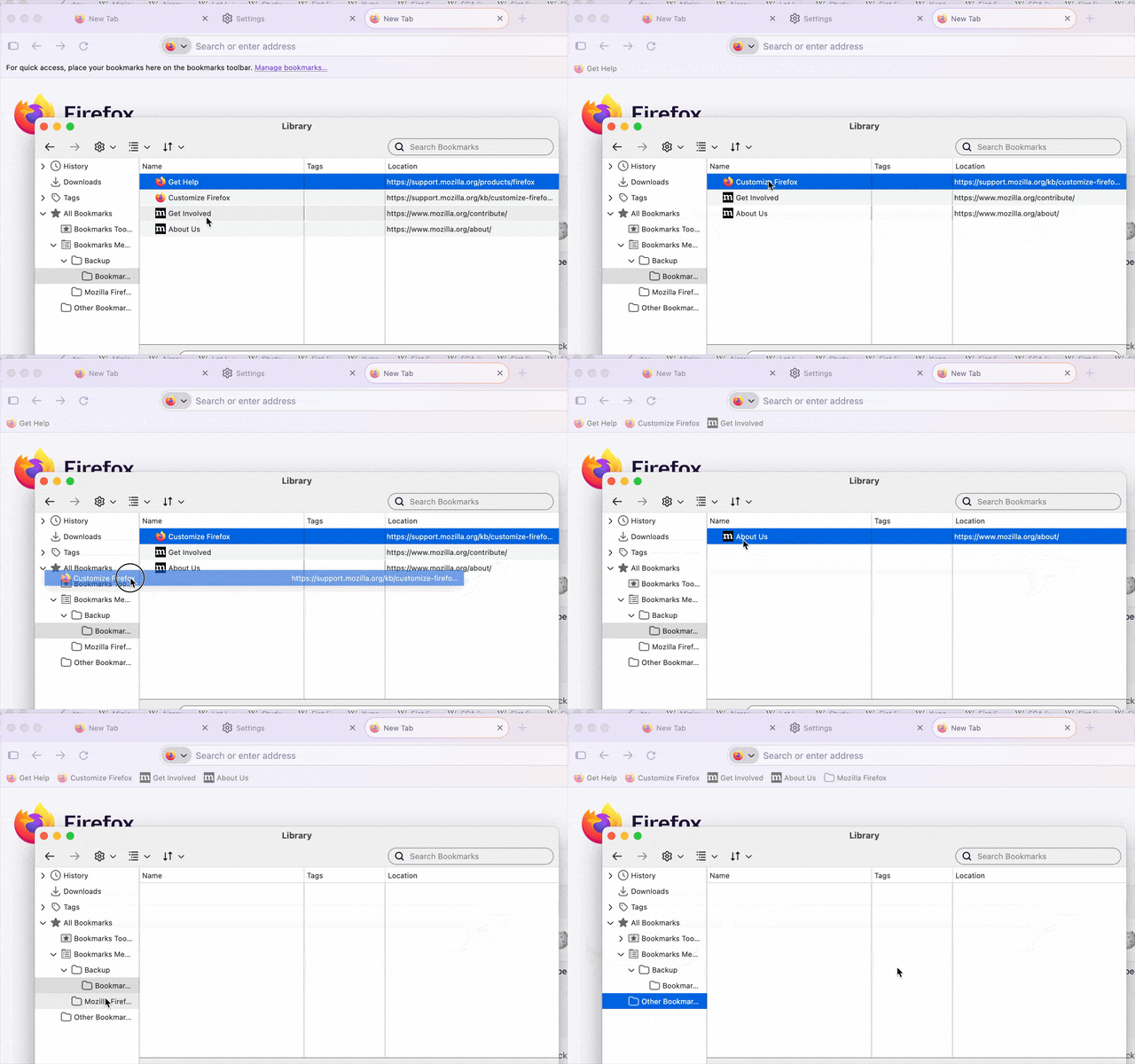
You drag them from the "wrong" folders (the ones nested deep inside your Bookmark Folders, outside of the top–level Bookmark Toolbar folder with the color highlights) — you can select all of them with Shift + arrows … and drag them all at once.
Wszystkie odpowiedzi (12)
Hi
This support article should help:
https://support.mozilla.org/en-US/kb/bookmarks-toolbar-display-favorite-websites
To be clear, I want the standard Windows toolbar and the bookmarks toolbar to display and have the open tabs show on the left margin. Why is this so hard to get done???
Hi Ross
That is a slightly different question.
This support article will help with the menu bar:
https://support.mozilla.org/en-US/kb/restore-menu-bar-firefox
The article I mentioned previously will help with the bookmarks bar. This article will help you to turn on vertical tabs:
https://support.mozilla.org/en-US/kb/use-sidebar-access-tools-and-vertical-tabs
Hi, I appreciate your quick reply.
It seems strange to me that the setting for having the bookmarks bar always show is way at the bottom.
In any case, how, how, how to I get the bookmark bar to show everything as the display below shows it's supposed to contain?
Maybe there could some way for Firefox to save the complete setup on one PC and transfer that to a new PC. Does that seem doable?
ross.burnett said
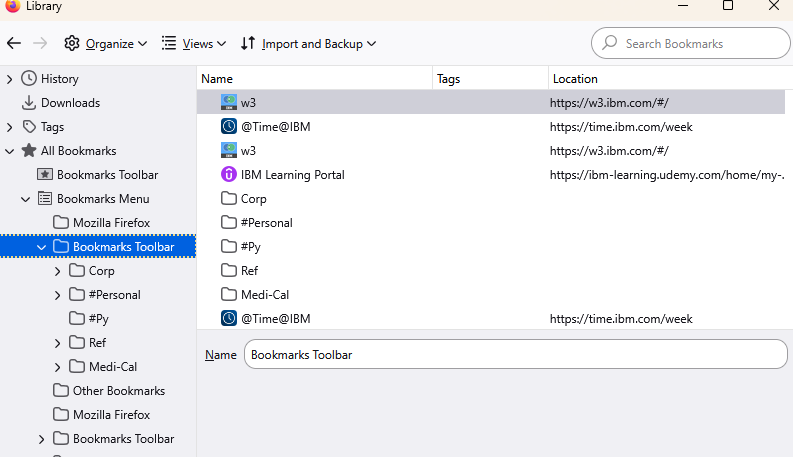
In any case, how, how, how to I get the bookmark bar to show everything as the display below shows it's supposed to contain?
You have at least 3 Bookmarks Toolbar folders there. You have to move all your bookmarks from there to the correct one, then delete others.
Which is the correct one?
The one displayed in the screenshot above which contains all the folders is the one I want to display at the top of my browser like the previous screenshot showed. How do I do that?
The first bookmarks toolbar with a star icon doesn't contain anything and it cannot be deleted.
Try to move something there, it should show up on your toolbar.
Funny, I just noticed that my Edge browser is displaying the same way as the old PC without having to do anything other than install it. Shouldn't Firefox be able to do the same?
Hi Ty, If you meant the toolbar with the star, I tried that and nothing happened to my display.
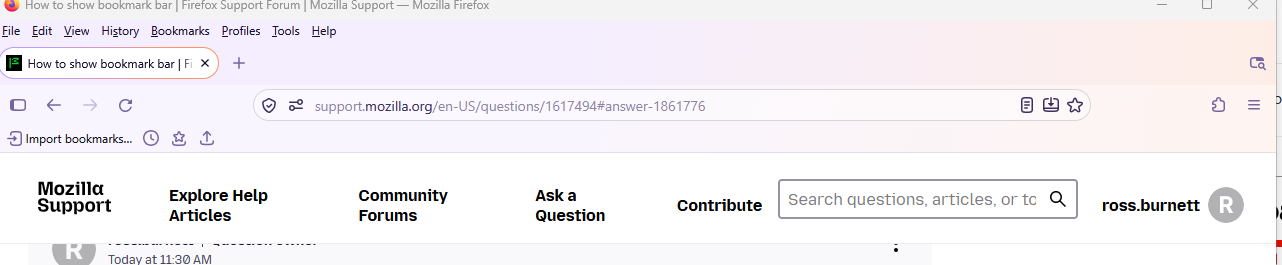
Below is how my browser looks now.
I have to leave but will be back later. I am old and frustrated, so please be very specific with any help you can offer. I really appreciate your help.
Wybrane rozwiązanie
You drag them from the "wrong" folders (the ones nested deep inside your Bookmark Folders, outside of the top–level Bookmark Toolbar folder with the color highlights) — you can select all of them with Shift + arrows … and drag them all at once.
Thanks jbr, much appreciated.