


Web pages freeze, browser crashes, since last update

For past week or so, pages very, very slow to load. I often must close and open browser, as pages become unresponsive. I have NEVER had this problem; have always been able to open these multiple tabs and navigate between them with no problem at all over past year! I have made zero changes to add-ons or software in past 2 months. The ONLY change has been the FireFox update. I am now being forced to use another browser. Please let me know how I can reverse the update and go back to an older, stable, usable version of FireFox
Wszystkie odpowiedzi (2)

Start Firefox in Safe Mode {web link}
A small dialog should appear. Click Start In Safe Mode (not Refresh). Is the problem still there?
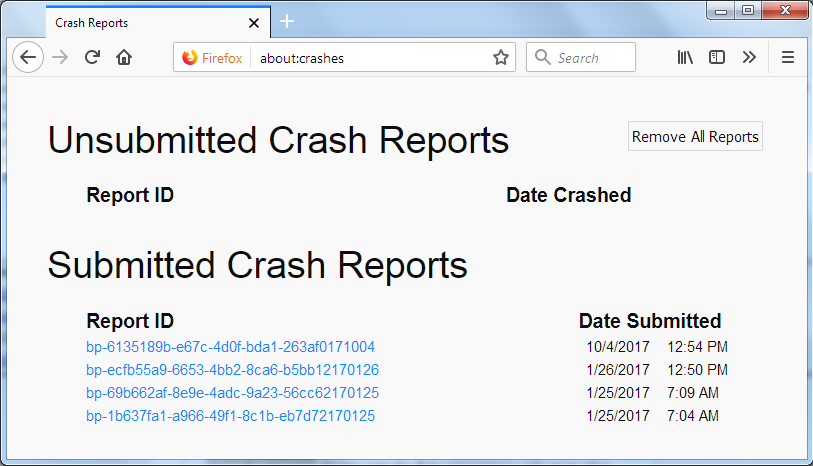
In the address bar, type about:crashes<enter>.
Note: If any reports do not have BP- in front of
the numbers/letters, click it to submit them.
The crash report is several pages of data. We need the report numbers to see the whole report.
Using your mouse, mark the most recent 7 - 10 Submitted crash reports, and copy them. Now go to the reply box and paste them in.
Please, Do not post a screenshot ! !
For more help on crash reports, see; https://support.mozilla.org/en-US/kb/firefox-crashes-asking-support
https://support.mozilla.org/kb/Firefox+is+already+running+but+is+not+responding
https://support.mozilla.org/en-US/kb/firefox-slow-how-make-it-faster
https://support.mozilla.org/en-US/kb/firefox-uses-too-many-cpu-resources-how-fix
https://support.mozilla.org/en-US/kb/firefox-uses-too-much-memory-ram
https://support.mozilla.org/en-US/kb/firefox-hangs-or-not-responding