


Firefox - Language loose

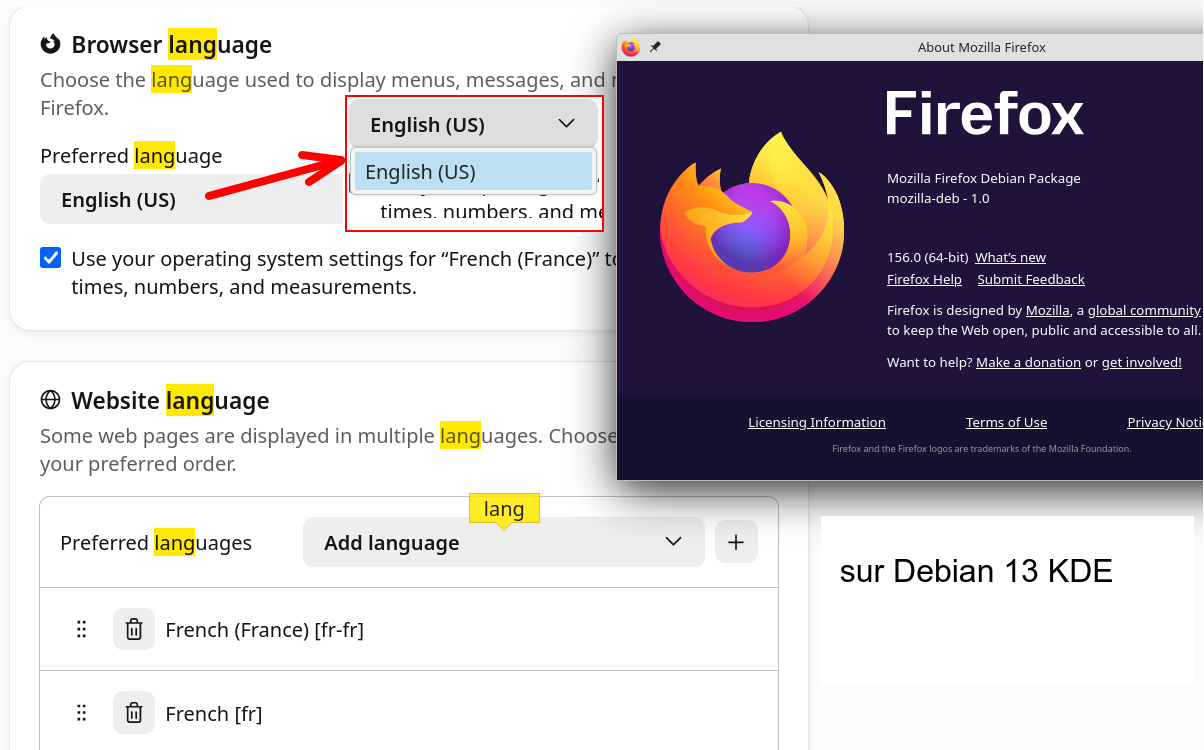
Hello, The language setting is lost with every update. Currently, I can only select "English". Best regards,
Valgt løsning
To avoid this, the linked installation instructions hint at using the localized packages directly:
Use different languages on Firefox DEB package:
For those of you who would like to use Firefox in a different language than American English, we have also created DEB packages containing the Firefox language packs. To install a specific language pack, replace fr in the example below with the desired language code. In this example, we are installing the French language pack of Firefox.
sudo apt-get install firefox-l10n-fr
(This, in theory, should be updating the whole thing at once, i.e. pulling the right locale contents along the actual app update right away in one step — which should circumvent the version mismatches you're potentially witnessing.)
All Replies (6)
How do you install your Firefox (or it's just preinstalled out of the box for you)? And how do you update it? (Does it run its own updates, or you do that from outside, using e.g. a package manager?)
Language packs are in a form of an addon. And their version must match the browser. When you lose a langpack it's usually logged in the console that a matching version was not available on launch. It should have been, if you've been running the previous version at least for a while.
But on Linux the locales are usually brought in differently, via a sibling package, so it works a bit differently — based on how it was installed and how its updates are managed.
The details are described in Install Firefox on Linux article in its "Use different languages on Firefox DEB package" section in case you use the official repo.
If you have your install outside of any package management, you can get the tarball from firefox.com/download/all including the default locale right away in it, so it will also update just using that localization channel.
Firefox was installed via the official command-line procedure (08/2025) with the Mozilla APT repository. https://support.mozilla.org/fr/kb/installer-firefox-linux#w_installation-du-paquet-deb-de-firefox-pour-les-distributions-basees-sur-debian-et-ubuntu-recommande This procedure seems to have changed considerably since then.
The update is done automatically by the Synaptic package manager (Debian 13).
The loss of language settings has only been occurring for a few months.
September 23, 2026 - I hadn't noticed that the French settings had reverted. Following another update?
In --Browser language--: Several times, I had to reselect French. This time, only English was available. Now all languages are available.
The mystery is complete.
A change in the publication of packages? Thank you for your answers.
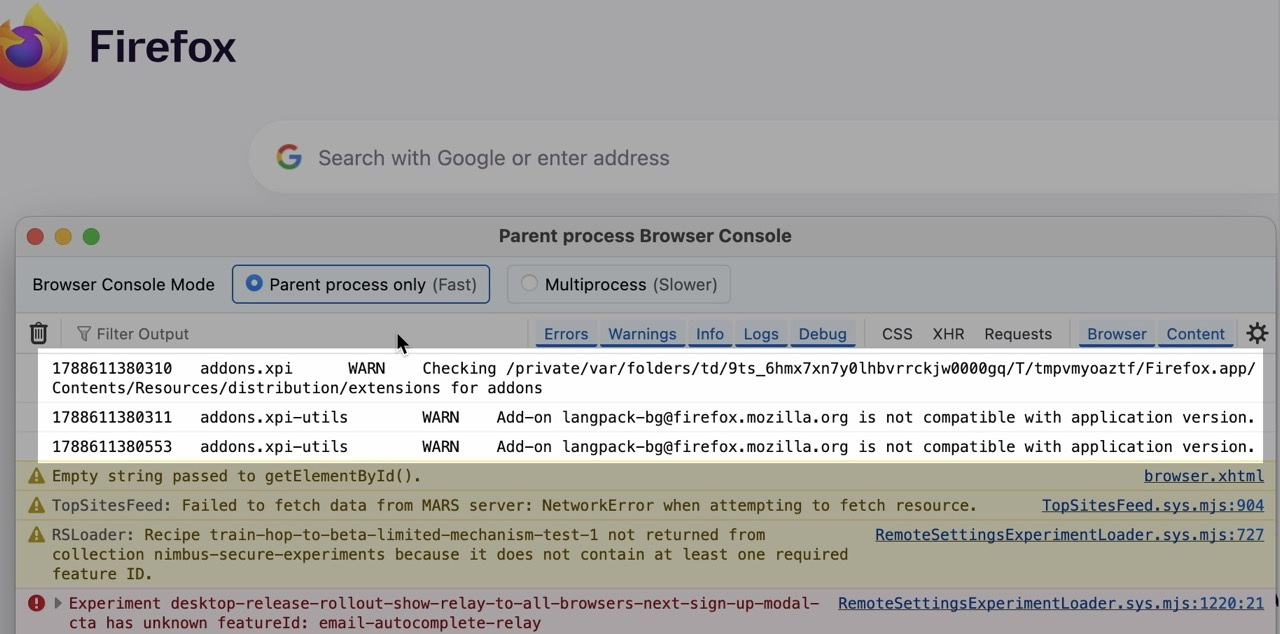
Language plugins get reset when the update is not compatible with the existing installed version (can be validated in Browser Console after restart on the first lines of the log, image attached) — plugins update ahead of time, but if Firefox was not running for long before the update or couldn't access the addon/update server, the locale plugin didn't have a chance to update and would be outdated/incompatible after the update. Going to select it again would pull the new compatible version. If the dropdown doesn't list languages it means the addon/update server was unreachable.
Valgt løsning
To avoid this, the linked installation instructions hint at using the localized packages directly:
Use different languages on Firefox DEB package:
For those of you who would like to use Firefox in a different language than American English, we have also created DEB packages containing the Firefox language packs. To install a specific language pack, replace fr in the example below with the desired language code. In this example, we are installing the French language pack of Firefox.
sudo apt-get install firefox-l10n-fr
(This, in theory, should be updating the whole thing at once, i.e. pulling the right locale contents along the actual app update right away in one step — which should circumvent the version mismatches you're potentially witnessing.)
Thank you for your clarification.