


Debian 13

Good morning, today I downloaded Debian 13 Mate version and to install Firefox I entered the following commands taken from https://support.mozilla.org/it/kb/installare-firefox-linux#w_installare-firefox-tramite-il-pacchetto-deb-per-le-distribuzioni-basate-su-debian-consigliato and the commands were
sudo install -d -m 0755 /etc/apt/keyrings
wget -q https://packages.mozilla.org/apt/repo-signing-key.gpg -O- | sudo tee /etc/apt/keyrings/packages.mozilla.org.asc > /dev/null
echo "deb [signed-by=/etc/apt/keyrings/packages.mozilla.org.asc] https://packages.mozilla.org/apt mozilla main" | sudo tee -a /etc/apt/sources.list.d/mozilla.list > /dev/null
echo ' Package: * Pin: origin packages.mozilla.org Pin-Priority: 1000 ' | sudo tee /etc/apt/preferences.d/mozilla
sudo apt-get update && sudo apt-get install firefox firefox-l10n-it
but I get this result OpenPGP signature verification failed: https://packages.mozilla.org/apt mozilla InRelease: Sub-process /usr/bin/sqv returned an error code (1), error message is: Signature by 35BAA0B33E9EB396F59CA838C0BA5CE6DC6315A3 was created after the --not-after date.Il repository "https://packages.mozilla.org/apt mozilla InRelease" non è firmato.
What mistake could I have made? Apart from the fact that now we use sudo apt update && sudo apt install Thank you in advance for your response.
Gekozen oplossing
Never mind! It was my mistake. The virtual machine I was using had a different date on its clock, which caused the error. Thanks for your help.
Dit antwoord in context lezen 👍 0Alle antwoorden (2)

I assume Firefox comes with your distro? If downloading from Mozilla, why not keep it simple and just download, unzip, and run? I run all versions and Waterfox from my download folder. see screenshot
Try downloading Firefox from Mozilla. Download, unzip, and run firefox-bin from the folder and see if you have the same issue. https://www.mozilla.org/en-US/firefox/all/#product-desktop-release
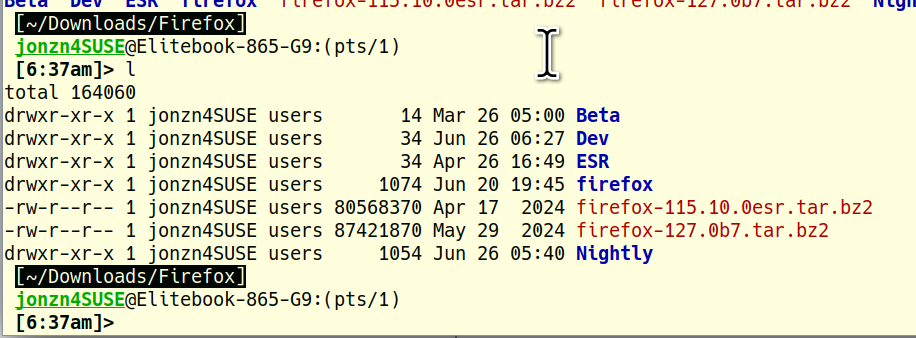
Bewerkt door jonzn4SUSE op
Gekozen oplossing
Never mind! It was my mistake. The virtual machine I was using had a different date on its clock, which caused the error. Thanks for your help.