


Upper part of screen gets "whiped out" when I minimize and then maximize browser (Firefox only).

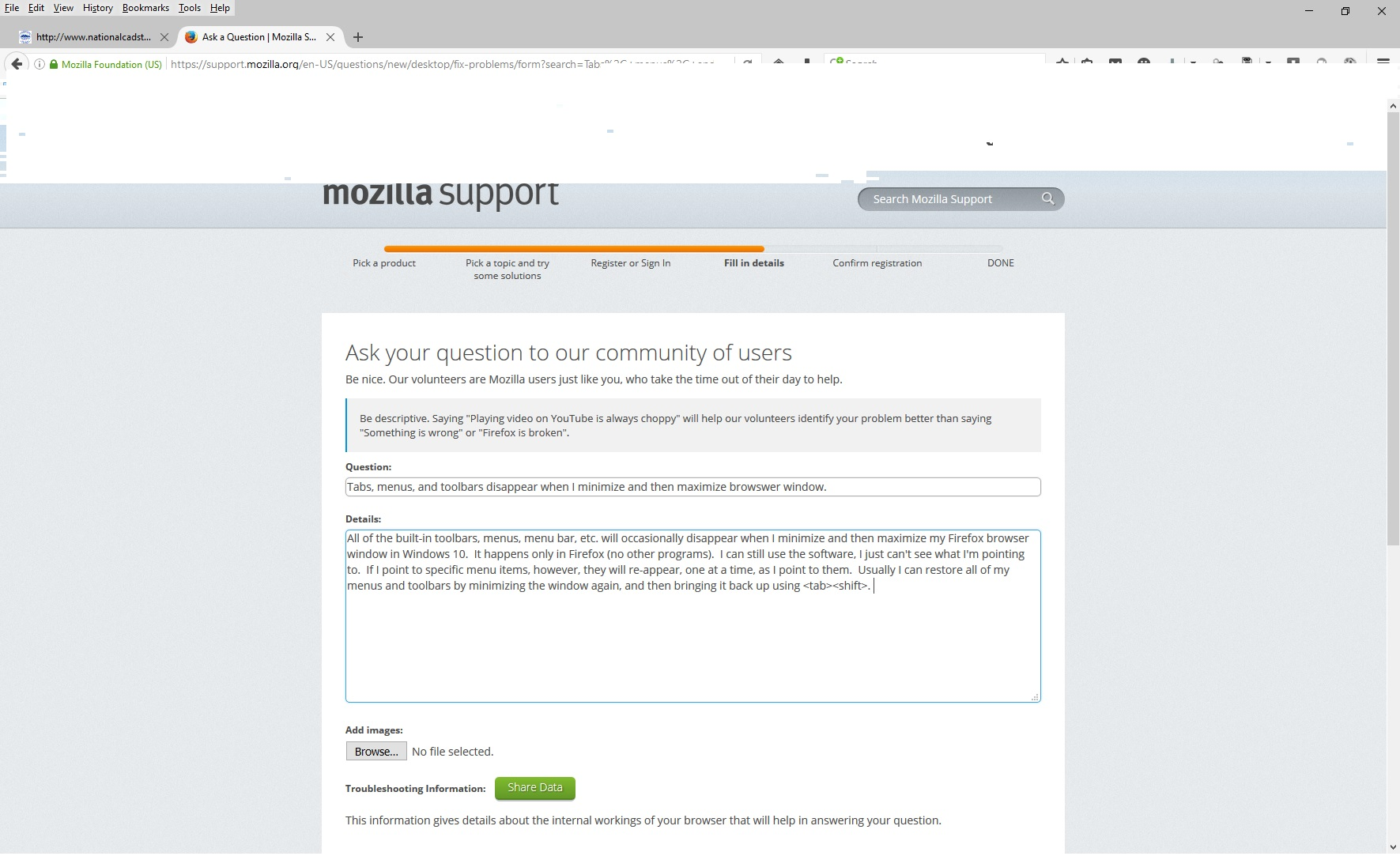
Some of the built-in toolbars, menus, menu bar, and other parts of my screen will occasionally disappear, or parts of the browser window will "white out" when I minimize and then maximize my Firefox browser window in Windows 10. It happens only in Firefox (no other programs). I can still use the software, I just can't see what I'm pointing to. If I point to specific menu items, however, they will re-appear, one at a time, as I point to them. Usually I can restore all of my menus and toolbars by minimizing the window again, and then switching back to it using <alt><tab>. I have attached a screen shot that shows an example of this problem.
Alle antwoorden (2)
Here is a screen shot that shows an example of this problem.

check this:
- see if there are updates for your graphics drivers
https://support.mozilla.org/kb/upgrade-graphics-drivers-use-hardware-acceleration
Update your Flash Player Note: Windows users should download the active_x for Internet Explorer. and the plugin for Plugin-based browsers (like Firefox).
Note: Windows 8 and Windows 10 have built-in flash players and Adobe will cause a conflict. Install the plugin only. Not the active_x.
Flash Player Version: 21.0.0.213
Flash Player (Linux) Version 11.2.202.616
https://get.adobe.com/flashplayer/ Direct link scans current system and browser Note: Optional offer: McAfee Security
https://get.adobe.com/flashplayer/otherversions/ Step 1: Select Operating System Step 2: Select A Version (Firefox, Win IE . . . .) Note: Optional offer: McAfee Security
See if there are updates for your graphics drivers
https://support.mozilla.org/kb/upgrade-graphics-drivers-use-hardware-acceleration