


A website is greyed out because it displays a message

Website: https://www.londonpicturearchive.org.uk/view-item?i=119810&WINID=1764158938344 (for example) On Safari I see there is a message overlay from the website saying "press the command key to zoom the image". On Firefox, this message is not displayed, and the website is greyed out.
I have looked at all my settings: I can't see anything wrong. Any ideas?
All Replies (10)
Hi Jane,
Sorry to hear that the page doesn't work as expected. In order to look for the root cause, please follow the steps below and provide us with more information to troubleshoot your issue.
- Please check if you have Enhanced Tracking Protection (ETP) enabled. You can do that by clicking the shield
 icon at the left of the address bar.
- If ETP is enabled, try disabling it. Does the problem persist?
- If the problem is not fixed, try clearing Firefox cache. Does it help?
- If it does not help, also try clearing cookies and data for the website you experience troubles with (warning: you will be logged out on this website). Does it help?
- If it also does not help, try running Firefox in Troubleshoot Mode. Does the problem persist?
Looking forward to your update!
hello Denys and thank you for your reply. I tried all those things in order.
The one that made the difference was starting in trouble shoot mode. When in troubleshoot mode I saw the website's popup (see attached image).
So please now can you tell me what to do next? I do not want to run Firefox in troubleshoot mode all the time just to avoid this problem on this website.
If it is an extension which is doing this, how do I find out which one? I run Adblock, but I previously tried turning Adblock off and it makes no difference. So I don't think it is Adblock which is blocking the pop-up. In any case I have set Adblock to ignore this website and allow pop-ups on London Picture Archive. Even with Adblock off entirely I still get the problem.
What other extensions might be doing this?
Many thanks for your help.
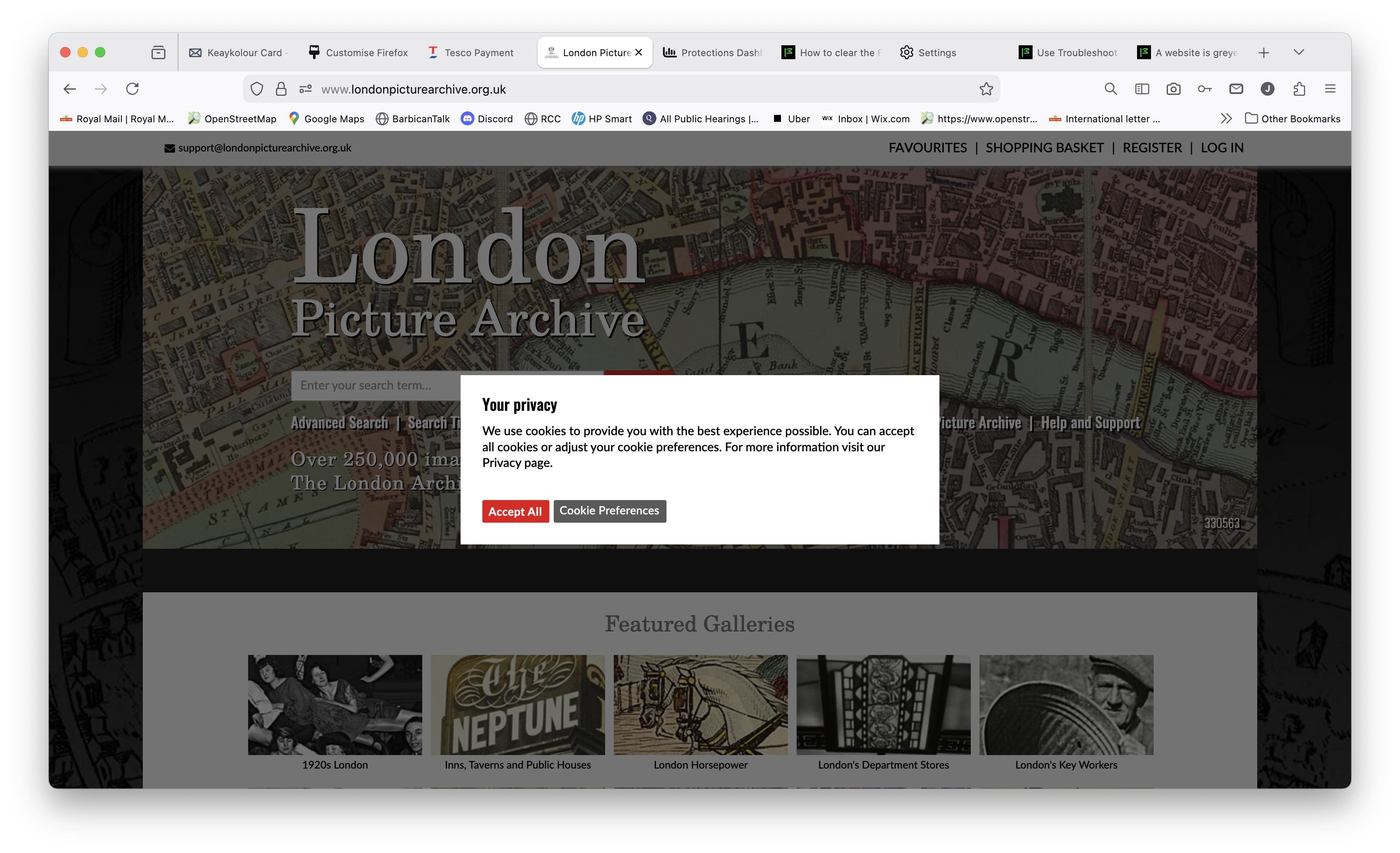
Interesting... What are your settings? see screenshots The message is about cookies and I have Adblock Plus and Ghostery on with no issues. My privacy settings are really strict, but I'm not getting any messages.
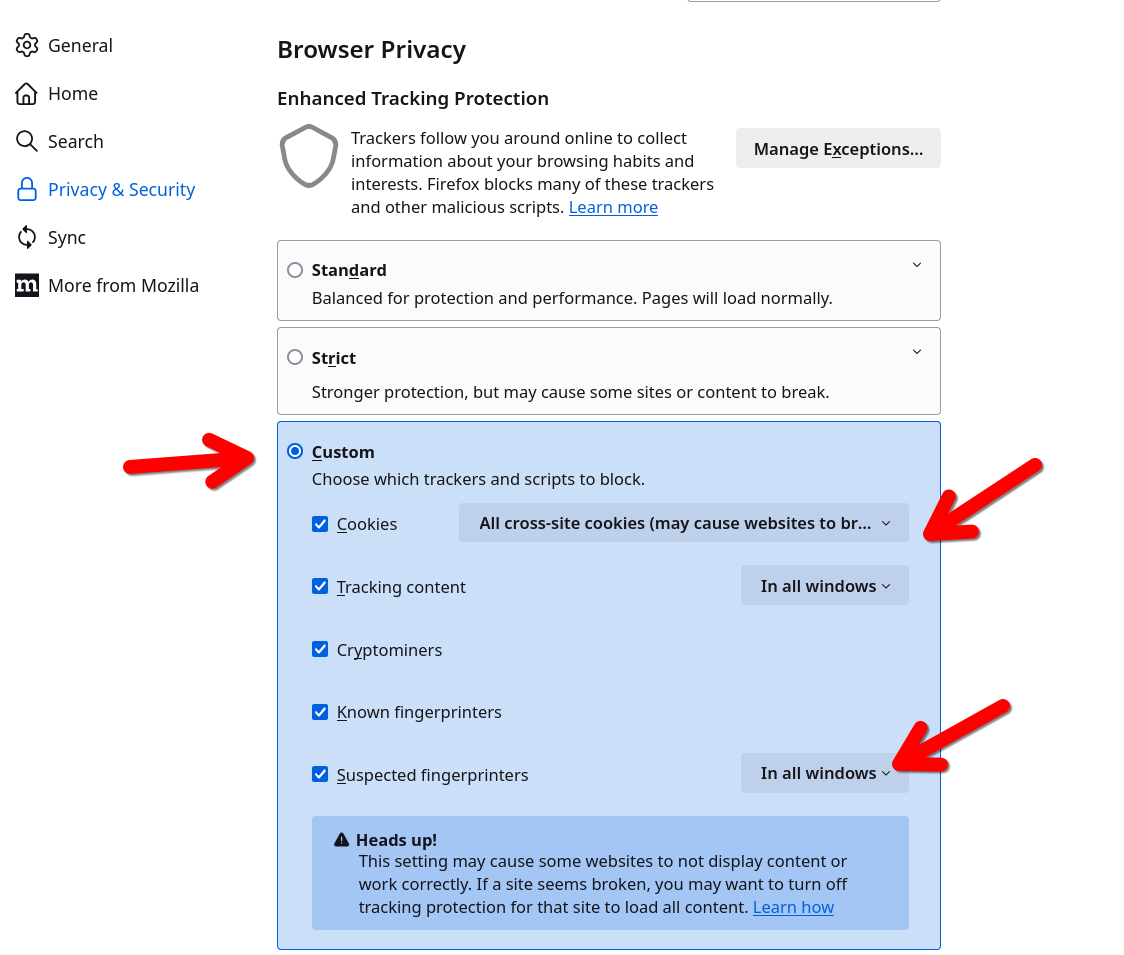
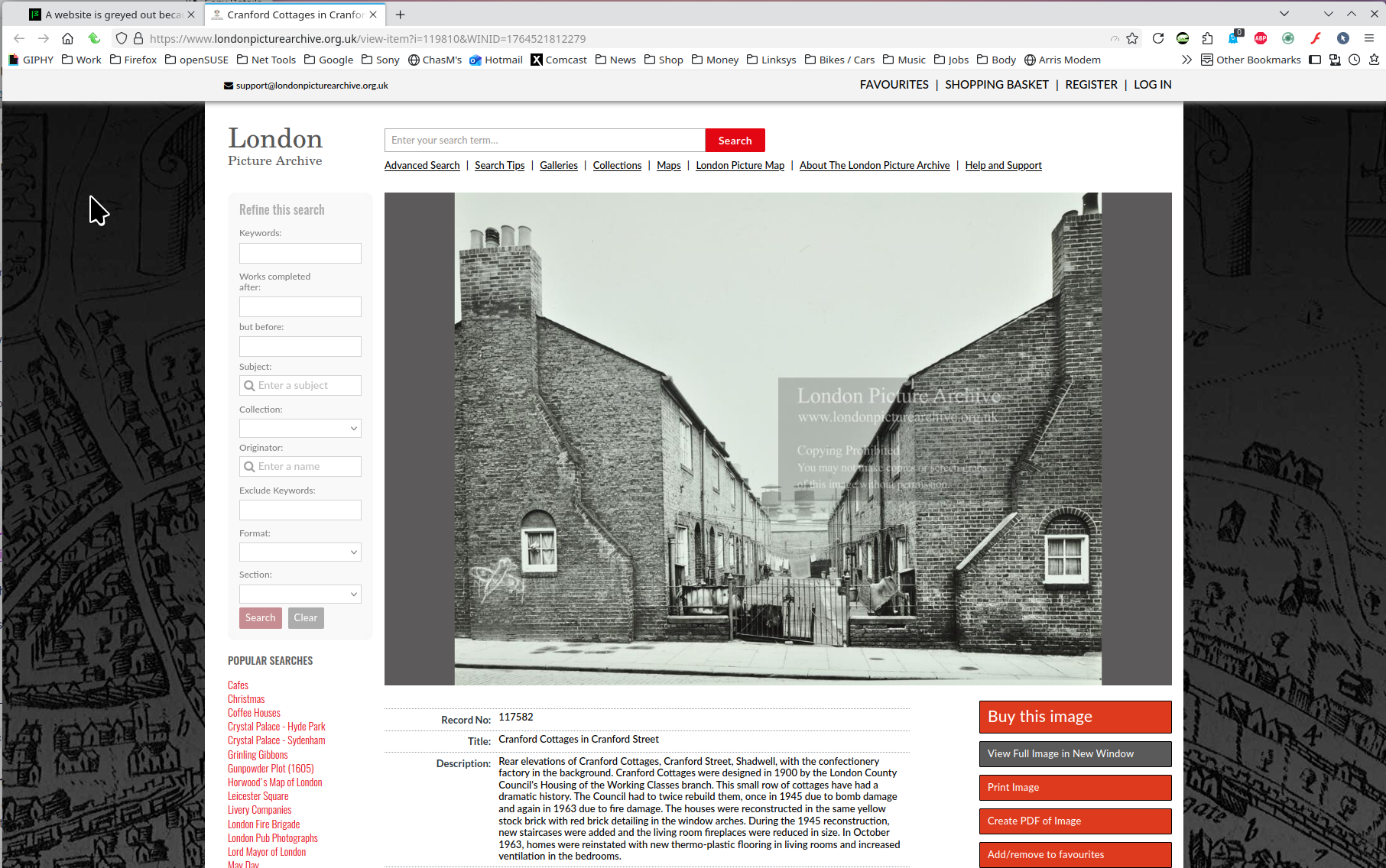
Did you accept all? You can also click on preferences to see the settings.
Hello - I have the same settings as you I think - see screenshot. I have enhanced tracking "off" for this website - see screenshot. Please can you say what is meant in your message by "accept all"? Which screen should I be looking at to "accept all"?
The webpage for London Picture Archive loads ok, but it is "dimmed" and when I try to click on an item, it does not react.
It loads properly when I am in Firefox Troubleshoot mode.
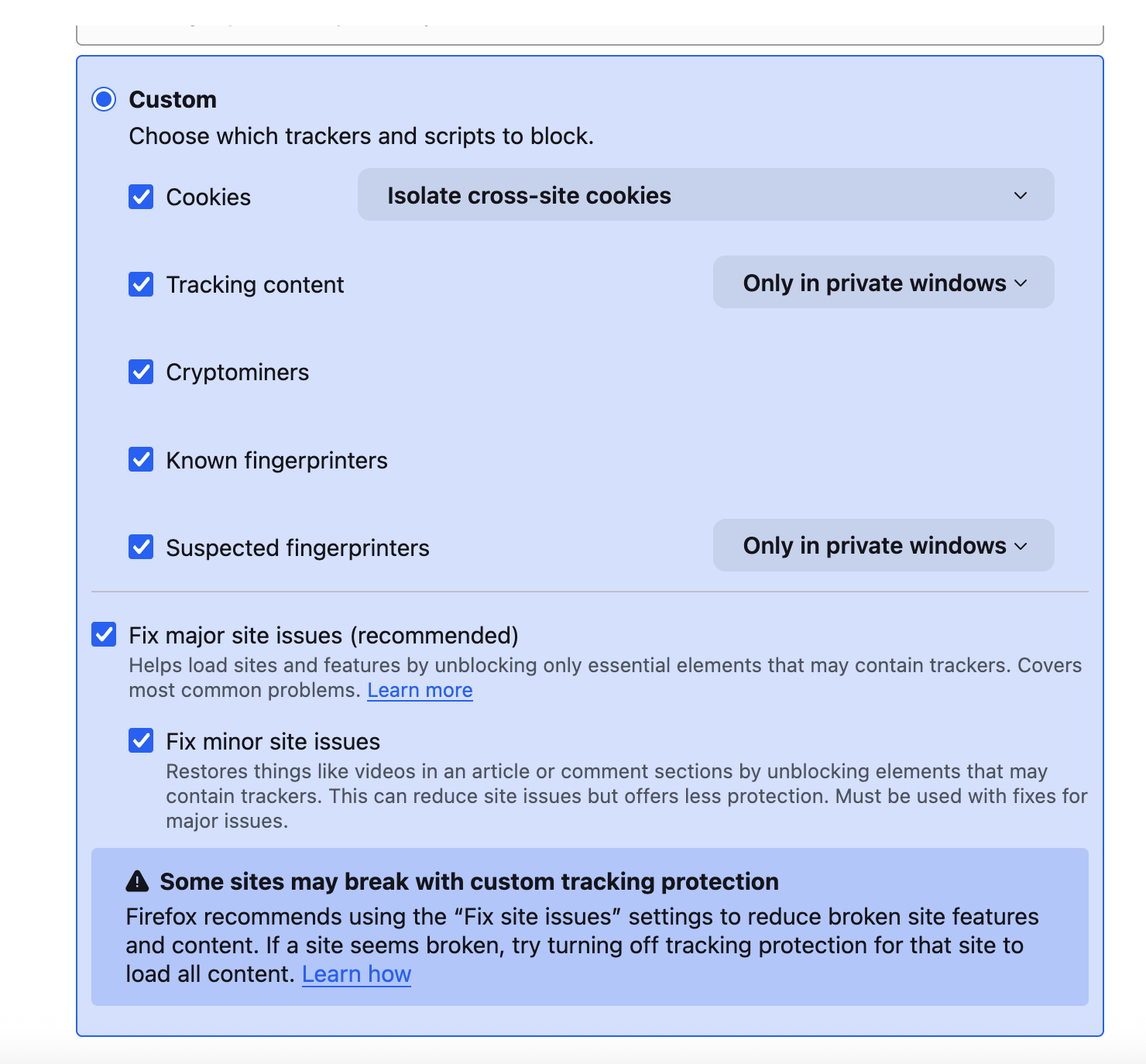

Modified by Jane XNC
Hey Jane,
Replying to one of your previous messages: if the problem did not occur in Troubleshoot Mode, the likely cause is an extension, theme or hardware acceleration. Please see this article for further troubleshooting steps.
Denys said
Hey Jane, Replying to one of your previous messages: if the problem did not occur in Troubleshoot Mode, the likely cause is an extension, theme or hardware acceleration. Please see this article for further troubleshooting steps.
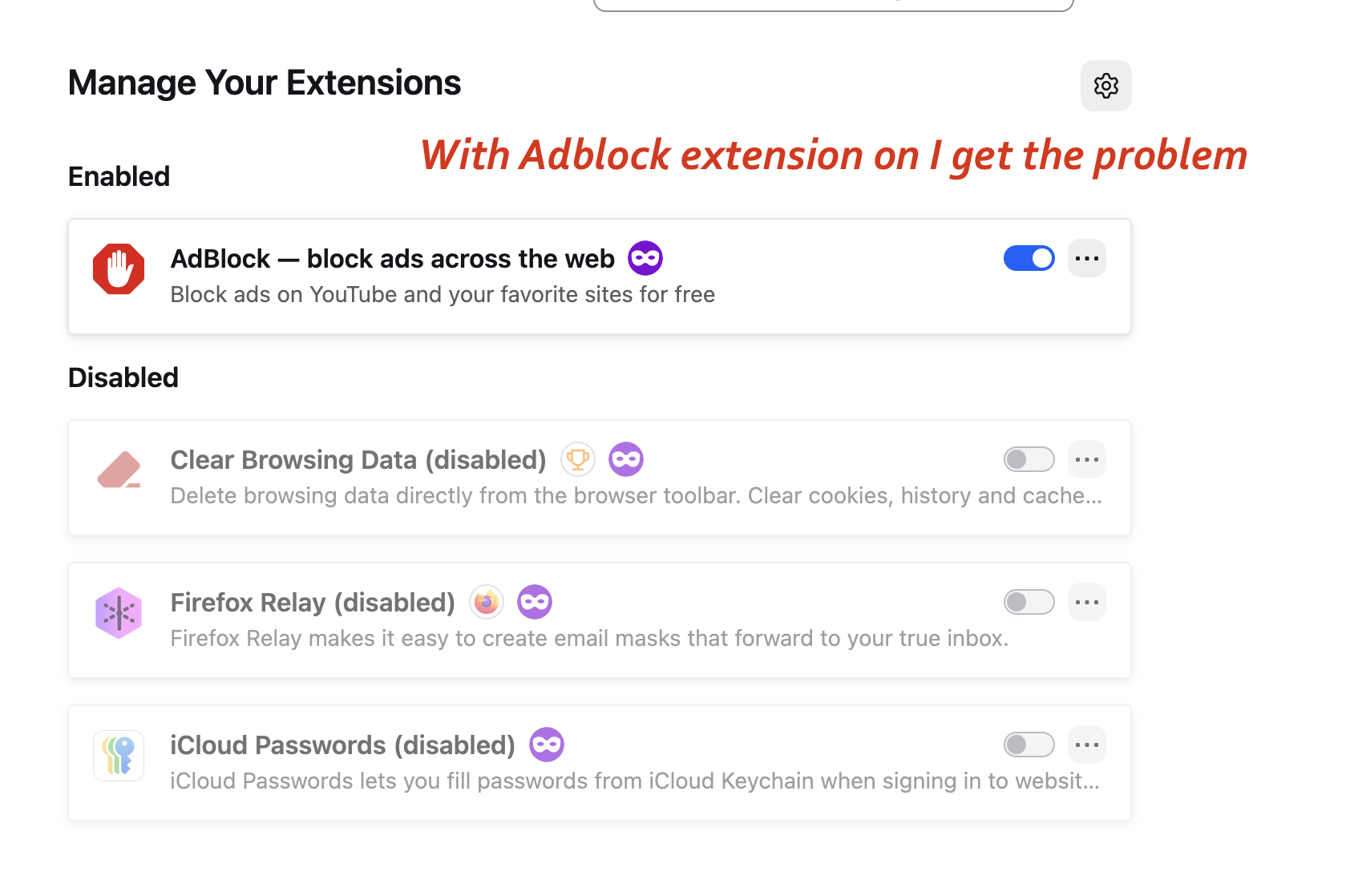
Hello Denys Thank you. I followed the steps on the link you gave. The problem is the "Adblock" extension. When the Adblock extension is enabled, I get the problem. When it is disabled, I don't get the problem. I switch the extension off+ restart Firefox -> don't get the problem. I switched the extension on + restart Firefox -> get the problem. I switch the extension off+ restart Firefox -> don't get the problem.
See first screen shot. OK: but the problem is that when I have the Adblock extension disabled, I get adverts pushed into all my web searches. So I enabled it again. Temporarily stopping Adblock on this particular website via the Adblock App on the MacBook does not seem to have any effect. This temporary stop does not solve the problem. But disabling the extension via Firefox preferences, and restarting Firefox, does solve the problem I was having on the London Picture Archive website, but this solution enables all ads on my searches.
Do you have any further advice? I like to keep ads off my screen as far as possible so I am inclined to enable the Adblock extension and use another browser for the London Picture Archive website. A bit of a nuisance. Do you have any further suggestions? Do you know why "pausing" Adblock (see second screenshot) does not work?

Modified by Jane XNC
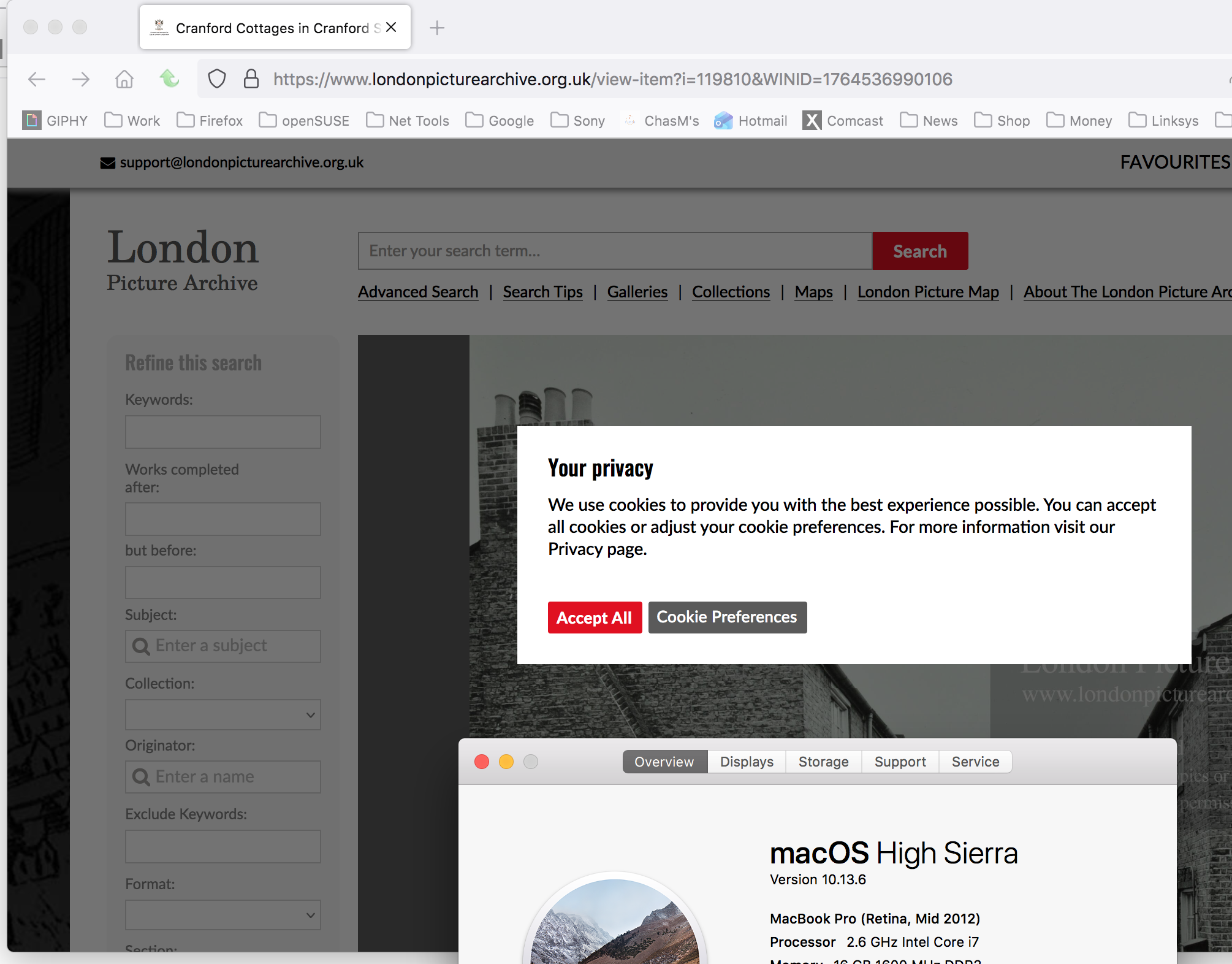
I can see the same pop-up in Firefox on my 2012 mac, but after accepting the cookie there is no longer an issue. see screenshot Did you click on accept all button in the pop-up window about cookies? This is a not an issue, just a prompt about accepting cookies.
jonzn4SUSE said
I can see the same pop-up in Firefox on my 2012 mac, but after accepting the cookie there is no longer an issue. see screenshot Did you click on accept all button in the pop-up window about cookies? This is a not an issue, just a prompt about accepting cookies.
I'm sorry I was not clear earlier.
My problem is: On Firefox, the London Picture Archive website is greyed out. I see no box asking to accept cookies. The website does not load properly. I can get no further. I cannot accept cookies because the pop-up box does not appear.
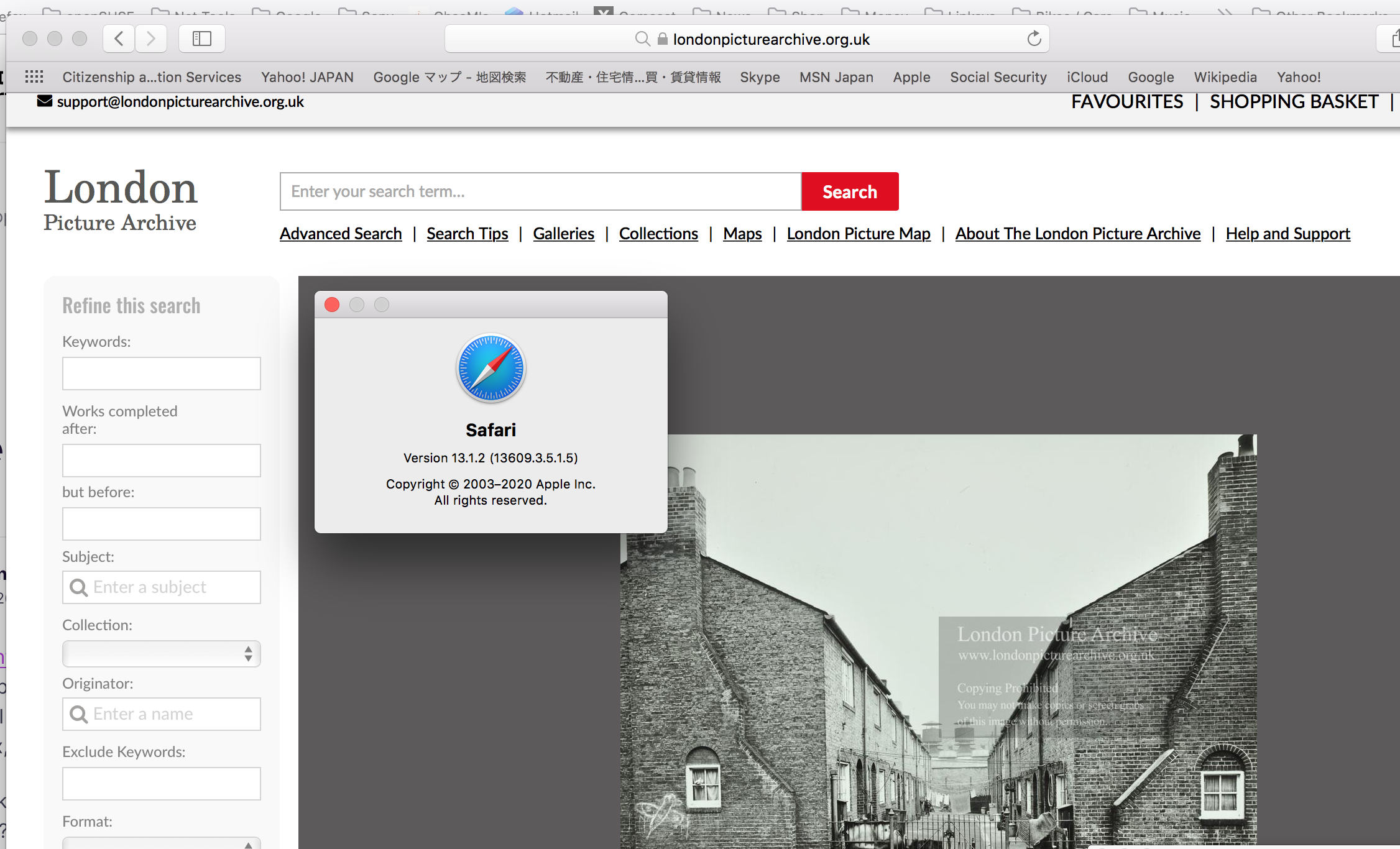
In Firefox troubleshoot mode, I see the box asking to accept cookies and I can accept cookies and use the website. In Safari I see the box asking to accept cookies, and I can accept cookies and use the website. If I disable Adblock in the extensions preferences in Firefox I see the box asking to accept cookies and I can accept cookies and use the website.
But with Adblock enabled in Firefox I do not see the pop-up and so I cannot accept cookies and cannot access the website. I assume that the Adblock extension is blocking the pop-up in Firefox and therefore making the website inaccessible.
This is the problem.
Adblock is not blocking the pop-up in Safari.