


MORE RAM USAGE THEN GTA 5 for every tab its taking 1 gb ram.

ive just downloaded firefox and its giving me performance issues I play gta 5 all day with my chrome tabs open maybe more then 5 sometimes more then 8 and When I had more then 4 or 5 tabs my gta 5 started to lag when i opened my task manager i see that Firefox is using more then my Game.
All Replies (10)
Any fun addons? Check Fix Firefox using too much memory or CPU resources that will eventually show you Task Manager - see whether tabs or extensions are slowing down Firefox about:processes where you can tell what's behind the resource consumption.
With just 3 extensions my thing reaches to almost 1 gb how to fix i had more then 10 extension in chrome never had a problem.

And what is their breakdown in about:processes? (i.e. what's content, per page, and what's extensions?)
If e.g. your 5 tabs is all youtube, twitch, facebook, discord, hulu and you have ublock set to something that's tampering with it and leaking objects from them it doesn't really matter how many tabs and addons, but mostly what the addon is doing to the site and how often.
This is 5 wiki tabs in a fresh browser: (basically the same as with all tabs closed; <1G total)
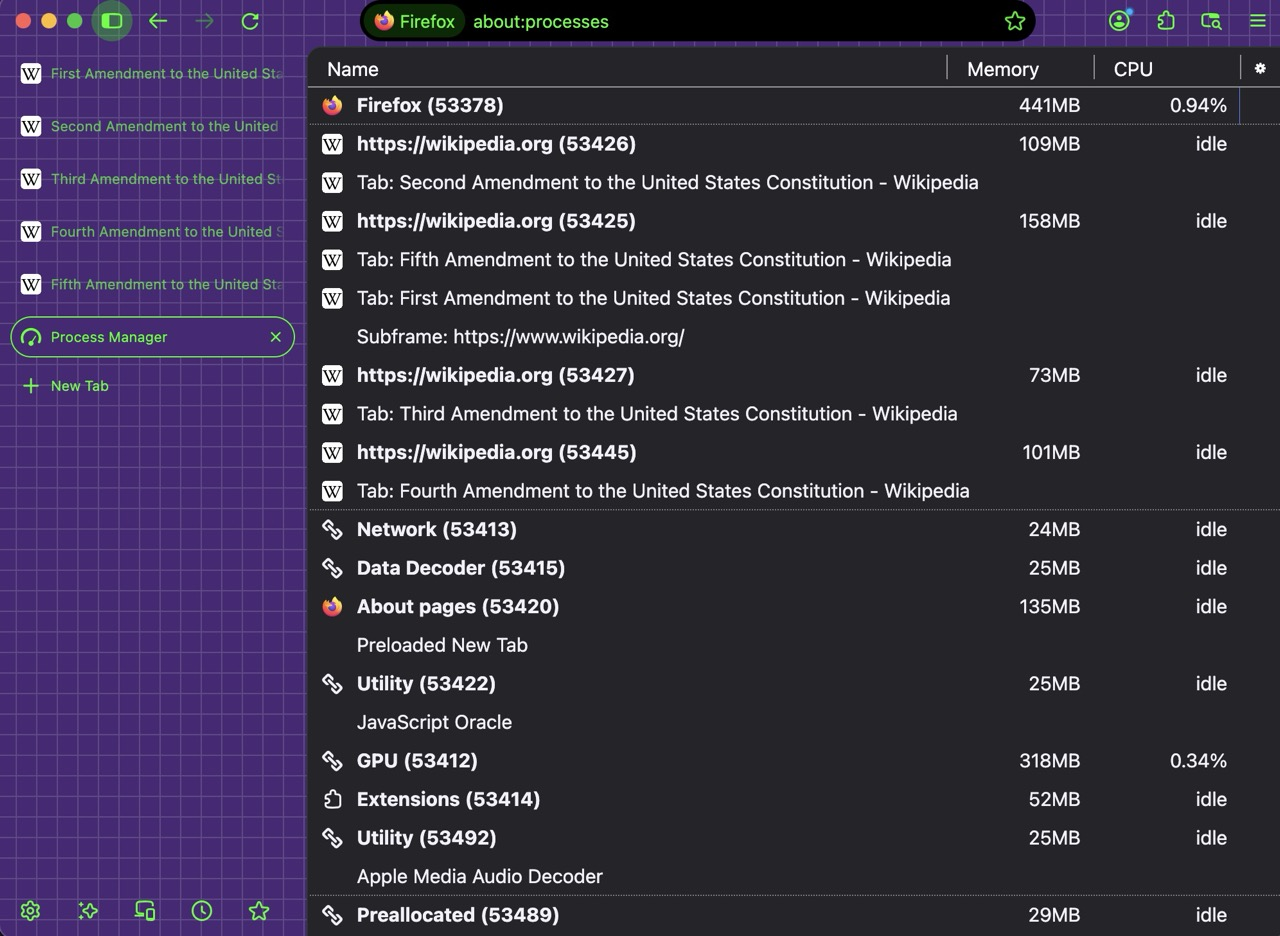
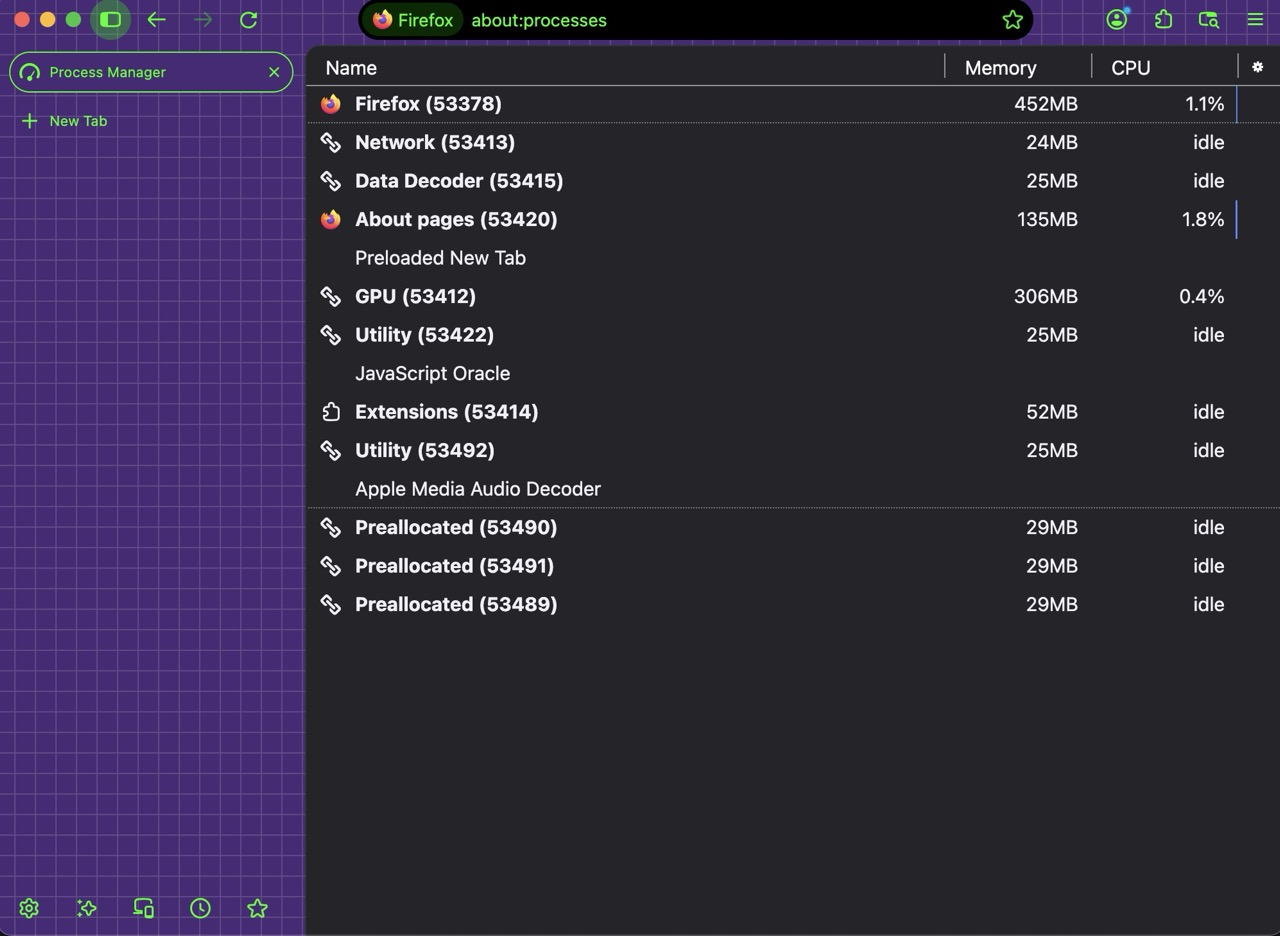
(FWIW I run hundreds of tabs and they take up a few gigs in total with all the rendering processes on top, usually averaging to 250M per origin, with 6–8 tabs per origin, so less than 50MB/tab — just no addons allowed to touch content and no funny cat videos running all day long 🤷)
So if you restart into Troubleshoot Mode Use Troubleshoot Mode in Firefox and run without addons, how does the performance look like?
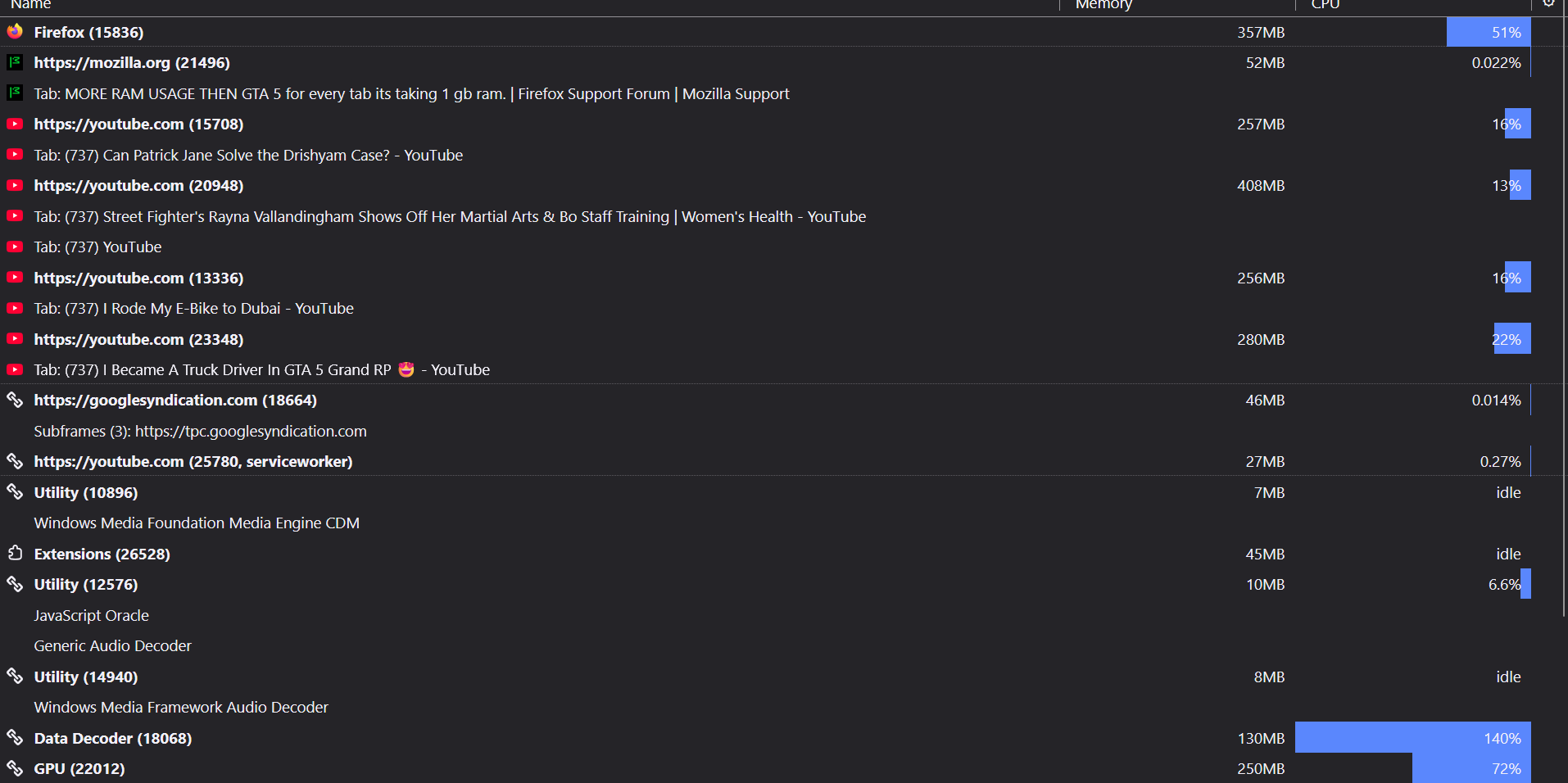
there i put two pictures please check and tell me.
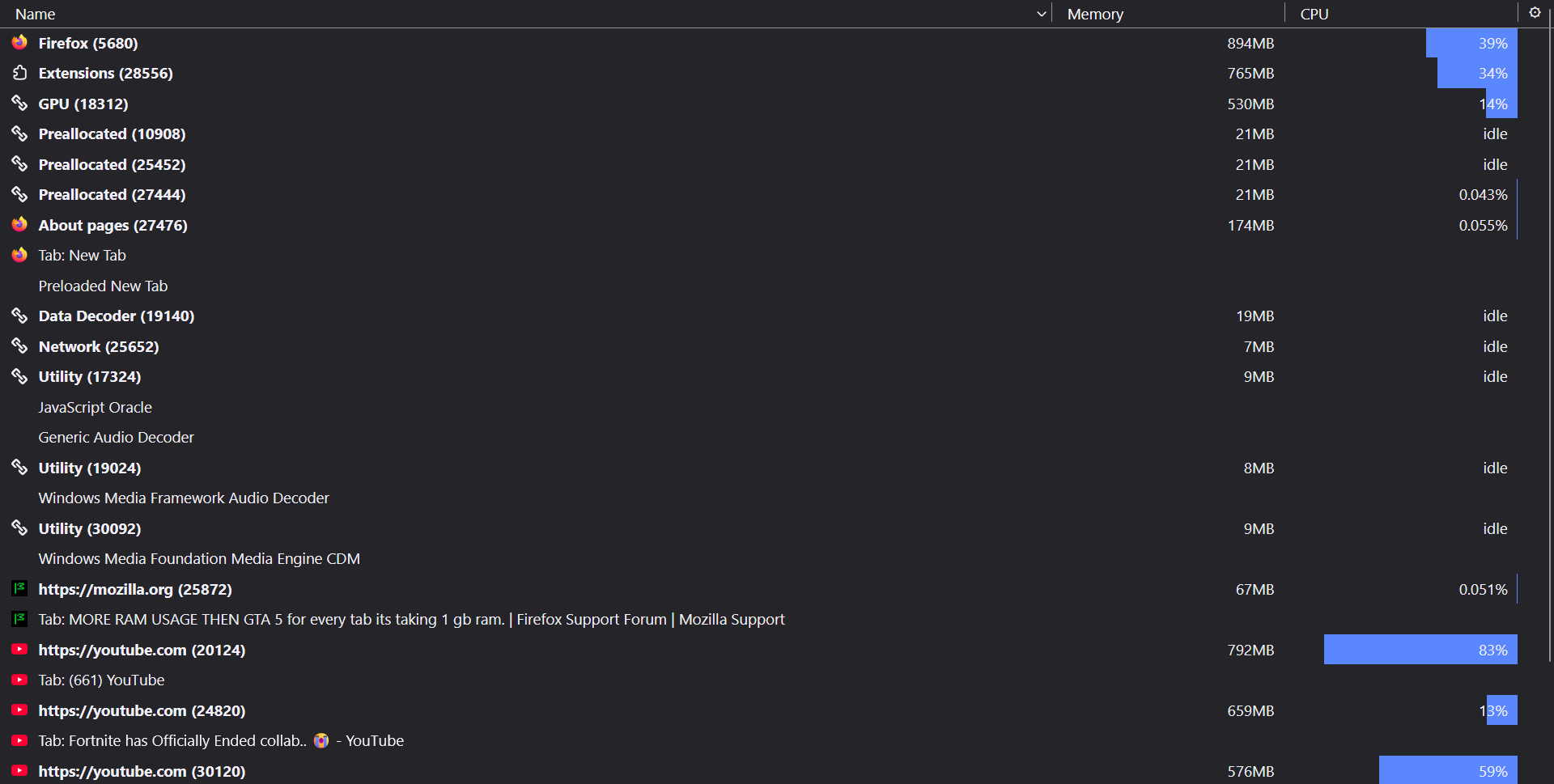
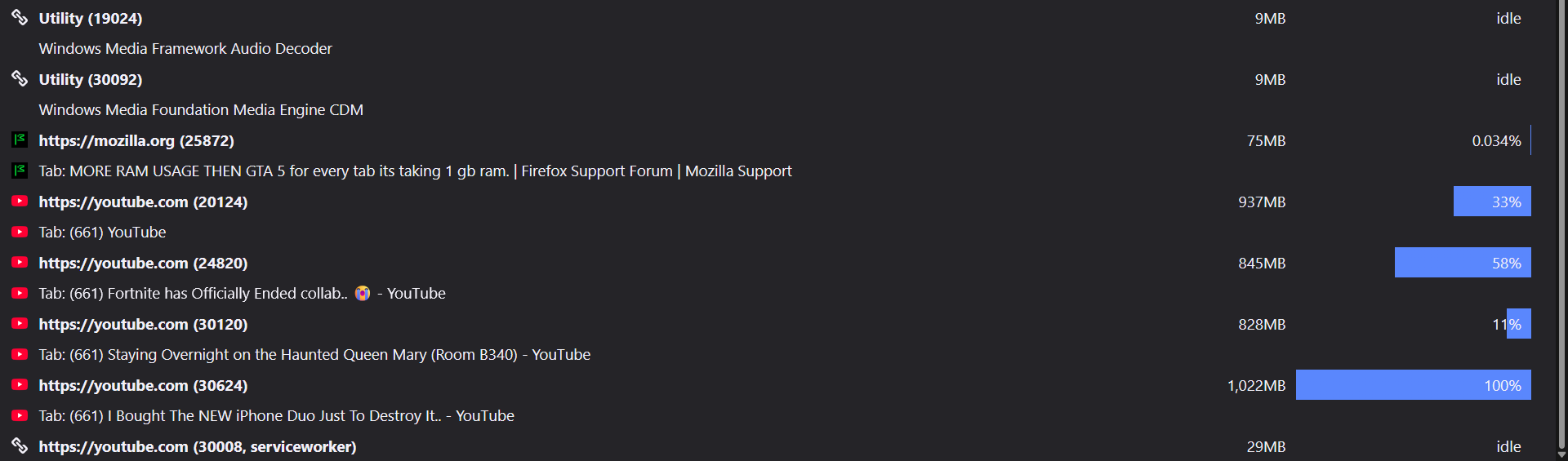
Yeah exactly my guess;] Youtube tabs (~1GB each) apparently fighting with the addons (~1GB as well) — not sure if this is not more for uBlock support channels — you want to compare the same with extensions disabled first.
How does the consumption change in Troubleshoot Mode (instructions earlier)?
(I can't tell if Google does this on purpose to fight content blockers, or it's a custom uBO rule so you might want to look more around uBO support surfaces for help with this, but in general coarse scripts tampering with big site operator contents not expecting that means objects leaking and experiences broken, so while it should work, you may need to have the oomph to throw at that then…)
Since you only have 3 addons, you should be able to enable just a single one at a time and restart, to check how that one affects your performance.
BRO I TURNED OFF ALL THE EXTENSION AND STILL GIVING ME 500 MB to 1GB for not just youtube any tab i open even now when i open this ticket its taking 500mb Can someone please tell me wtf is wrong with this shit firefox.
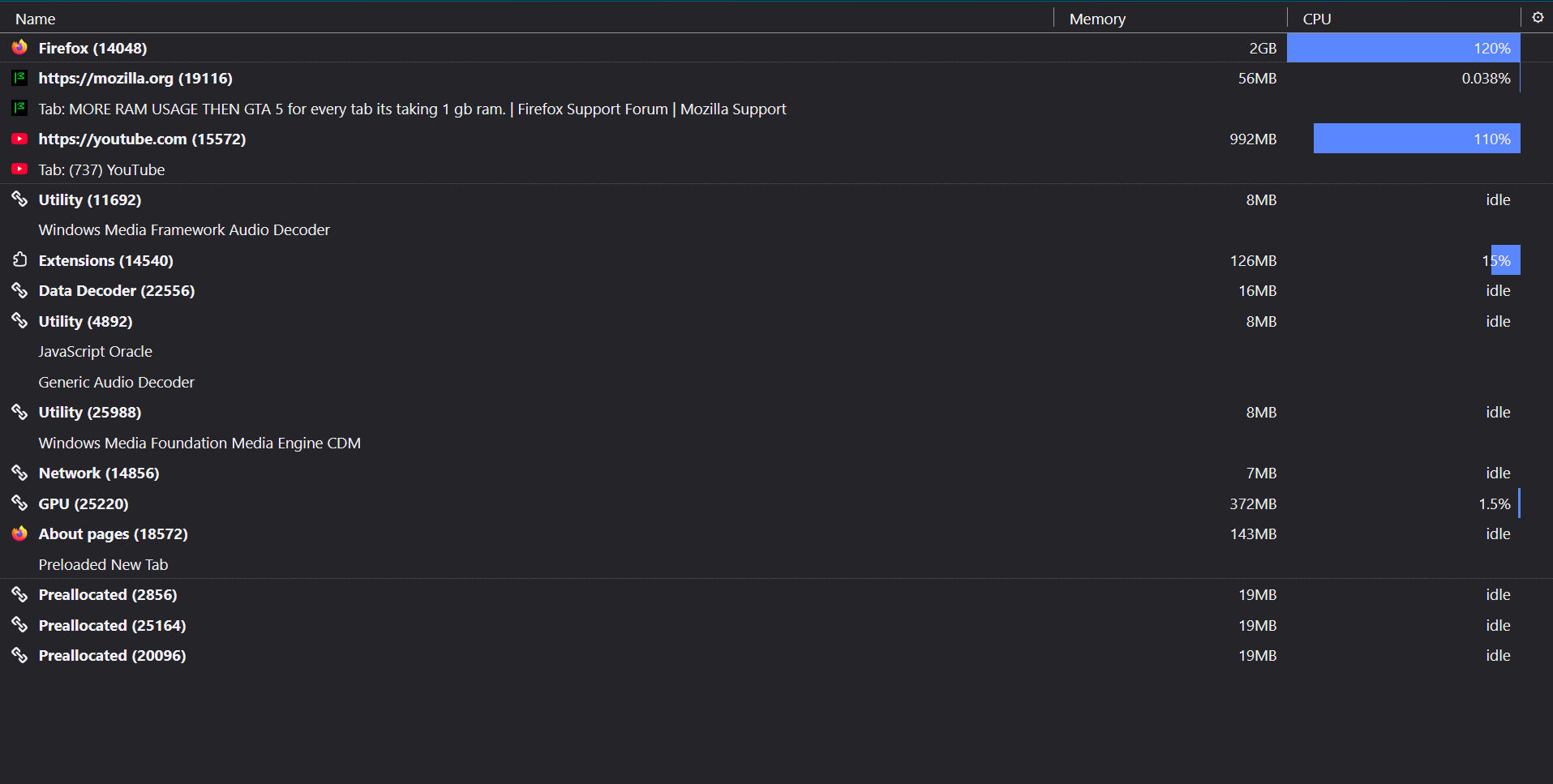
With troubleshoot mode
Yeah I'm not sure wtf shit you're looking at, bro, as the screenshot shows the Support tab chewing up 56MB which is about the expected amount — it's just the YT tab at 1G and some addon activity.
The subsequent screen from Troubleshoot Mode is more like what's expected, 250MB/tab is about right for YT. Normally that would point at an extension, but if disabling all still doesn't lower the consumption, there's other things what to follow if the problem does not happen in Troubleshoot Mode, as besides addons and themes there's also different hardware acceleration preference. See Troubleshoot extensions, themes and hardware acceleration issues to solve common Firefox problems to check other options for your system.
(Question is whether the Troubleshoot Mode actually feels like performing better for you, or the numbers don't make the perceived result too much different really?)