


auto resize pictures using CTRL - + does not work
Title says it all, "auto resize pictures using CTRL - + does not work". Generally speaking, the size of pictures simply WILL NOT reduce in size to view its entirety. Even when the scroll-bars are used the picture is still to wide. I have searched and asked for any setting in about_config, NOTHING! I truly expected something. The ONLY STUPID WAY to view said oversize picture is Download it then view. Isn't that a HACKERS DREAM??? YES I HAVE tried looking in SETTINGS and searched for months, found nothing that actually works. So now I have to use that 4-LETTER word... HELP!
Modified by FM
All Replies (6)
You're probably describing a website scripting this in some form of lightbox or modal function that handles the layout on their side.
Browser itself opens images 1.) scaled to fit, 2.) gives you loupe icon to zoom in/out, and 3.) CTRL&— to decrease size works. You can try a random plain image like https://picsum.photos/2400 that should scale exactly as you expect.
If a site handles the layout in a way that doesn't work for you, there might be an addon to tamper with their code to help. (E.g. disabling scripts to always open media in new tabs instead of inline etc.)
Website Scrips? Firefox (FF) should be over-riding them. I use FF on my Android and big pictures are automatically reduced to fit the screen. This is what I need out of FF. (To Moz/FF) I don't want complications, JUST MAKE IT WORK FOR US. If Mozilla/Firefox can't or refuses to accommodate this feature in Desktop like it does for Phones, they leave me little choice but to use a different browser. This isn't a new issue, for YEARS folks been asking for this.
Modified by FM
Sure, you can override any scripts, or disable them completely. There are addons that can do that for you.
If the service you use works better in mobile layout, you can fake mobile form factor using a feature called "Responsive Design Mode" in browser menu — that will show you it's the website that's making these decisions how to scale the layout, not the browser.
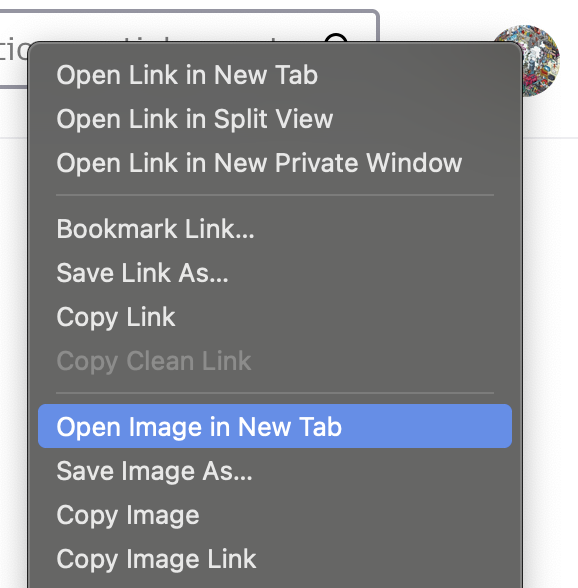
If you want to enjoy an image outside of the page that's getting in your way, the easiest way usually is right–clicking it to "Open image in New Tab"…:
IF I wish to view a larger picture, sure I'll open in a new Tab. Otherwise just fit said picture to my screen. Opening a pix in a new window is a 'crutch' and a time waster, something I've been doing and I'm tired of it. Besides, more & more photos are not allowed to open in a new window. PATHETIC!!!
Modified by FM
Hi
Could you provide a link to a site and image you have a problem with so I can assess.
Thanks
For example a reply you received did give a link and that works fine. You can try a random plain image like https://picsum.photos/2400 that should scale exactly as you expect.

FM, if you look at: View menu > Zoom > Zoom Text Only is it checked or unchecked? Does setting it the other way help?
Also have you tested in Troubleshoot Mode?
Modified by TechHorse