


Thunderbird keeps trying to install a new helper tool and never opens.

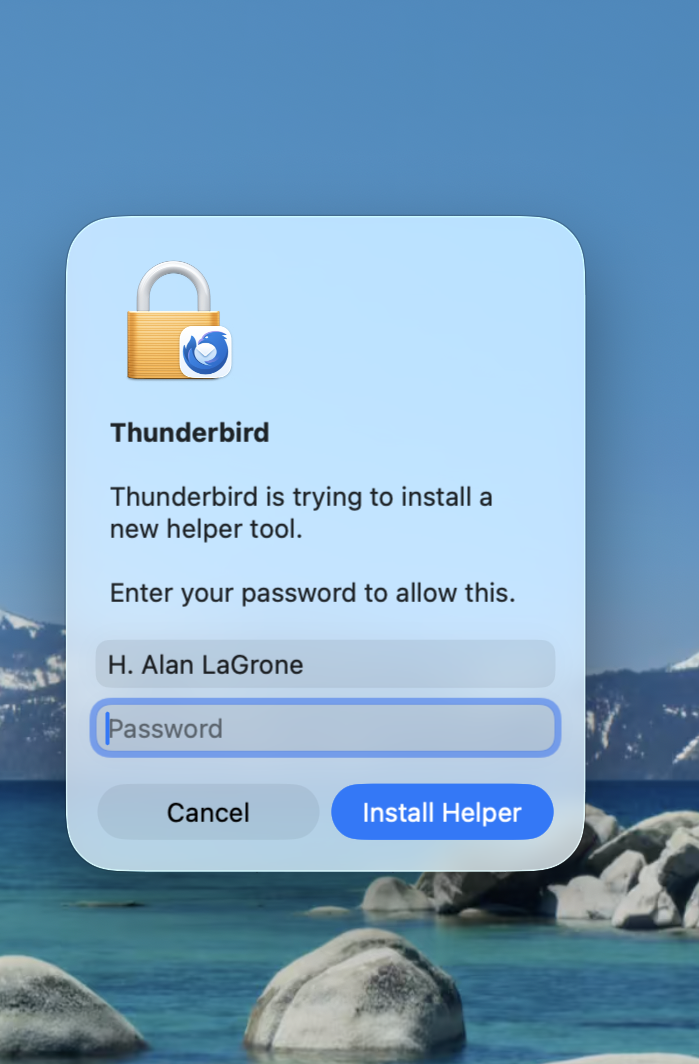
When I try to open Thunderbird it keeps giving me a message that it is trying trouble install a new helper tool and asks for my password. I do so, hit the Install Helper button, and then nothing ever happens. I get a spinning beach ball and it never opens no long how I wait. I would be very grateful for any suggestions or advice on what to do.
All Replies (5)
Thunderbird does not do this. There is something else involved here. Check your anti-virus and see if other apps may be running at the same time. Can you recreate this scenario and post a screenshot? And, I am not one who can fully answer this, but a screenshot would then let a more technically-astute volunteer respond. Thank you
I've attached a screenshot but I don't think it will be very helpful. I have turned off my anti-virus software although nothing has changed. This is soooo frustrating.
Hi
Is that a Mac? It sounds like you are seeing a macOS system prompt
i think you need to provide the Mac computer's administrator password
looks like Firefox is trying to update its "Updater" service (the helper tool) so it can install the latest browser update.
try with a user with Administrator privileges or Log out and log into the Administrator account of your computer and try again