


Cannot Insert Image into body of email

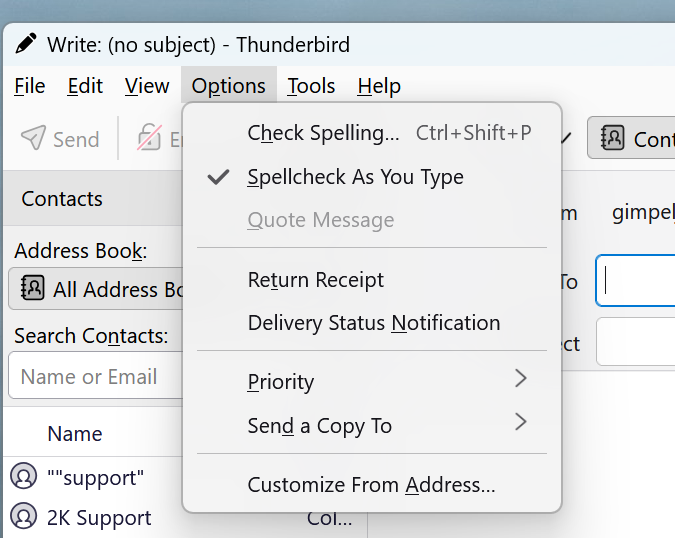
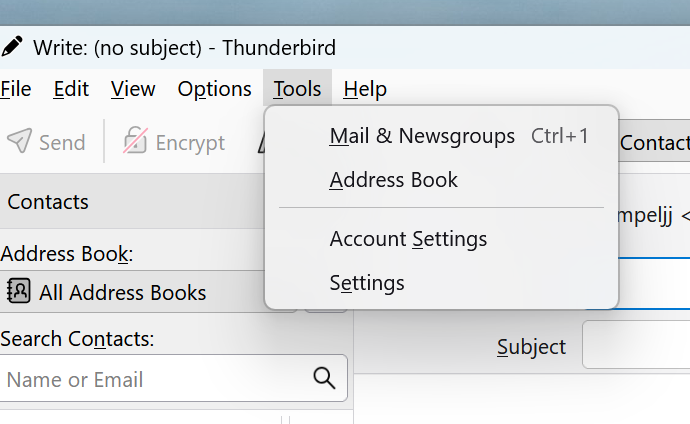
I have a new Windows 11 computer and installed Thunderbird. Whenever I try to insert an image there is no option to do so. I was able to do this on my Windows 10 machine but not on this new Windows 11 machine. I went into settings and in the Composition section, under Sending Format, I did have it set to Automatic but changed it to Only HTML. In the Write message, in the Options menu, there is no insert image or anything. On my Windows 10 machine, there was an Insert for images and tables etc. On my Windows 11 machine, none of those options are available. How can they be missing? I don't want to send my image as an attachment, I want to insert it to the body of the message.
Any ideas as to how I can get the insert options in Thunderbird?
Thanks. Jane
Chosen solution
Click 'account settings' and click the 'composition' pane and click to compose in HTML
Read this answer in context 👍 0All Replies (6)

I'm not sure how you were seeing that in Options; it doesn't exist in v128 or 140 either. Use the toolbar icon.
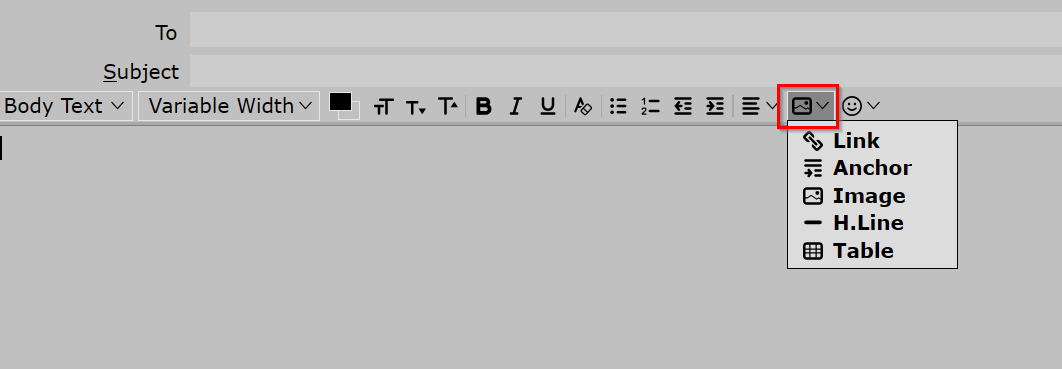
I do not have that toolbar and do not see how to have one. Is there another Thunderbird executable I should install?
The screenshot shows all my available toolbars open and there is no text formatting available. Maybe I need to uninstall Thunderbird and download it again and install again.
I hate Windows 11!!!!
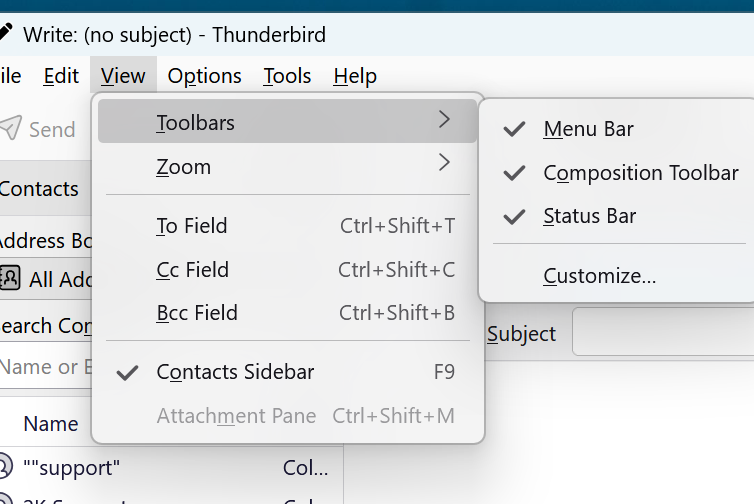
You need to be composing in HTML. Click the 'New Message' button. If the compose window does NOT show the HTML toolbar, then you have the account set to compose in plain text. There is also an INSERT option on the composition tool bar. If not shown in compose window, click the alt key to display it and then tick the view>toolbars and tick 'menu bar' to have it displayed.
Chosen Solution
Click 'account settings' and click the 'composition' pane and click to compose in HTML
Ah! Thanks David. That did the trick. I never had to do this when I installed Thunderbird on my Windows 10 machine.
Thanks.