


Displaying new emails

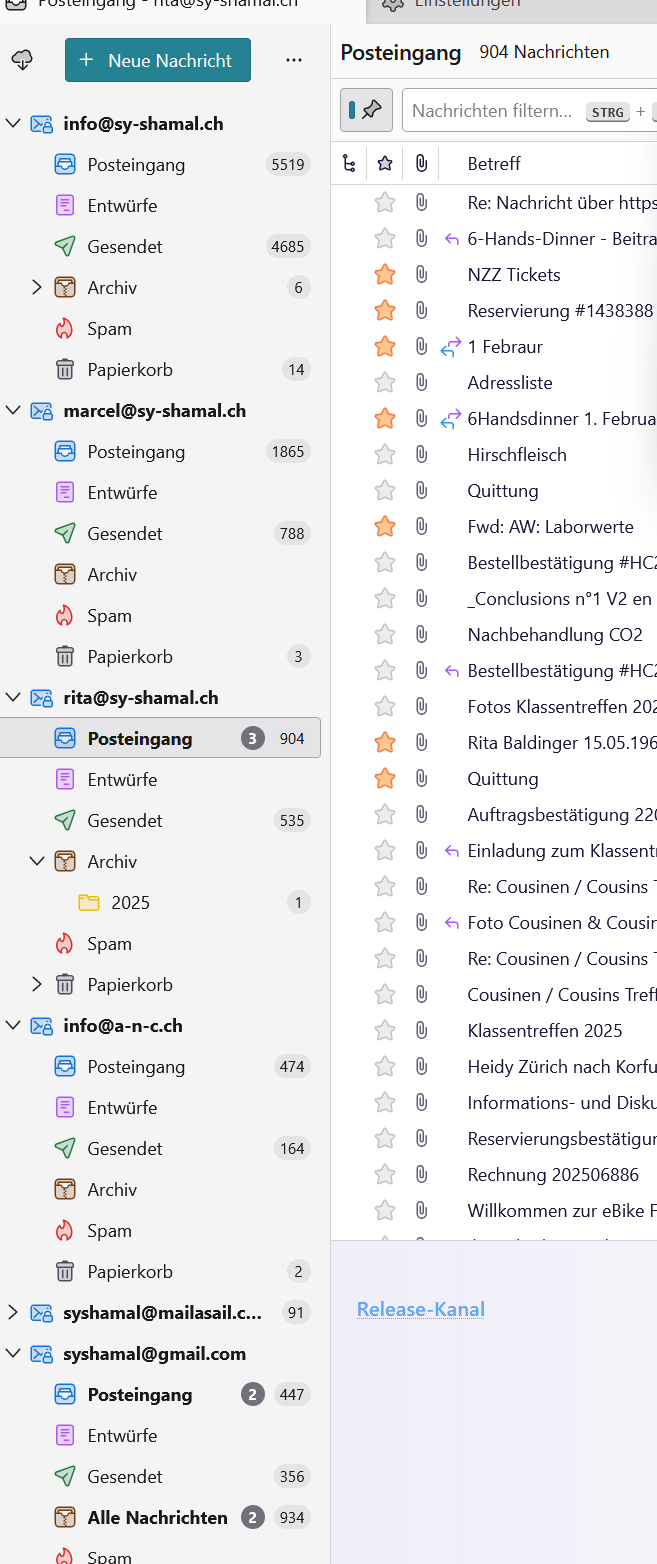
Good afternoon, Since yesterday, I have been having a problem where new messages can no longer be previewed or opened. Emails can be sent, but they do not appear in the sent items folder. Everything works fine on my Samsung smartphone with the Samsung app.
Kind regards and many thanks, Marcel
Chosen solution
Good evening, I don't quite understand your problem description. As i interpret your screen shot you use the classic view layout and the table view for your thread pane. You also have activated the Quick Filter toolbar. If you restart Thunderbird in troubleshoot mode does your issue persist? https://support.mozilla.org/en-US/kb/troubleshoot-mode-thunderbird
Read this answer in context 👍 0All Replies (1)
Chosen Solution
Good evening, I don't quite understand your problem description. As i interpret your screen shot you use the classic view layout and the table view for your thread pane. You also have activated the Quick Filter toolbar. If you restart Thunderbird in troubleshoot mode does your issue persist? https://support.mozilla.org/en-US/kb/troubleshoot-mode-thunderbird