


Windows 10 reached EOS (end of support) on October 14, 2025. For more information, see this article.

Search Support

Avoid support scams. We will never ask you to call or text a phone number or share personal information. Please report suspicious activity using the “Report Abuse” option.

Learn More

Fonts display corrupted on Bookmark Sidebar

more options

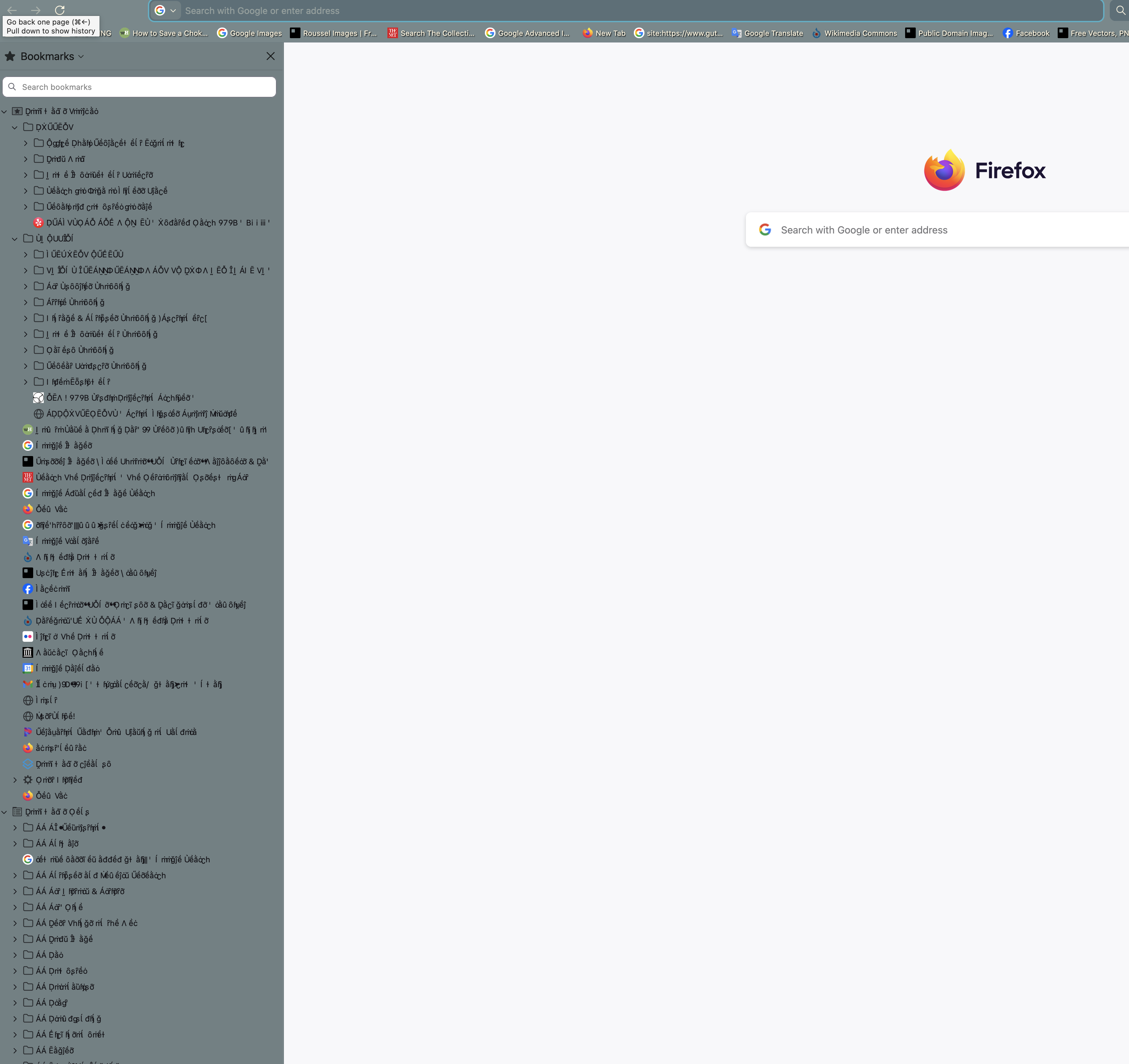
Hi! I'm having a really weird problem with fonts in Firefox on my Macbook Pro M1 14-inch 2021. Specifically, the fonts in the bookmark sidebar appear to be corrupted and replaced with nonsense characters that have a lot of accents. I've tried rebooting, clearing all Firefox cookies and site data, reinstalling Firefox from an earlier version on my Apple Time Machine (from a time when I didn't have this problem), checking to see if the problem persisted when all extensions were disabled (it did, even after restart with all extensions disabled), and a reboot in safe mode. The reboot in safe mode temporarily fixed the problem and I was pretty excited, but it came back. I tried updating my Mac from Sequoia to the most recent OS (Tahoe 26.2), and the problem was still there, so I tried rebooting in Safe Mode again and the problem went away, but only while I remained in Safe Mode. This time the problem came back when I reopened in regular mode. So whatever the problem is, it's something that Safe Mode counteracts. Can someone help me figure out what's wrong?
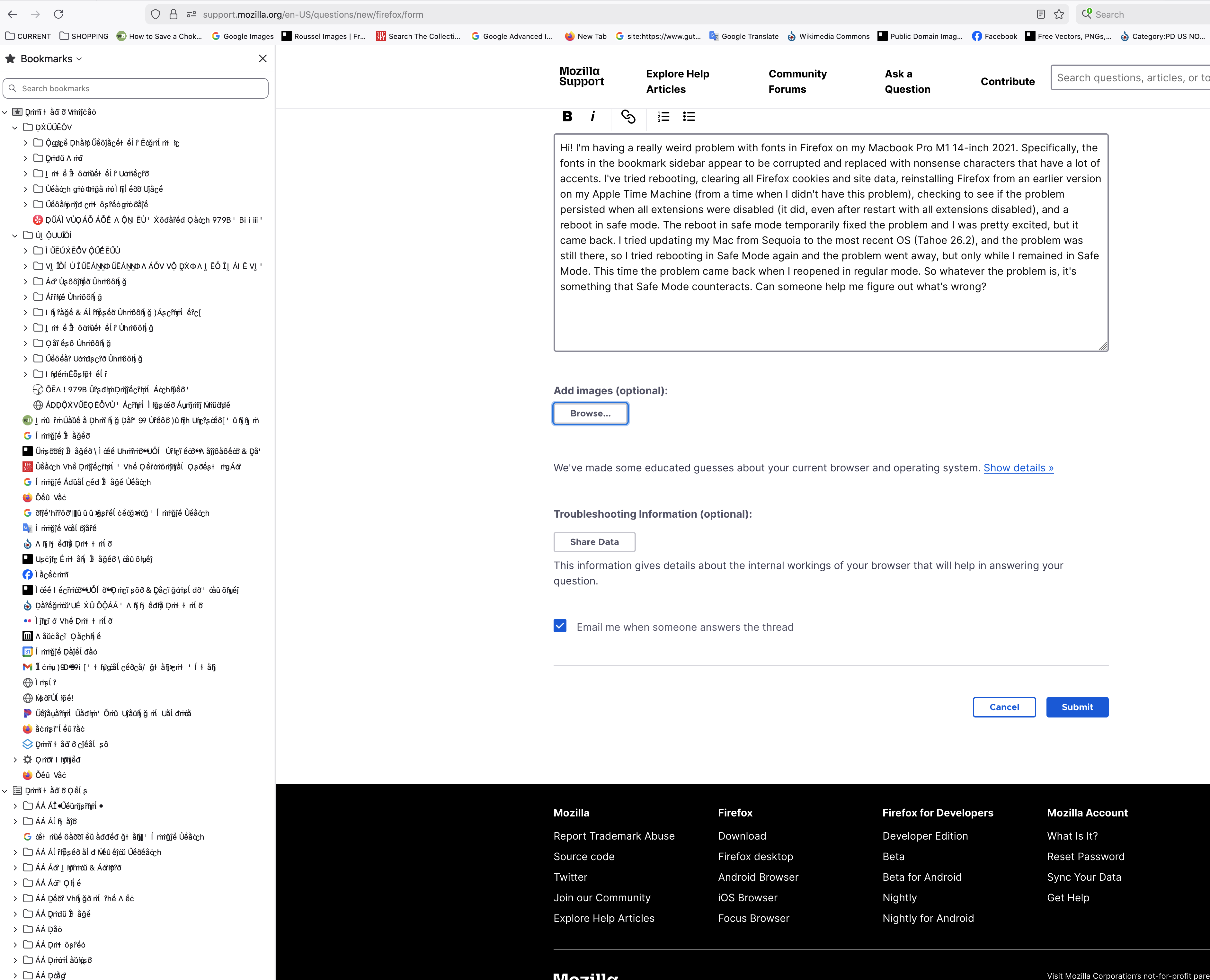
Hi! I'm having a really weird problem with fonts in Firefox on my Macbook Pro M1 14-inch 2021. Specifically, the fonts in the bookmark sidebar appear to be corrupted and replaced with nonsense characters that have a lot of accents. I've tried rebooting, clearing all Firefox cookies and site data, reinstalling Firefox from an earlier version on my Apple Time Machine (from a time when I didn't have this problem), checking to see if the problem persisted when all extensions were disabled (it did, even after restart with all extensions disabled), and a reboot in safe mode. The reboot in safe mode temporarily fixed the problem and I was pretty excited, but it came back. I tried updating my Mac from Sequoia to the most recent OS (Tahoe 26.2), and the problem was still there, so I tried rebooting in Safe Mode again and the problem went away, but only while I remained in Safe Mode. This time the problem came back when I reopened in regular mode. So whatever the problem is, it's something that Safe Mode counteracts. Can someone help me figure out what's wrong?
Attached screenshots

All Replies (2)

more options

Change Theme

more options

Unfortunately that didn't help -- I tried changing the theme and it just changed the color behind the weird text
Ask a question

You must log in to your account to reply to posts. Please start a new question, if you do not have an account yet.