


How do I make my browser page 3/4 size rather than full-page?

I would like a smaller browser page (3/4) rather than full-screen. The green button at the upper left doesn't seem to help.
Chosen solution
I'm a Windows person, so remind me what the 3 buttons do? If it's like Windows, one of them switches between a maximized window (borderless, full screen width) and a resizable window. With a resizable window, you should be able to click and drag on the lower right corner to resize the window to your liking. (Other corners might also work, but I don't have a Mac to test with.)
Read this answer in context 👍 1All Replies (3)
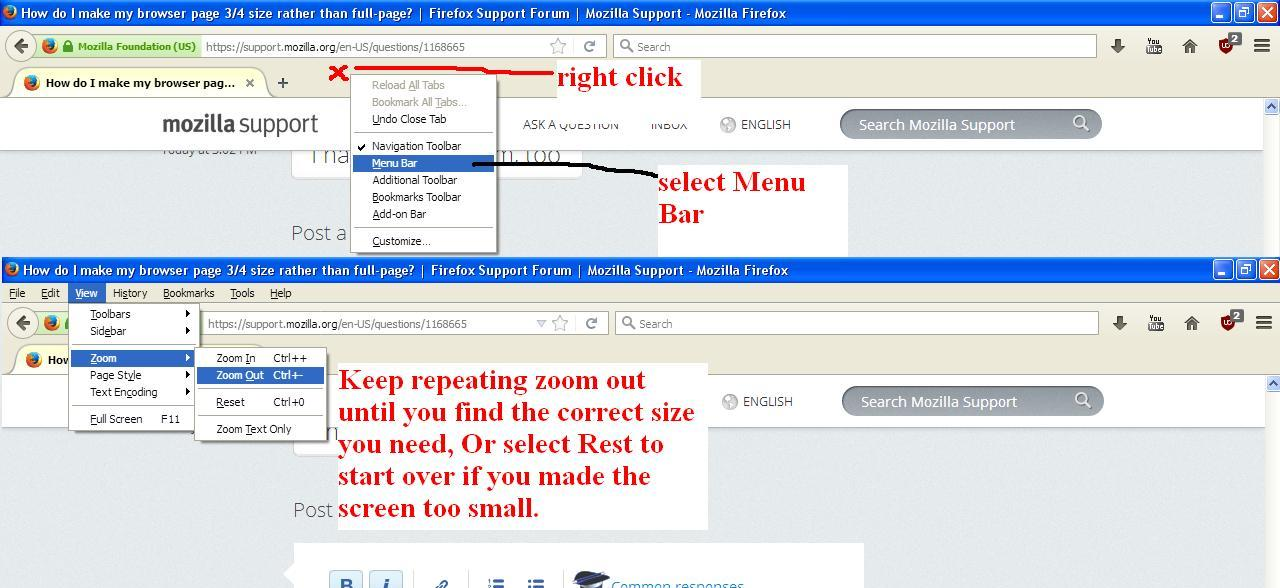
I'm not Mozilla Support but this might work See Picture for help!
Chosen Solution
I'm a Windows person, so remind me what the 3 buttons do? If it's like Windows, one of them switches between a maximized window (borderless, full screen width) and a resizable window. With a resizable window, you should be able to click and drag on the lower right corner to resize the window to your liking. (Other corners might also work, but I don't have a Mac to test with.)
My thanks!