


How do I pick and choose which browser sounds to play?

Today my browser started making this sound, which sounds like a sci-fi laser gun, which I'd like to turn off without having to mute ALL browser sounds. How do I do this? I have already determined that this is caused by Firefox and is NOT a Windows event sound.
Vahaolana nofidina
FIGURED IT OUT!!!
AutoFill 3.6 was the culprit -- there's a sound effects box that can be unchecked!
Hamaky an'ity valiny ity @ sehatra 👍 1All Replies (10)
hello, can you try to replicate this behaviour when you launch firefox in safe mode once? if not, maybe an addon is interfering here...
Troubleshoot extensions, themes and hardware acceleration issues to solve common Firefox problems
That seems to have stopped the noise, but how do I determine which addon is causing it?
you'd have to disable all the extensions and re-enable them one-by-one or in larger batches (a restart of firefox might be necessary after each step) until you find the culprit...
I think I may just have to mute Firefox, then. It's more of an annoyance than a problem.
Thank you for your help nevertheless :-)
do you have so many of them? you can also disable halve of them & narrow them down this way to speed up the process.
or you could go to firefox > help > troubleshooting information, copy the list of your extensions from there & paste them into a reply on the forum here - then maybe we or other affected users can find similarities or likely candidates...
Novain'i philipp t@
That 'laser' sound is probably from NoScript.
Open NoScript Options > Notifications -> Audio feedback when scripts are blocked = un-check that preference
OK, if you think that'll help...
The instances I've been using to test it are opening up my wordpress admin, google reader, and links from a Locobuy e-mail.
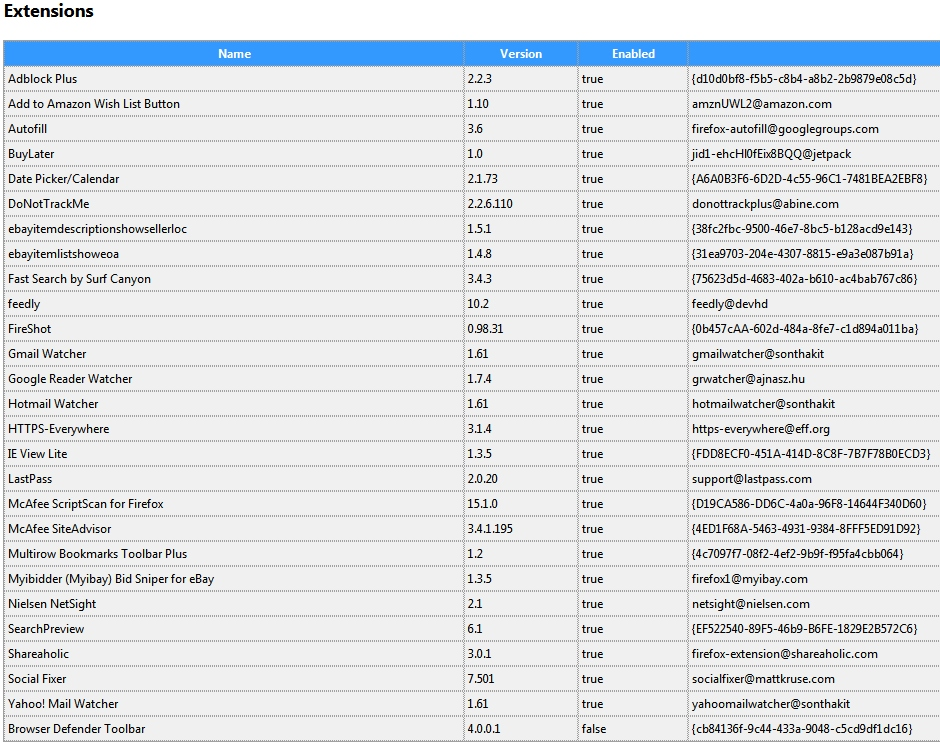
Vahaolana Nofidina
FIGURED IT OUT!!!
AutoFill 3.6 was the culprit -- there's a sound effects box that can be unchecked!
thank you for reporting back with your findings.