


M Inbox and dropped down about 7 boxes from right below Jas2239

my inbox folder and all folders below it has dropped down about 7 folders from right below my email address. how to get it back up to where it has been for years? thanks, [redacted phone# from community support forum]
Novain'i James t@
All Replies (8)

Please post a screen shot of the folders. I don't understand your verbal description of your problem.
I do not know how to send you a picture, but try this below- tx,
why don't you call me and help me? 830 755 9159 am texas time best Jim
C:\Users\jas22\OneDrive\Desktop
Well David, I still am unable to send you a picture. Can I send it as an email attachment? Tx, Jim
There is a browse button below the space to enter text. You can attach a jpg or png there.
James Broussard said
I do not know how to send you a picture, but try this below- tx,
We'd have to see what you're experiencing to suggest a remedy
Most modern operating systems have a screen capture utility like Windows' Snipping Tool that david suggests above. MacOS has one, most Linux distributions have one. You don't mentions what your OS is, but look - it's probably there. But even taking a picture with your phone would do in a pinch. Of course, you have to get the picture to your computer, after which you use the "Add images: button on this page to include it with your post.
Novain'i Lin t@
need help to get inbox directly undrt jas2239@gmail.com as it was originally. Using win 11. tx, Jim
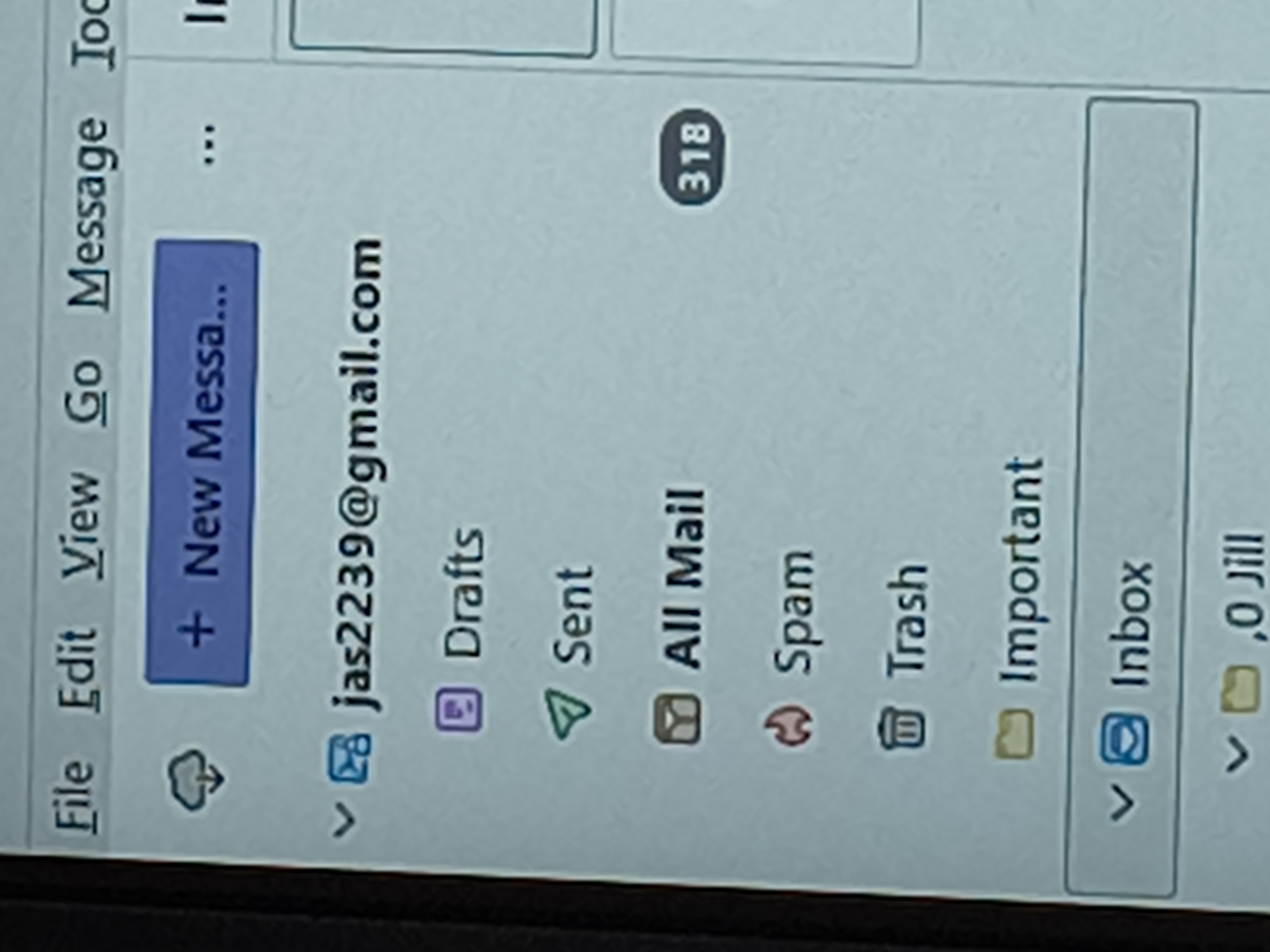
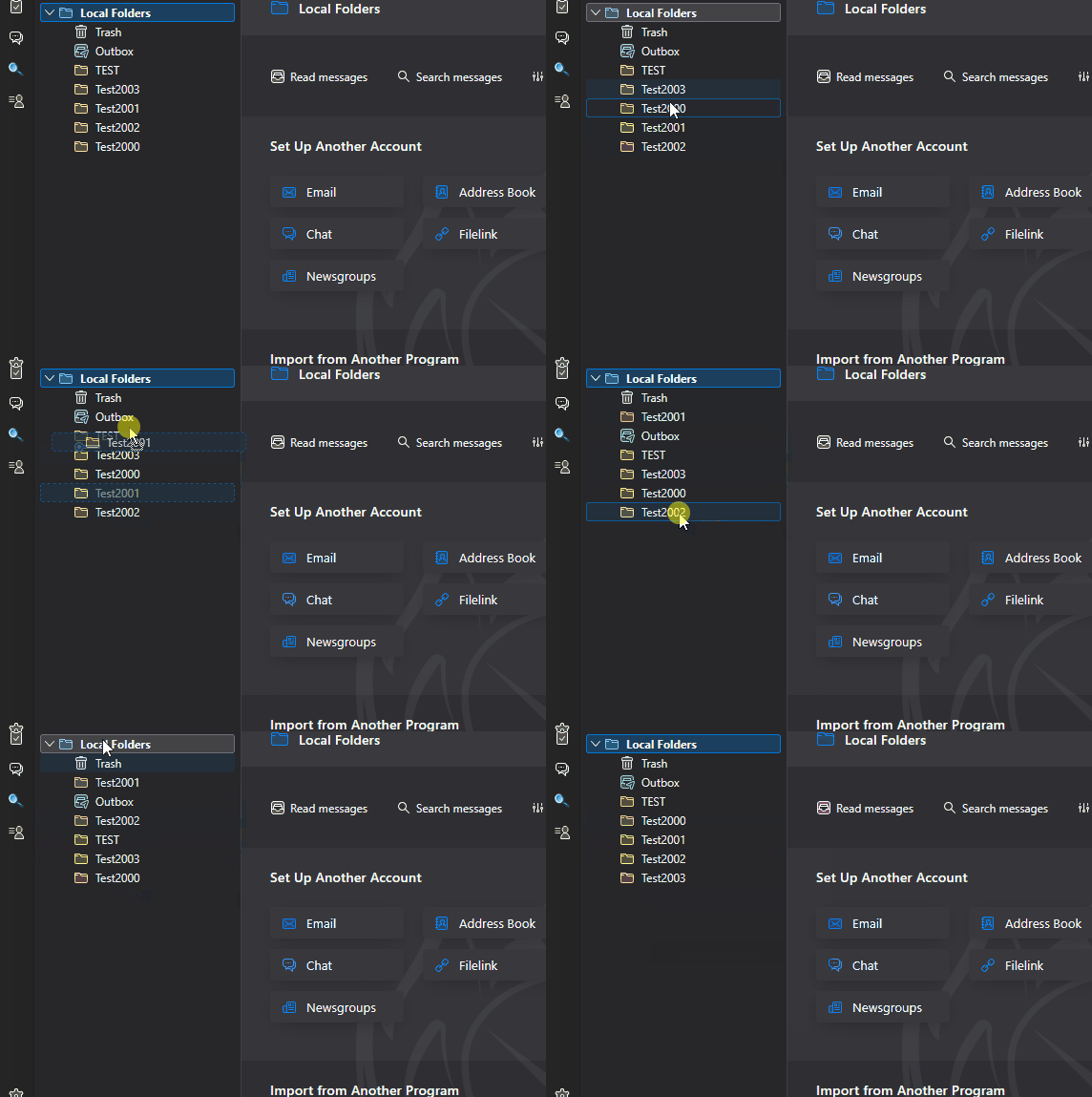
So, is it that the folders are out of order? You can re-sort them alphabetically by right-clicking on the account name in the Folders List and choosing "Reset Folder Order". You can also manually drag-and-drop folders to any position you like - but be careful! That method is delicate and prone to error - it's easy to accidentally drop one folder into another by accident.
See the attached animation...
Novain'i Lin t@