Open
Thunderbird doesn't show Traditional Chinese characters correctly after recent update

Dear Support,
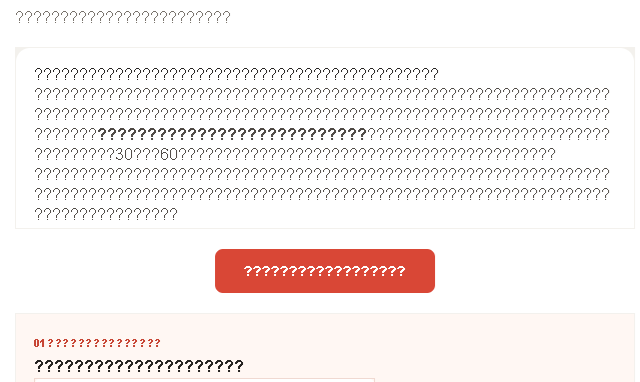
Around 12-14 August 2026, there was an update pushed for the Thunderbird client esr (extended support release). My current version is 153.1.0esr. After the update, some of my new e-mail received question mark characters '?' instead of content in Traditional Chinese.
I could view the affected e-mail on the e-mail server, but not on the recently updated Thunderbord client. The issue only exists after the recently update of thunderbird esr in August 2026.
Not all e-mails in Traditional Chinese were affected, just some of them.
Is there any change for the language encoding recently? What should I do to resolve the issue?
Please find the attached photo showing the issue. Thank you!
Best Regards, User
Dear Support,
Around 12-14 August 2026, there was an update pushed for the Thunderbird client esr (extended support release). My current version is 153.1.0esr. After the update, some of my new e-mail received question mark characters '?' instead of content in Traditional Chinese.
I could view the affected e-mail on the e-mail server, but not on the recently updated Thunderbord client.
The issue only exists after the recently update of thunderbird esr in August 2026.
Not all e-mails in Traditional Chinese were affected, just some of them.
Is there any change for the language encoding recently?
What should I do to resolve the issue?
Please find the attached photo showing the issue. Thank you!
Best Regards,
User