Open
Can I block Websites?

There is certain content that I wish to block.
There is certain content that I wish to block.
All Replies (2)

Yes, you can by using Firefox's parent control or an extension. https://support.mozilla.org/en-US/kb/block-and-unblock-websites-parental-controls-firef
Hello
For other information
You can try Customize Firefox using policies.json https://support.mozilla.org/en-US/kb/customizing-firefox-using-policiesjson
For illustration https://support.mozilla.org/en-US/questions/1503118 WebsiteFilter https://mozilla.github.io/policy-templates/#websitefilter
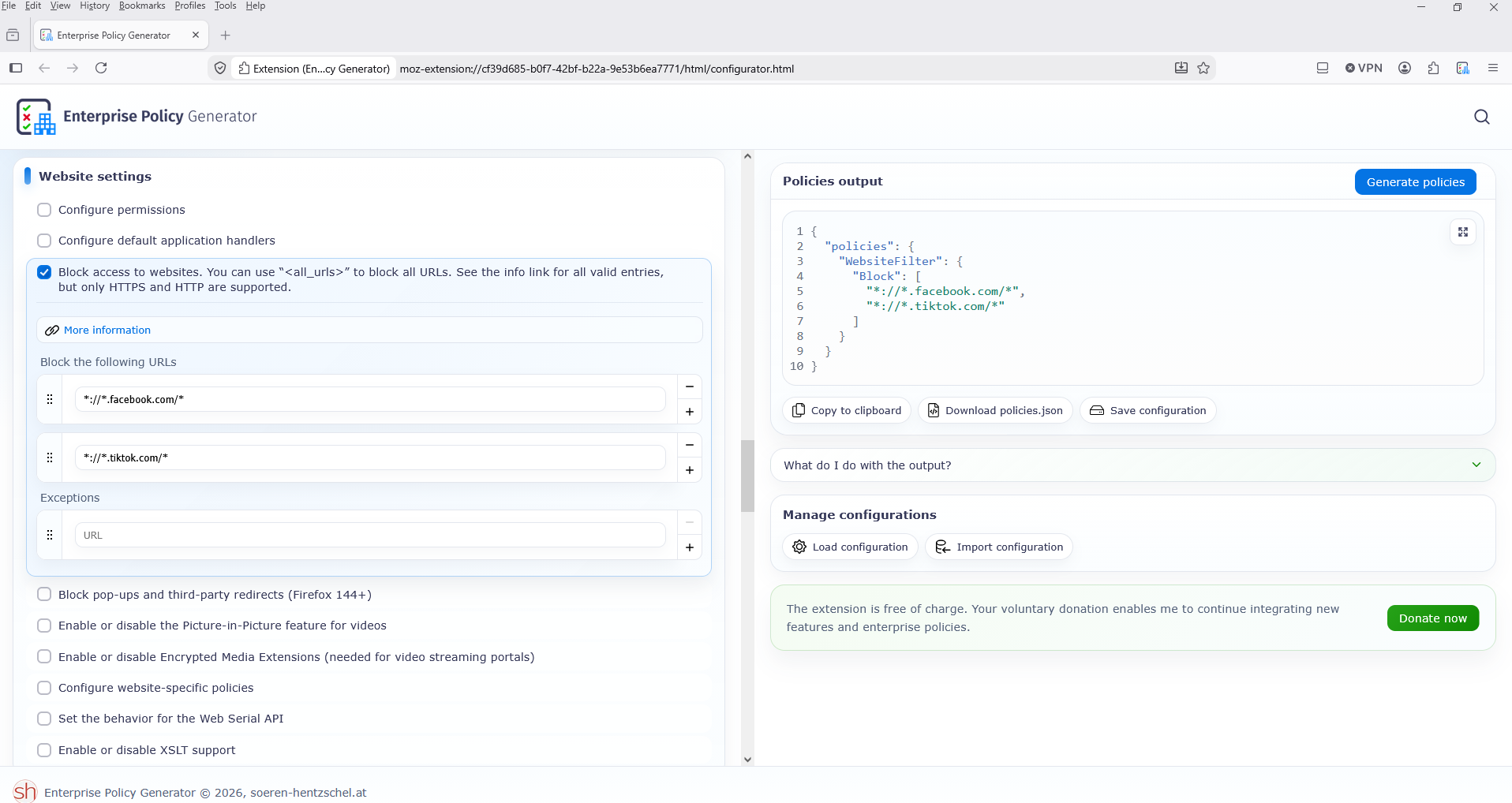
If you wish study, Enterprise Policy Generator https://addons.mozilla.org/firefox/addon/enterprise-policy-generator
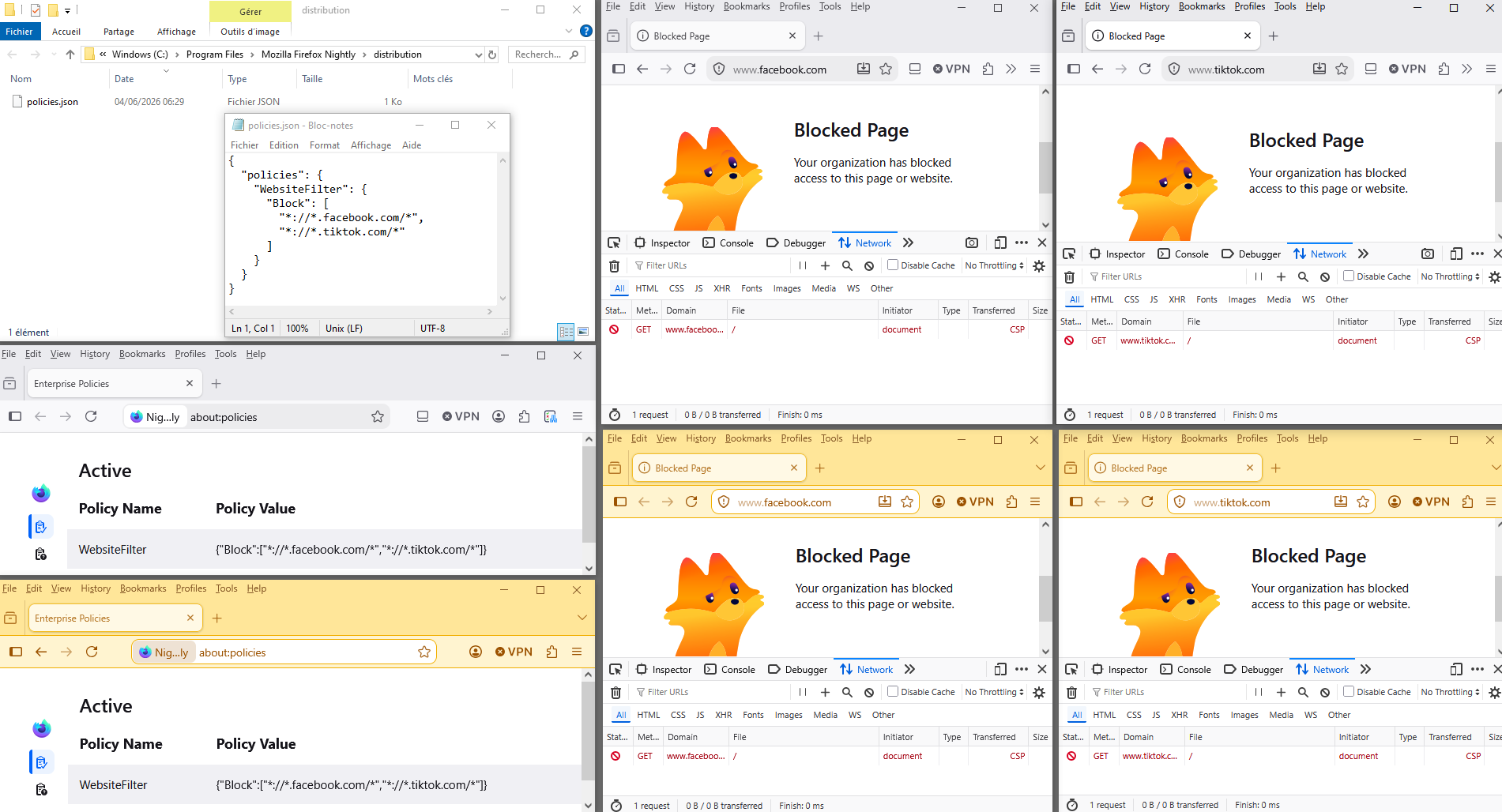
Illustration
{ "policies": { "WebsiteFilter": { "Block": [ "*://*.facebook.com/*", "*://*.tiktok.com/*" ] } } }
Firefox policy affect all profiles