


Windows 10 reached EOS (end of support) on October 14, 2025. If you are on Windows 10, see this article.

Search Support

Avoid support scams. We will never ask you to call or text a phone number or share personal information. Please report suspicious activity using the “Report Abuse” option.

Learn More
Natao arisiva ity resaka mitohy ity. Mametraha fanontaniana azafady raha mila fanampiana.
Solved Natao arisiva

Outlook account login fails

tlbpjb

I've had an Email account with outlook.com for years using Thunderbird. 2 days ago, Outlook forced me to change my password to login using a webbrowser. I changed the account password in Thunderbird and now I can't login. No matter what I try (and the experimental account setup is disabled), I simply get a pop-up window I guess from Outlook stating it can't log me in because cookies are disabled. I don't know which browser this pop-up is trying to use. I've got 3 web browsers (firefox, brave, librefox) on this linux mint PC. I have enabled all cookies in all 3 browsers, but the same error message occurs.

I'm using Thunderbird 140.5.0esr (64-bit) and it worked just fine until the password change. I have deleted all accounts in Thunderbird now and am trying to add my primary outlook account back. This is beyond frustrating. Hoping somebody can help.
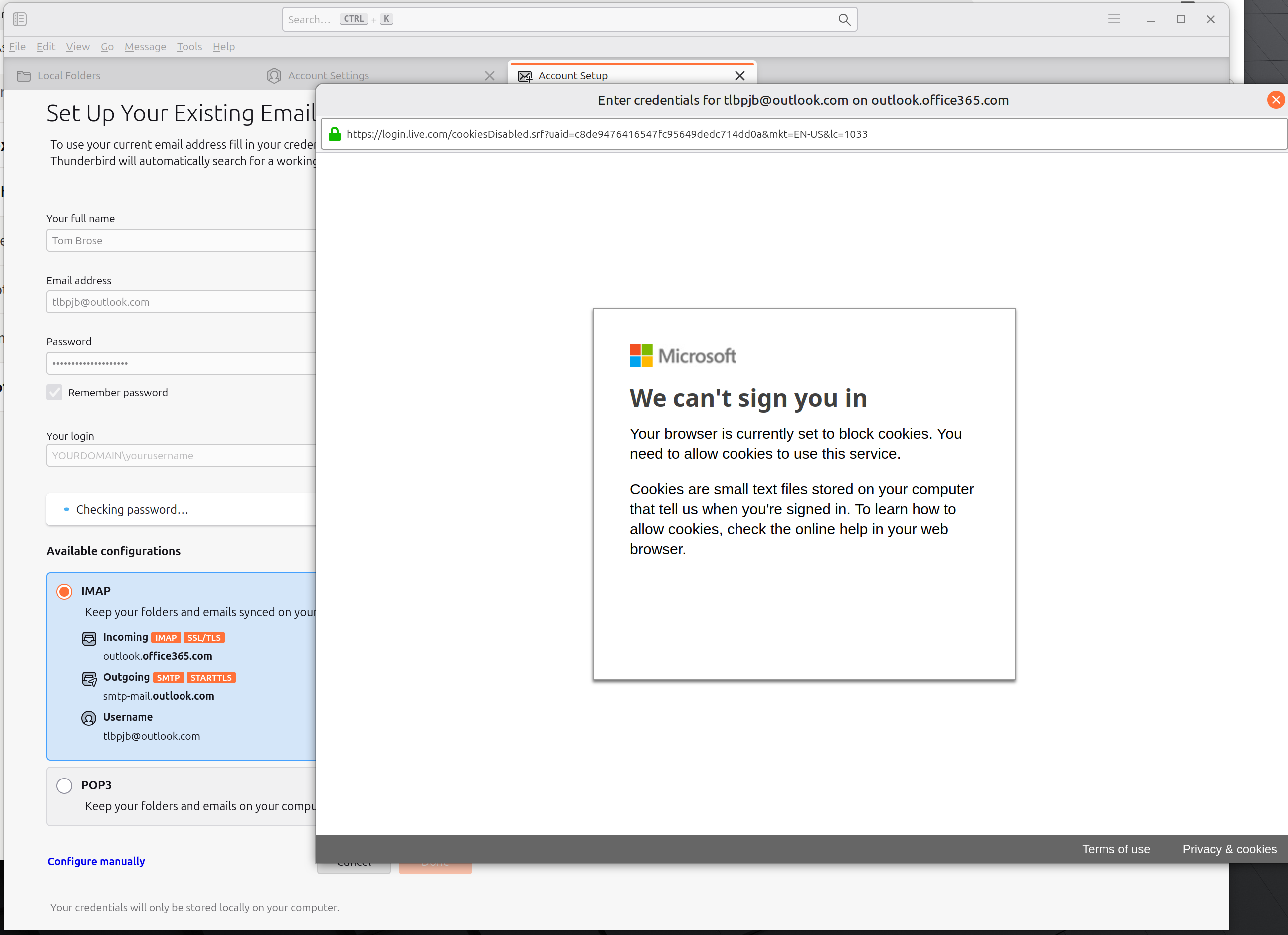
I've had an Email account with outlook.com for years using Thunderbird. 2 days ago, Outlook forced me to change my password to login using a webbrowser. I changed the account password in Thunderbird and now I can't login. No matter what I try (and the experimental account setup is disabled), I simply get a pop-up window I guess from Outlook stating it can't log me in because cookies are disabled. I don't know which browser this pop-up is trying to use. I've got 3 web browsers (firefox, brave, librefox) on this linux mint PC. I have enabled all cookies in all 3 browsers, but the same error message occurs. I'm using Thunderbird 140.5.0esr (64-bit) and it worked just fine until the password change. I have deleted all accounts in Thunderbird now and am trying to add my primary outlook account back. This is beyond frustrating. Hoping somebody can help.
Sarin'efijery napaingotra

All Replies (2)

Vahaolana Nofidina

Cookies must be accepted in TB (not browser) Settings/Privacy & Security. Remove entries for the account from Saved Passwords in Settings, restart TB, enter the account password in the OAuth window to grant access.

That works! I appreciate so much your help. The error message kept stating browser as the problem. I never thought to check anywhere in Thunderbird.