


I'm transferring to a new computer, and need help with my layout, PLEASE

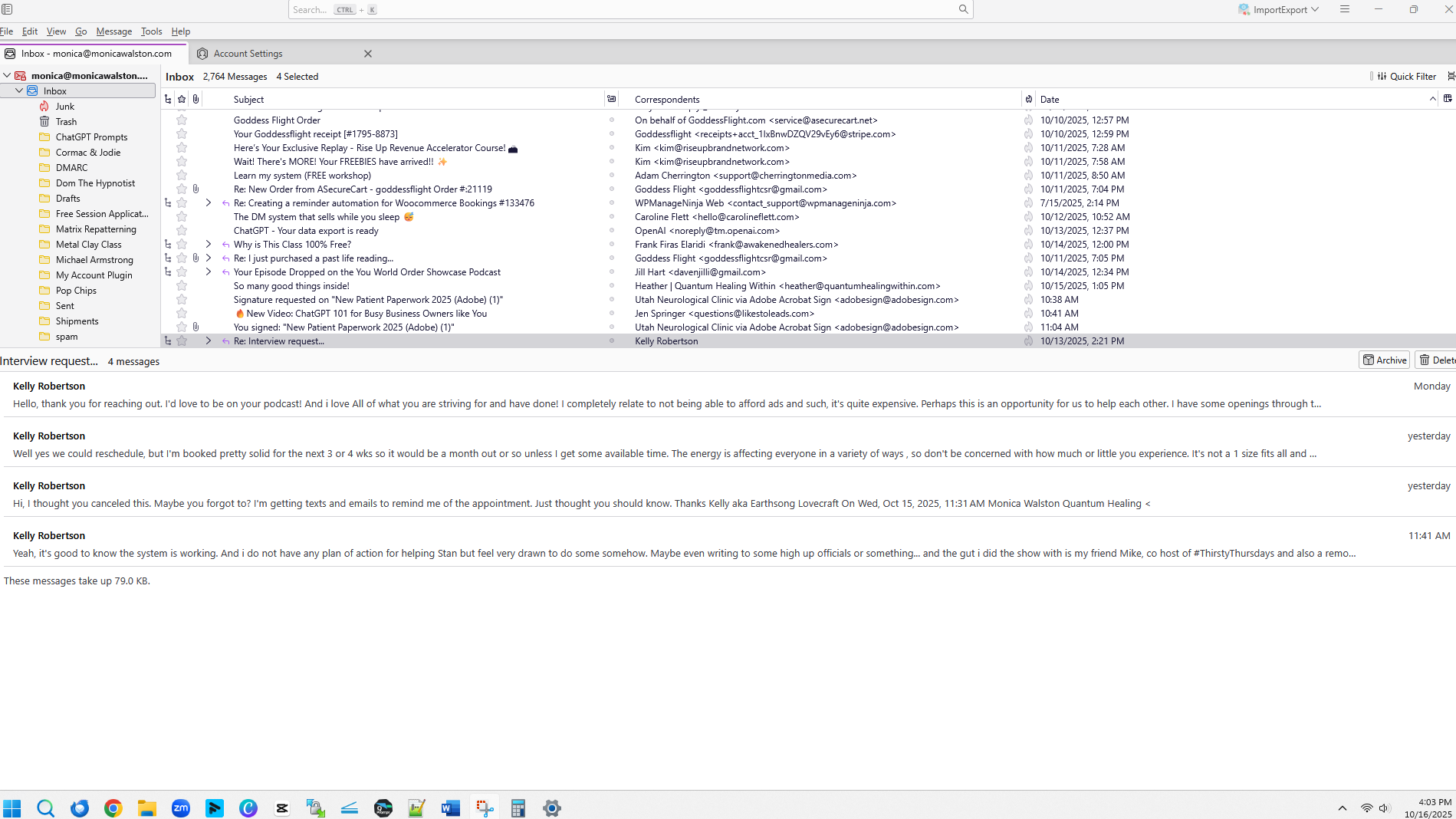
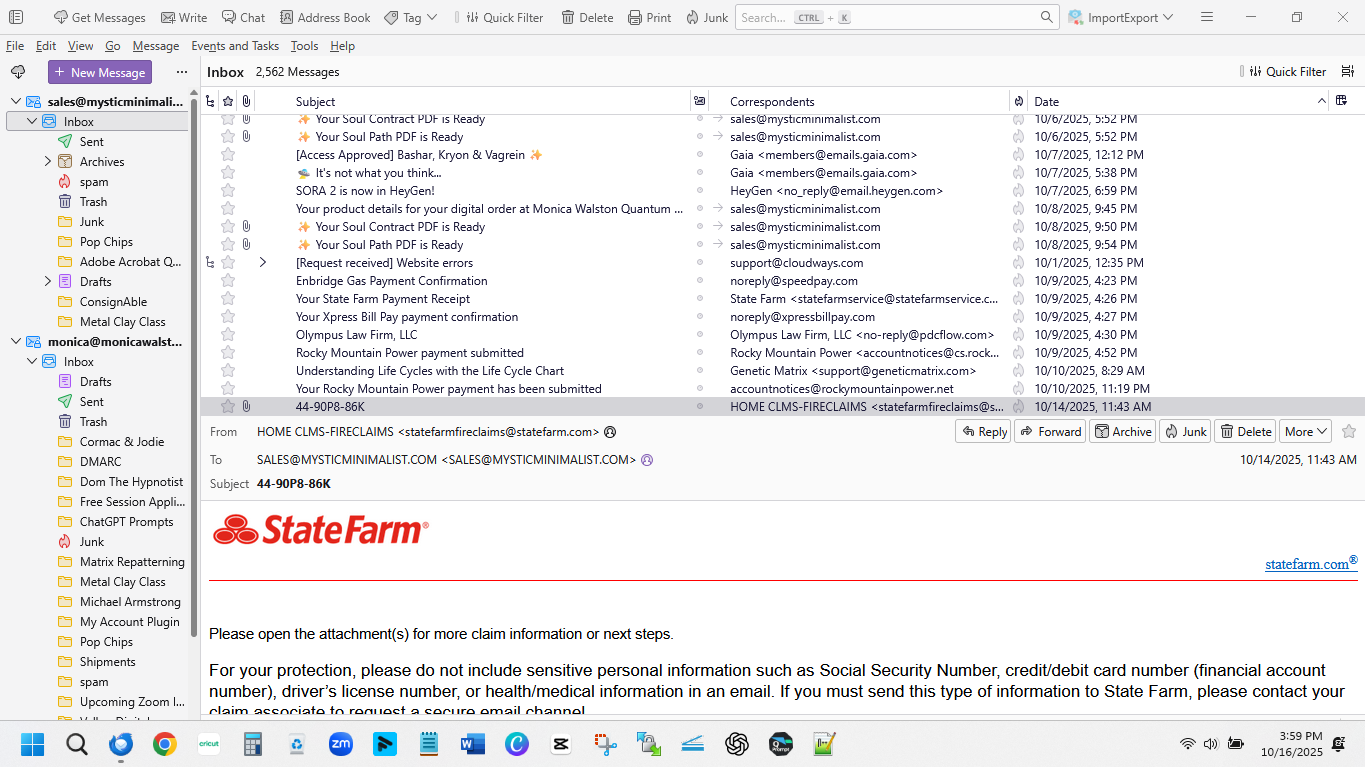
I'm transferring to a new computer. The old computer is using version 140.4.0esr (yet it says it's up to date, when the other computer is using 144.0). I have 2 e-mail accounts setup, so the left panel is a little longer. In the old version that left panel that shows all the folders is 100% the height of the window. On the new one, the bottom panel which has the e-mail in it (preview at the top) takes up 100% width of the window. I need that left panel to be 100% height, and then the preview panel with the e-mails listed at the top (which it is) and the panel at the bottom that shows the e-mail at the bottom to fill up the rest of the window, if that makes sense.
I've added 2 screenshots. One for how it looked on my old computer and one for how it looks on my new computer. I want it to look like it did on the old computer.
I would also like to get the bar at the top back with the new messages, write, chat, address book, etc.
I have tried all the settings I can think of and things I've found online with no luck. Any help would be GREATLY APPRECIATED! TIA!
Vahaolana nofidina
Select View/Layout/Classic View.
View/Toolbars/Customize... and drag buttons onto the bar with the search box, Save.
Hamaky an'ity valiny ity @ sehatra 👍 0All Replies (5)
Vahaolana Nofidina
Select View/Layout/Classic View.
View/Toolbars/Customize... and drag buttons onto the bar with the search box, Save.
sfhowes said
Select View/Layout/Classic View. View/Toolbars/Customize... and drag buttons onto the bar with the search box, Save.
Thanks so much! I tried that, but it wasn't moving them to where I want them. It's a little confucing, LOL!
I'm replying to this thread because my problem is a little different. I can place the tools on the top bar with the search box (as described in this solution), but that's not my problem. I would like to see a preview of the currently selected message, so I don't have to open it. I have plenty of screen acreage. The icon to "Select Columns To Display" doesn't offer anything like "Preview". I have everything in columns. Would the preview be a "Pane"? How would I select and place it? I'm relatively new to TB, and don't know the terminology, so I'm clumsy at asking my questions.
Nana Ellen said
I'm replying to this thread because my problem is a little different. I can place the tools on the top bar with the search box (as described in this solution), but that's not my problem. I would like to see a preview of the currently selected message, so I don't have to open it. I have plenty of screen acreage. The icon to "Select Columns To Display" doesn't offer anything like "Preview". I have everything in columns. Would the preview be a "Pane"? How would I select and place it? I'm relatively new to TB, and don't know the terminology, so I'm clumsy at asking my questions.
You cannot view a part of the message body ('preview') without 'officially' opening the message. But you can view a message in the Message Pane by pressing F8. To avoid opening a message when e.g. selecting it in the message list, toggle the Message Pane off with F8.