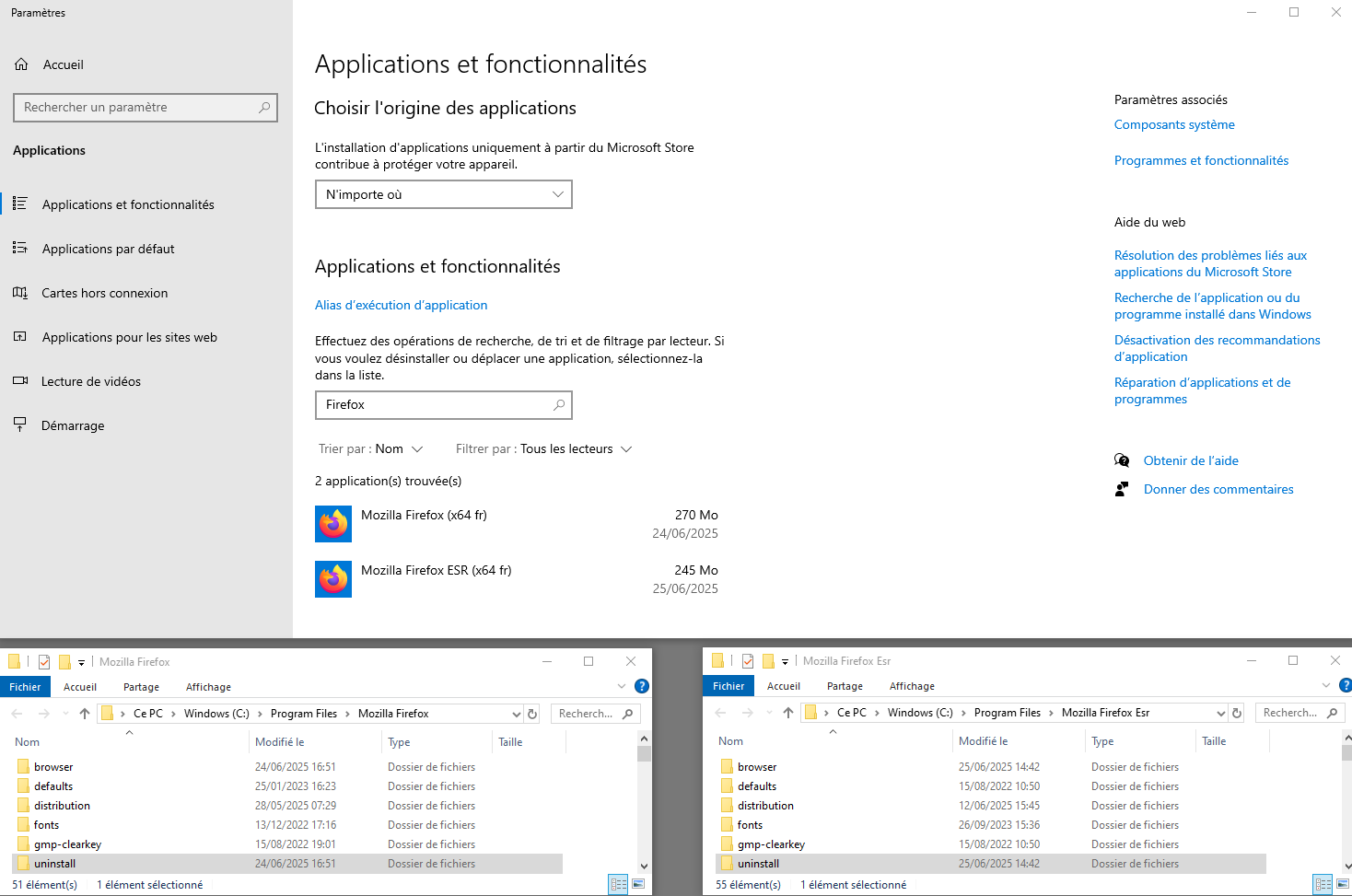
Windows: Two uninstall lists appear when you install an update

When I custom installed to a different path,I didn't have the service installed,and when I encountered an update,I manually updated and restarted Firefox Brower,and I saw two uninstall lists in the control panel uninstall list.

All Replies (2)
That's odd to see having just only one Firefox installed and two to appear. By the look at their sizes and version numbers, the first browser on the list might be the older version, which somehow wasn't deleted or got replaced by the new version.
If I were you, I'll first restart the computer to see if it gets fixed. If that doesn't fix it, you can try to uninstall the older version (140.0.2). Since they are two different files, it should not cause any issue to the latest version browser.
Just curious, do you see two Firefox browsers when you search it in your computer?
Hello
About Custom installation of Firefox on Windows https://support.mozilla.org/en-US/kb/custom-installation-firefox-on-windows
About The Mozilla Maintenance Service https://support.mozilla.org/en-US/kb/what-mozilla-maintenance-service
Is it your subject https://connect.mozilla.org/t5/discussions/firefox-in-windows-uninstaller-list-have-two-it-doesn-t-look/td-p/100152
For illustration purposes Take a look at https://connect.mozilla.org/t5/discussions/using-older-versions/m-p/52750/highlight/true#M18762 about
Some users have multiple installations of Firefox, each in separate program folders. Firefox uses a dedicated profile for each installation of Firefox, including Nightly, Beta, Developer Edition and Extended Support Release (ESR) installations. This makes Firefox more stable when switching between installations on the same computer, and also allows you to run different Firefox installations at the same time.
For information Uninstall Firefox from your computer https://support.mozilla.org/en-US/kb/uninstall-firefox-from-your-computer With helper.exe, you're sure, to take the Firefox of your choice.
For illustration purposes, below.