


Firefox: How to hide mouse pointer while typing?
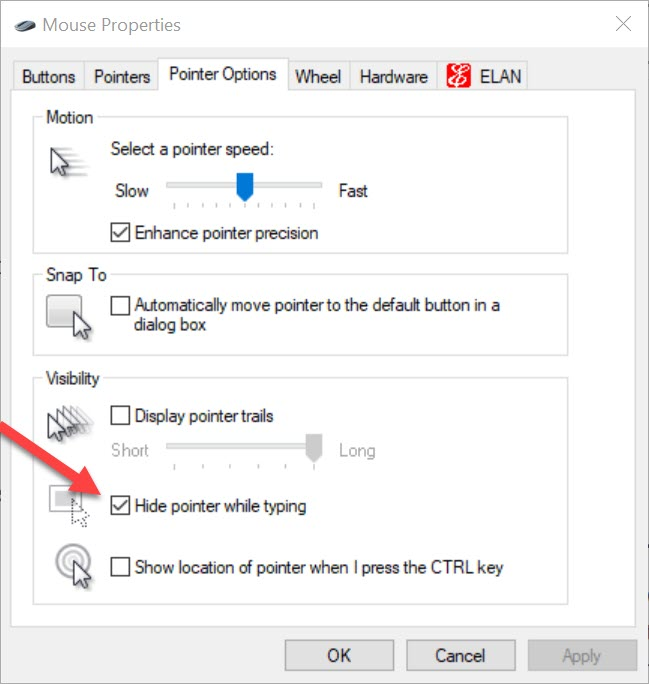
I have turned on Hide pointer while typing in Mouse Properties, see pic. It works in Notepad, but not in Firefox.
Mouse Properties can be accessed from Windows Settings > Bluetooth & devices > Mouse. Here click on Additional mouse settings.
I have turned on ''Hide pointer while typing'' in Mouse Properties, see pic. It works in Notepad, but not in Firefox.
Mouse Properties can be accessed from Windows Settings > Bluetooth & devices > Mouse. Here click on Additional mouse settings.
Vahaolana nofidina
Turn on widget.windows.hide_cursor_when_typing in about:config and it will work in Firefox too.
See Bug 1757463.
Hamaky an'ity valiny ity @ sehatra 👍 2All Replies (1)
Vahaolana Nofidina
Turn on widget.windows.hide_cursor_when_typing in about:config and it will work in Firefox too.
See Bug 1757463.
Novain'i Jonnae t@