Natao arisiva ity resaka mitohy ity.
Mametraha fanontaniana azafady raha mila fanampiana.

Natao arisiva
How do I stop desktop shortcut from reappearing?

I have Mozilla Thunderbird installed (60.6.1). By default it seems to place a shortcut on the desktop. I don't want or need a desktop shortcut so I delete it, but it always returns after a few days/weeks. How do I prevent Thunderbird from creating a shortcut I don't want?
I have Mozilla Thunderbird installed (60.6.1). By default it seems to place a shortcut on the desktop. I don't want or need a desktop shortcut so I delete it, but it always returns after a few days/weeks. How do I prevent Thunderbird from creating a shortcut I don't want?
All Replies (1)
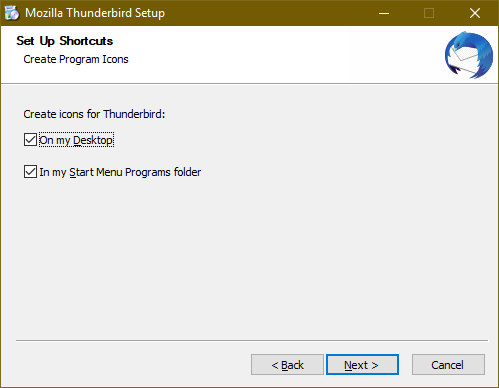
If you download and run the full installer and choose Custom installation, you will see a window where you can choose which icons to create (see picture). That setting should remain in the future when TB upgrades an existing installation.