


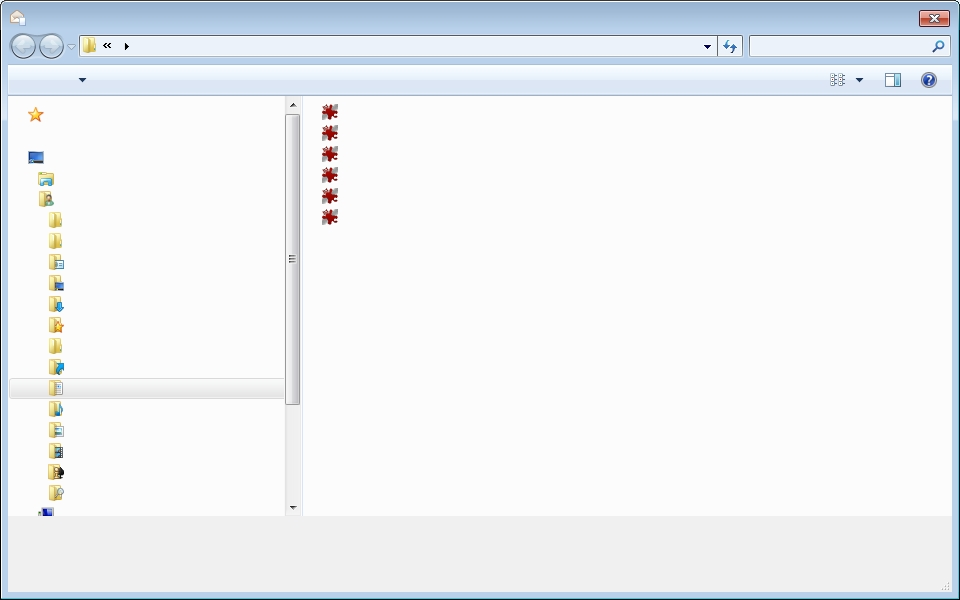
Thunderbird attachments window has graphics but no text.

Thunderbird appears to function normally, messages received and displayed correctly, create message and save draft fine, but when I try to add an attachment the attachments window is displayed as shown, graphics but no text. Firefox appparently normal.
This issue is not confined to Mozilla as the same problem is displayed with Adobe reader, but other Windows programs work normally. Have tried restarts etc , etc. What could be wrong ? Thanks for replies.
All Replies (2)
Thanks. Uninstalled Acrobat reader and rebooted, but not resolved.
As noted by Beachcomber21 in the above thread, perhaps it will just put itself right without further intervention.
Incidently, I previously tried 'restore Windows default fonts' as possibly the font was corrupted, but this made no difference to the problem.
Thunderbird is v 52.3.0 (the most up to date for the Win7 Starter, 32 bit) Adobe Flash recently updated, perhaps that is something to do with it.
As 'Beachcomber21' found in the Mozillaline forum mentioned above, after a few days the problem resolved itself.
I can only guess that some part of Windows, perhaps a dll , had been knocked out upgrading Thunderbird or Adobe and that this dll was restored by Windows as part its its normal behind the scenes houskeeping.
Problem resolved.