


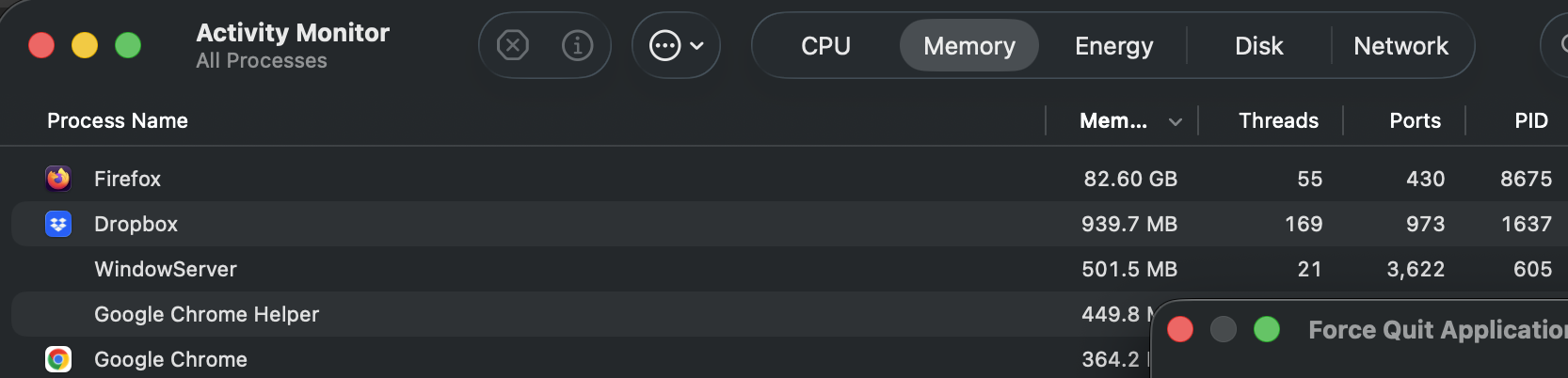
With only one tab open Firefox memory is peaking at 86GB and crashing my Mac

I cannot use Firefox without it blowing up my memory to 86GB used in Activity Monitor. I've cleared my cache, closed all my tabs and bookmarked them. I have a Macbook Air M1 2020. I've tried restarting and am definitely using the current version of Firefox. I also updated to the latest OS Tahoe 26.5 to see if that helped. What should I do next please?!
All Replies (6)

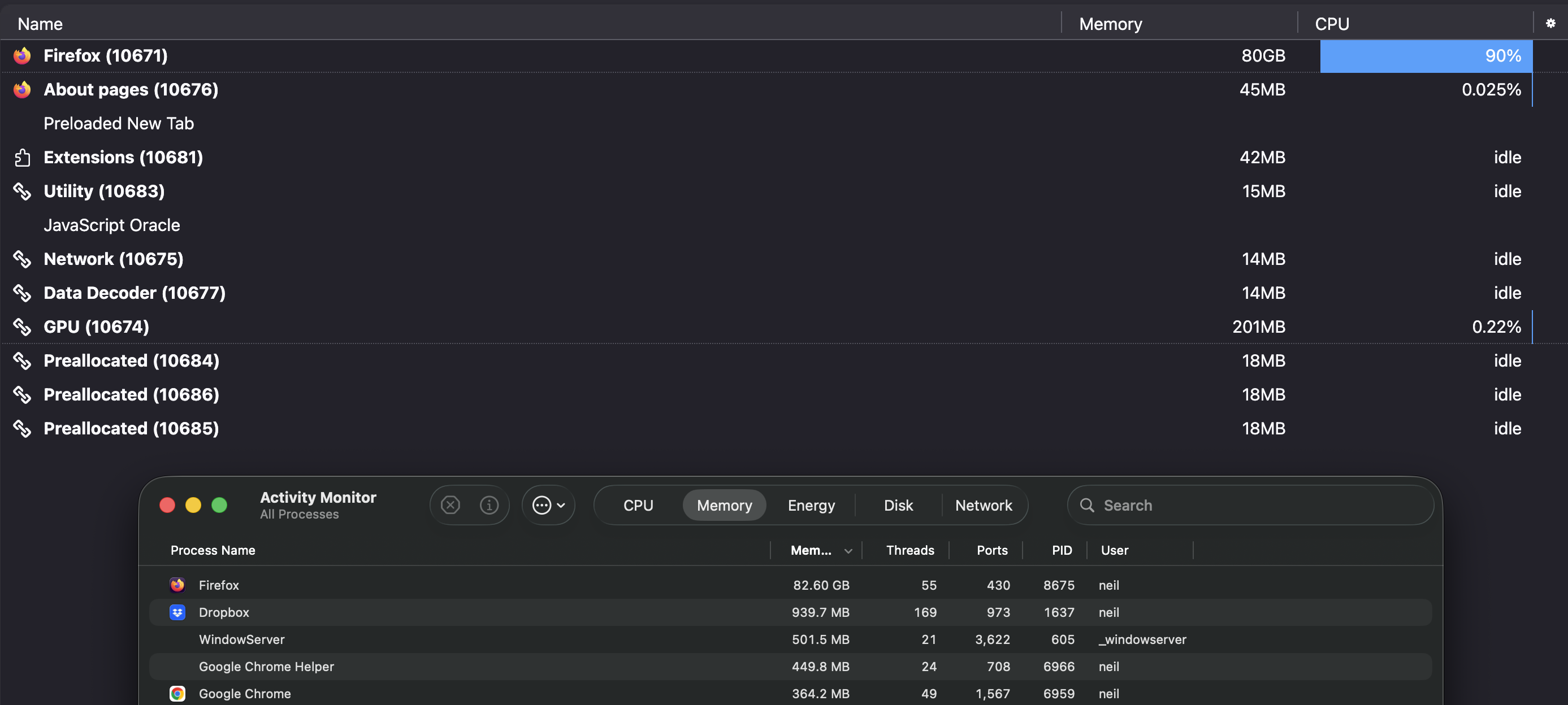
Please can you type about:processes into the URL bar and send us a screenshot of that page?
Absolutely! Here we go:
Can you try opening Firefox in troubleshoot mode and letting us know if the issue still appears, just so we can rule out some settings and extensions?
Try Firefox Troubleshoot Mode to see if the problem goes away. Firefox Troubleshoot Mode (previously known as Firefox Safe Mode) is a special diagnostic mode that temporarily turns off hardware acceleration, disables add-ons (extensions and themes) and resets some settings. See the Use Troubleshoot Mode in Firefox article for details.
If Firefox is open, you can restart in Firefox Troubleshoot Mode from the Help menu:
- Click the menu button
 , click Help, select Troubleshoot Mode and click Restart in the "Restart Firefox in Troubleshoot Mode?" dialog that opens.
If Firefox is not running, you can start Firefox in Troubleshoot Mode as follows:
- On Mac: Hold the option key while starting Firefox.
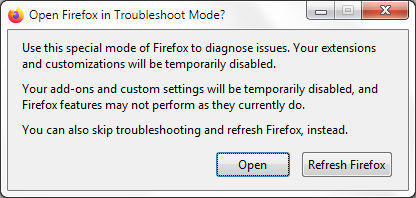
When the Firefox Troubleshoot Mode window appears, select "Open".
If the issue is not present in Firefox Troubleshoot Mode, your problem is probably caused by an extension, theme or hardware acceleration. Please follow the steps in the Troubleshoot extensions, themes and hardware acceleration issues to solve common Firefox problems article to find the cause.
To exit Firefox Troubleshoot Mode, just close Firefox and wait a few seconds before opening Firefox for normal use again. (If you can't exit Firefox Troubleshoot Mode, please see Firefox is stuck in Troubleshoot Mode).
I tried restarting in Troubleshooting mode, however it doesn't get the opportunity to restart. Firefox climbs immediately in memory in Activity Monitor, and the application freezes and needs to be Force Quit.
Even when you hold option when starting?
If so you might need to uninstall and reinstall Firefox, which may cause data loss.
Or the opposite, if the issue's in profile data that persists, reinstalling will see no difference.
Neil, would you be able to create a new separate temporary profile to just see what happens in a clean slate? Or, for simplicity, download Firefox Nightly nightly.mozilla.org that has its own separate profile and will start from scratch — to see if the issue is the same, or there's any difference? Thanks.