


How do I enable javascript?

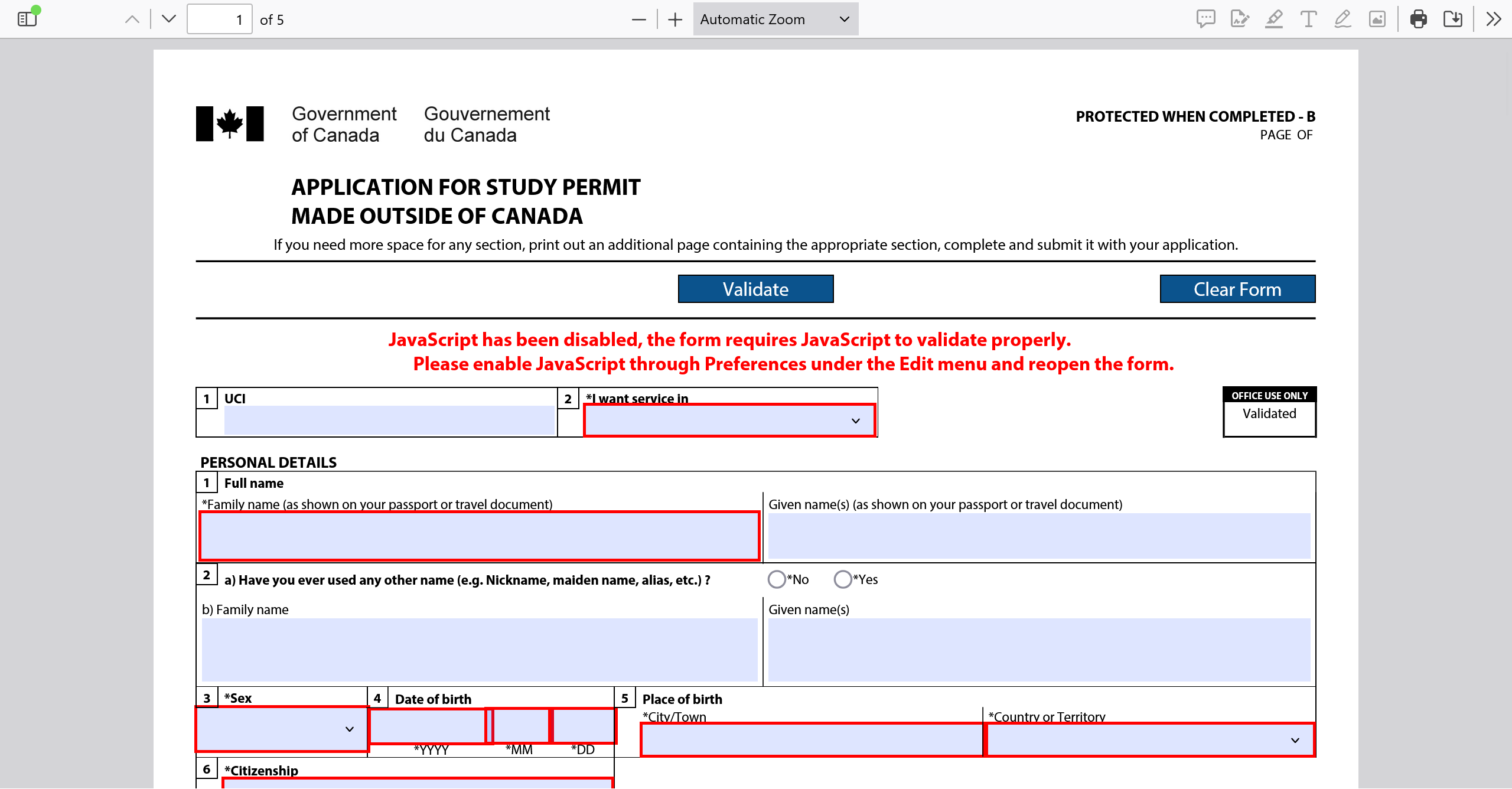
I'm filling out an appcation for a study permit in canada. My university website said that i should download adobe acrobat reader and use it to open the application pdf. I didn't want to pay for adobe, so i opened it with firefox instead. In the document, there are tab selections that it allows so you can select answers accurate to you and fill out the document. But at the top of the document it says I should enable javascript by going to preferences, then edit, and and then reopen the form. How can I enable javascript in firefox? I'm having difficulty finding the preferences and edit sections.
모든 댓글 (2)

Javascript is enabled by default in Firefox. You can check if there is any extension that blocks your website.
Details: https://support.mozilla.org/en-US/kb/javascript-settings-for-interactive-web-pages
Firefox allows running JS in forms for similar purposes if it's all "local" and doesn't make live requests to the outside world.
This IMM1294 form apparently connects to some Adobe online services (after field validation it generates a barcode for you etc.) and might not work in non–Adobe software. You can always complete the form without validation and without encoding the data into the barcode locally or even by hand, but that might slow down its processing — I'd suggest following the recommendations on the government website for that form saying "You need Acrobat Reader version 10 or higher to open our forms." with a link to a free download they provide there. You can then uninstall it afterwards when you no longer need it.