


Cannot sign in with Google

Recently, I've been having a problem with signing in to things via my Google account – the problem being that I can't.
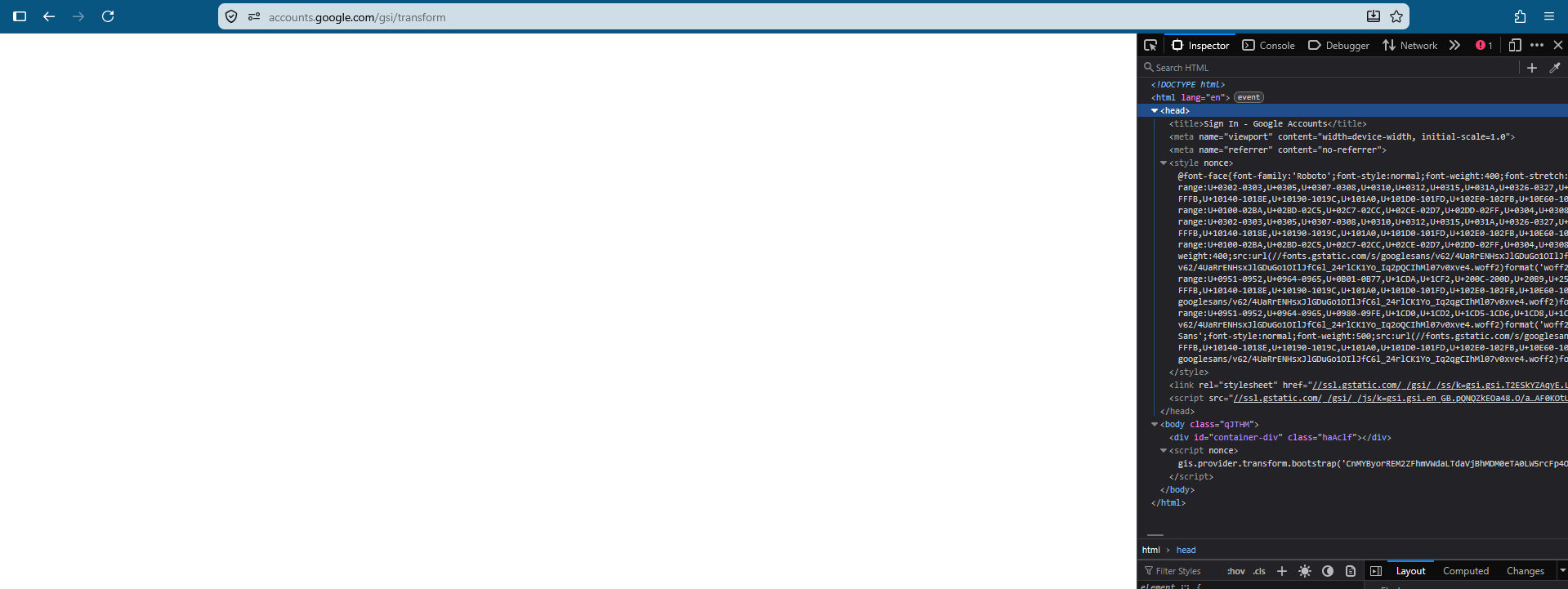
Whenever I click on the "sign in with Google", it redirects me to the "accounts.google.com" page, prompting me to choose my account, but once I do, I get redirected to "accounts.google.com/gsi/transform", which is just a blank page with nothing in it (see image attached).
I know this is not a problem with Google, as I have no problem signing in anywhere else.
This happened to me once before, but the reason was one of my extensions, which for some reason interfered with the sign in; however, this time this solution does not work. I tried disabling every single one of my extensions, turning all kinds of protections in the settings on and off, deleting all cache for all relevant sites, but to no avail.
I of course also tried looking this problem up on the internet, but whenever I found someone with this problem, the solution that worked for them was always just disabling an extension.
Thank you for any answer.
모든 댓글 (10)
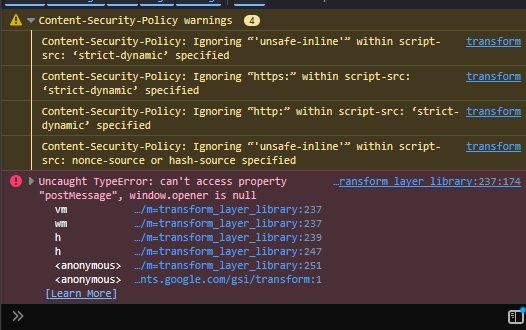
If you click on that one red error exclamation icon in your inspector, what does the console log?
If you open the Network pane, is there anything worth mentioning, like failed requests or non–success codes on responses?
Thank you for the reply! I screenshotted both and am attaching the images to this reply – the console does show errors, but the network panel is empty.
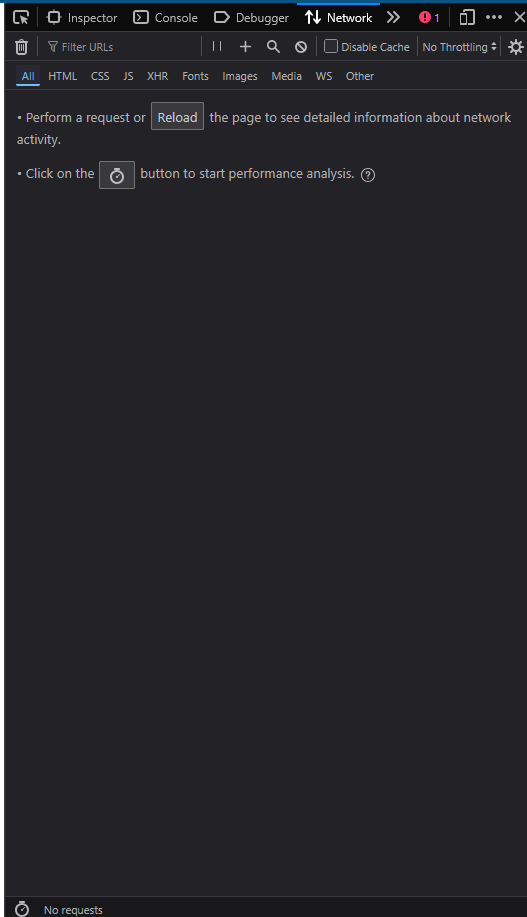
Ah, right — the Network panel would have need to be open before you start the interaction to log the events.
At this point I don't even think the Network panel would be that important — the issue appears to be right on that console error — the login code expects this window to be called from a site… and it apparently does not see the relation — either the site failed to open this as a new window, or the relation was severed. So it has nowhere to send the results.
Does it happen on all sites with Google account logins for you, or just some specific hosts?
In your case I'd still try to Use Troubleshoot Mode in Firefox and run with more conservative browser setup there to test — to see if it can still be triggered by an extension of sorts and improves when restarted into that mode — for comparison.
Alright, I tried troubleshooting mode, but unfortunately got the same blank result, including when I switched back.
I tried logging in to Dropbox and to Canva, and both result in blank pages if I have to select and account to log in with, whether in troubleshoot mode or not. Interestingly, though, on Canva I get a popup saying "signing you back in" where I don't have to select an account or anything like that, and this works, signing me in instantly without any issue; but once I log out and try logging in the "normal", non-automatic way, I get the blank page again.
I did also try to open the network panel before the login, just in case there might after all be something relevant – sending a screenshot again.
Also, thank you for your quick replies, I really appreciate it! :)

Hmmh, while the failed requests "look" like just a logger ("beacon") it's nonetheless interesting.
I'd for good measure try with both a) enhanced tracking set to strict, b) enhanced tracking protection disabled for a while, to see if a thirdparty request is getting in the way during the flow.
Do you run any filtering appliance either on your router or perhaps a local pihole setup? Or using a VPN or something like AdGuard system–wide?
Also try enabling/disabling or changing the provider or enforcement level of DoH: Configure DNS over HTTPS protection levels in Firefox
(Není zač, — J.)
Okay, I tried all combinations of turning DNS over HTTPS and Enhanced Tracking Protection to their various options, but unfortunately, to no avail, I still get just the blank screen.
As for the router, I am honestly not sure, but I do not think we have anything like that set up; and I am not using any VPN or something like that.
Oh, and if it is relevant: I also tried signing in with Google via my tablet's Firefox app, where it works no issue.
(Tohle jsem nečekal, haha)
Yeah I think the blocked beacons should not really break the flow. It's definitely the "opener" relation that fails hard and sends the app into an uncaught exception — but genuinely don't see why, it has nothing to do with the credentials or any networking and appears just as a badly initiated or handled popup windows for the authentication:/
You noted it specifically happening in funnels having you select an account out of multiple ones. Would you be willing to download a separate Firefox Nightly nightly.mozilla.org that comes with its own isolated profile so has none of your site data, credentials or history… and try going through the account steps there — from none, to one G account, to multiple G accounts to pick from — if that also breaks for you at a certain point? Thanks!
Also forgot — if you seem fine in a mobile funnel, let's try to mock that as well in case they use different popup setups for that — if you CTRL+ALT+M to "Responsive Design Mode" (sorry if it's not the right Win shortcut, it should also be in "More Tools" menu) you can then pick some mobile devices to fake from the options that are in the new toolbar now — and proceed using that, to see if the presumably single–tab funnel will work better in this simulation.
Alrighty, I downloaded the Nightly browser and tried logging in, and it worked! Though the process was slightly different – the prompt for choosing an account opened in a small new window, as opposed to the "regular" browser, where it just goes to another page.
(also, for clarity, just in case: I don't have multiple Google accounts added, the "choose an account" page I mentioned showed only my profile and a button to "add a new profile" or something like that; the same thing happens in the Nightly browser, the only difference being the fact it has its own window)
And I tried the responsive design on the "regular" browser, but got the exact same blank page, with, as it looks like, the exact same errors as when it was opened normally.
Yes, it should have its own smaller window to pass back the message. (If that plows over the original requesting window, the return fails.) — so now how to get that in the current version as well.
There are two things to try. The easy one is to look into the "Profiles" functionality, and create a new throwaway profile to see how a clean slate looks like on your release version. If you're having no issue using a separate new profile without any previous G account session history it means it's "something" in your existing G account site data, permissions, stored app bits etc. — and, depending on how "valuable" or important preferences you might have stored from *.google.com start removing that site data. Either from the accounts.* URL via the shield icon in toolbar, or in privacy settings drilling down per site, starting from accounts.* but potentially nuking more of their subdomains as well.
Or, if you're so inclined — you can try the above process in a copy of your profile for a dry run first: you can probably search for a guide that shows how to take your existing profile folder, and either create a clone to experiment on within the stable version, or perhaps preferably implant that whole profile of yours into the Nightly now, and actually try a) reproduce the same at this point with the profile clone in Nightly, b) see which data removal steps help (or not) with resolving that.