how to move Thunderbird files from windows 11 to Linux (Zorin)
How to move Thunderbird files from windows 11 to Linux (Zorin)?
모든 댓글 (9)
Try this:
- click help>troubleshootinginformation on windows pc
- scroll to 'profile folder' and click 'open folder'
- exit thunderbird - IMPORTANT
- you are now in the profile folder. copy ALL of it and save to external media
- install thunderbird on linux, if not already done
- click help>troubleshootinginformation
- scroll to 'profile folder' and click 'open folder'
- exit thunderbird
- you are in the profile. Paste what you copied here ########
- restart thunderbird
CAVEAT: from various linux posts, i think the profile is not consistent to thunderbird default, so you may need to check that.
글쓴이 david 수정일시
Hello
Pour ma part, https://forums.mozfr.org/viewtopic.php?p=949449#p949449
Installation de Thunderbird pour tout le système https://support.mozilla.org/fr/kb/installer-thunderbird-sous-linux#w_installation-de-thunderbird-pour-tout-le-systeme, c'est mon installation.
Install Thunderbird on Linux https://support.mozilla.org/en-US/kb/installing-thunderbird-linux
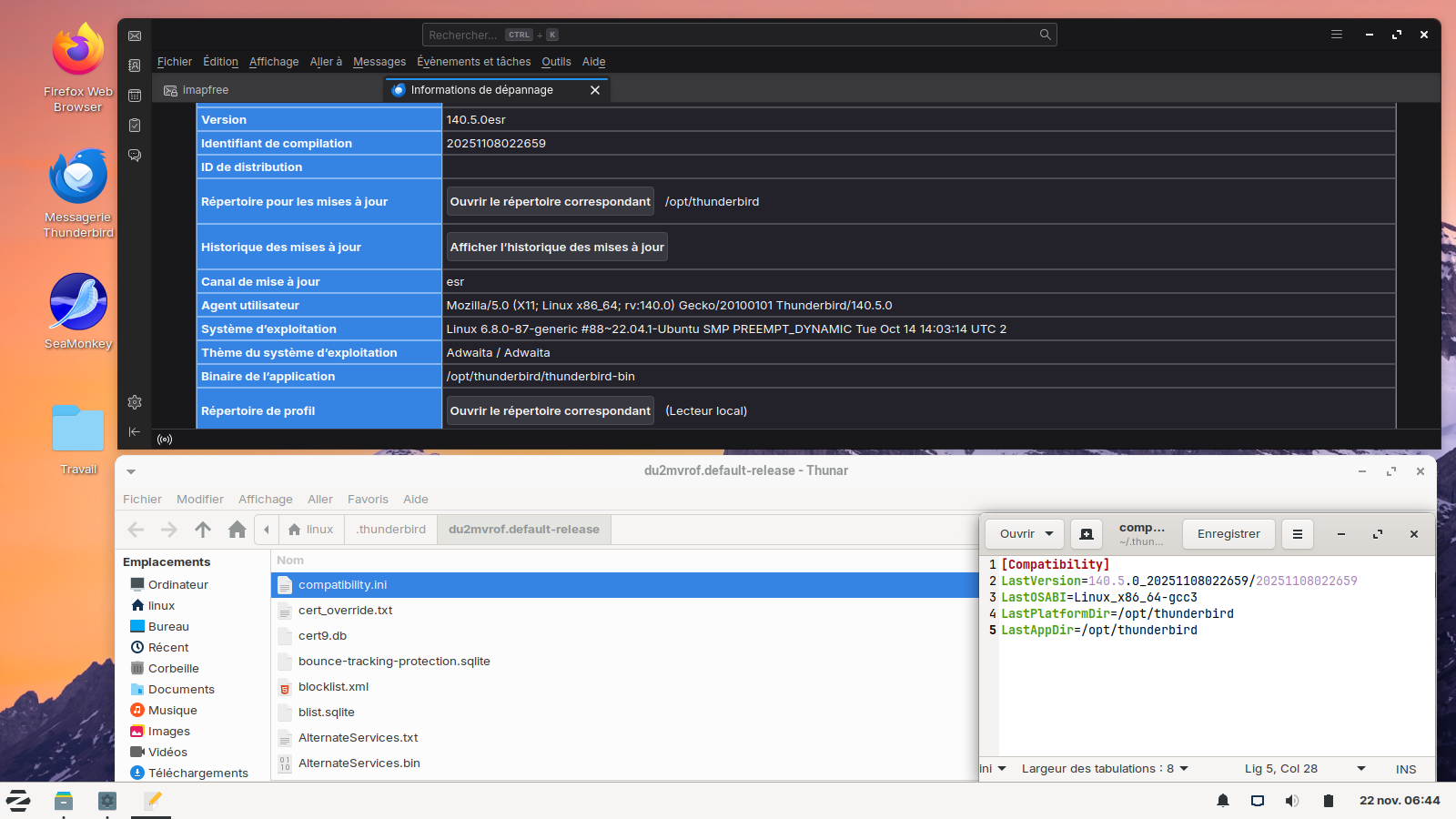
https://support.mozilla.org/en-US/questions/1544079#answer-1776249 Other illustration https://support.mozilla.org/en-US/questions/1545011#answer-1777260, Ouvrir le répertoire correspondant, take a look at the screenshot.
David, Thanks for post. When restarting T-bird after copy completes receive message "A newer version of Thunderbird may have made changes to your profile which are no longer compatible with this older version. Use this profile only with that newer version, or create a new profile for this installation of Thunderbird. Creating a new profile requires setting up your accounts, calendars and add-ons again."
then creates new profile and returns to 'Set Up Your Existing Email Address' again
Please advise ...
Transferring the same release version is preferable, but look in the profile for a file named compatibilities.ini and remove it when thunderbird is not running and then restart. Let me know
Hello
Allow me this other illustration. I launched Thunderbird release 115 and Thunderbird beta 125. I opened the two profiles. I stopped the two versions of Thunderbird. I deleted the contents Thunderbird release 115 profile folder. I copied the contents from beta profile folder, and, pasted into Thunderbird release 115 profile. I launched Thunderbird release 115 'Vous avez lancé une ancienne version de Thunderbird", i chose Quitter and i deleted the compatibility.ini file, and I launched Thunderbird release 115.
Please just summarize the issue. Watching the video and trying to figure it out in French isn't easy. Regular releases and betas do not mix.
Simply, to clarify. You wrote, compatibilities.ini, it's, compatibility.ini
Source of information. https://support.mozilla.org/en-US/kb/dedicated-profile-thunderbird-installation
is explained in the Firefox article Understanding in depth the profilehttps://support.mozilla.org/en-US/kb/understanding-depth-profile-installation
글쓴이 Agent virtuel 수정일시
david said
Transferring the same release version is preferable, but look in the profile for a file named compatibilities.ini and remove it when thunderbird is not running and then restart. Let me know
Thanks ... same problem. Will try with fresh t-bird files.
Hello
I checked the name compatibility.ini