


Avoid support scams. We will never ask you to call or text a phone number or share personal information. Please report suspicious activity using the “Report Abuse” option.

Learn More
Open

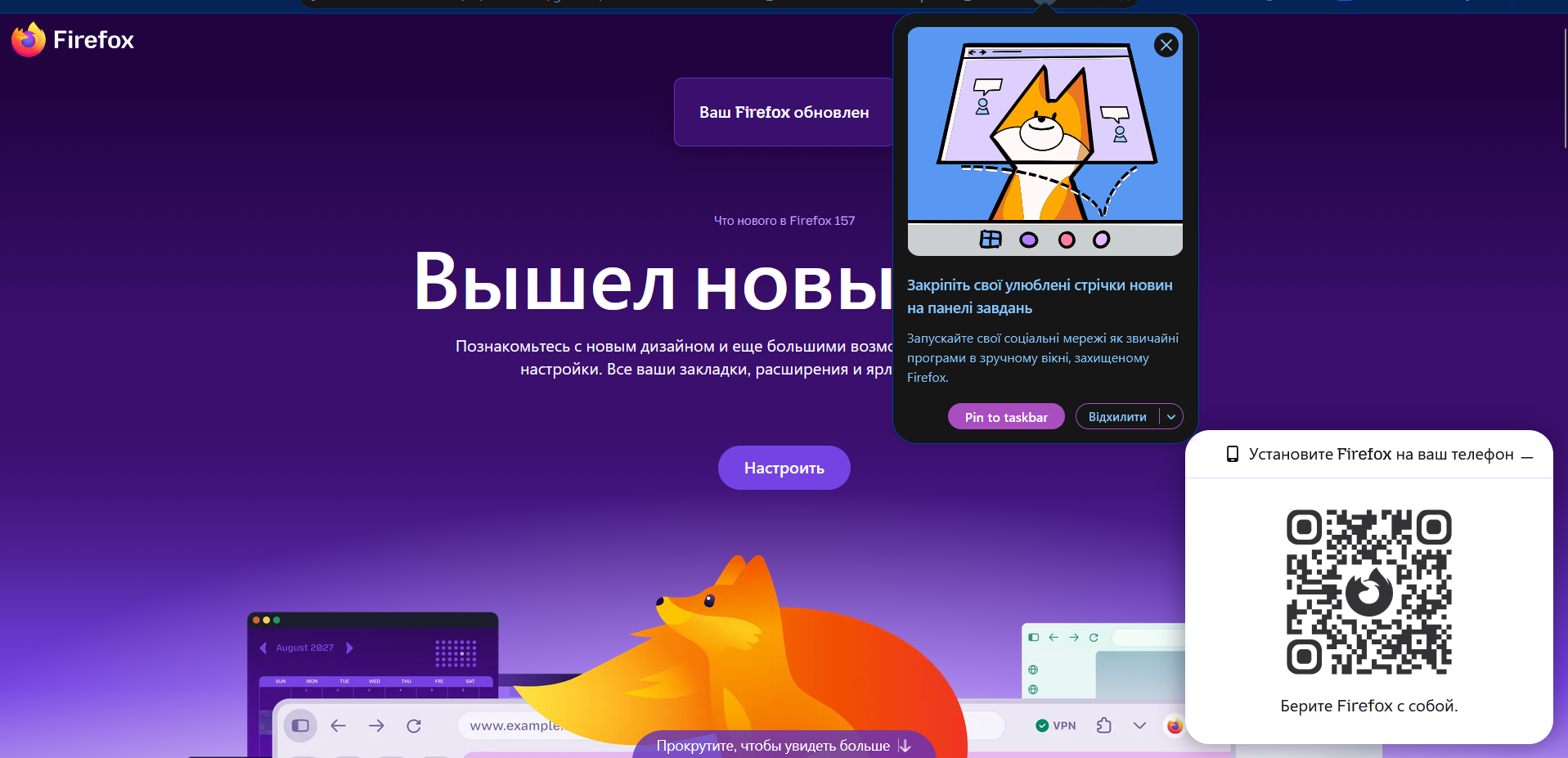
Firefox update notification is shown in Russian although my Firefox interface is in Ukrainian

Вячеслав

Hello,

My Firefox interface is set to Ukrainian, and everything in the browser is displayed in Ukrainian. However, when Firefox shows a notification about an available update, the text of this notification is in russian.

I do not know russian and have never selected it anywhere in Firefox or in my operating system. I would also like to explain why this matters to me: seeing russian in my browser is genuinely unpleasant, because russia is waging a terrorist and aggressive war against Ukraine. For many Ukrainians, software defaulting to russian is not a minor localization glitch. It is something we actively want to avoid.

Why does this happen, and how can I make sure update notifications appear in Ukrainian?

System details: – Firefox version: 156.0.1 – Operating system: Windows 11 – Where I downloaded Firefox: mozilla.org

A screenshot of the notification is attached.

Thank you for your help!
Hello, My Firefox interface is set to Ukrainian, and everything in the browser is displayed in Ukrainian. However, when Firefox shows a notification about an available update, the text of this notification is in russian. I do not know russian and have never selected it anywhere in Firefox or in my operating system. I would also like to explain why this matters to me: seeing russian in my browser is genuinely unpleasant, because russia is waging a terrorist and aggressive war against Ukraine. For many Ukrainians, software defaulting to russian is not a minor localization glitch. It is something we actively want to avoid. Why does this happen, and how can I make sure update notifications appear in Ukrainian? System details: – Firefox version: 156.0.1 – Operating system: Windows 11 – Where I downloaded Firefox: mozilla.org A screenshot of the notification is attached. Thank you for your help!
Attached screenshots

You must log in to your account to reply to posts. Please start a new question, if you do not have an account yet.