


favicon glitch with gmail

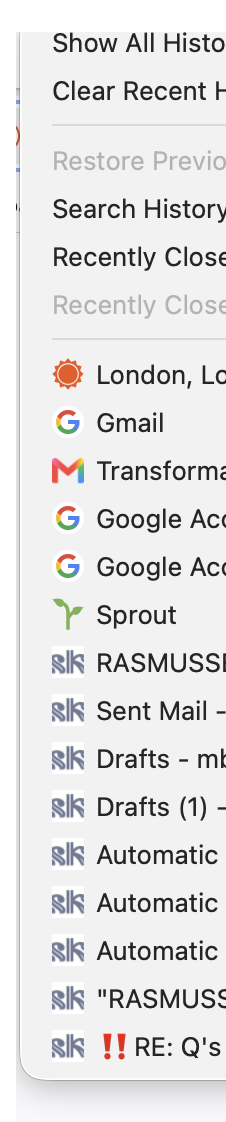
Firefox drop down history shows about 85% favicon substitution for gmail entries. It is not the gmail favicon, it is a food blog I do not login to and only very occasionally read. It is a very random substitution.
Clearing cache, cookies and restarting did not eliminate the issue. All apps and browsers are fully up to date.
I only use Firefox so do not know if it happens on others. Also, it does not happen all the time, only about 85% of the time, sometimes within one session, as visible in the attached screenshot. The bottom 9 are gmail's and you can see it has chosen to substitute the gmail favicon for an unrelated food blog favicon, but the there are several gmail entries that display the correct google favicon.
It isn't a problem but it does make me feel less secure as it is a weird glitch. If there is crossover there, where else may there be identification failures? Is there any way to correct this? Thank you.
All Replies (1)
History items are stored with their representative favicons in Places DB: github.com/mozilla/firefox-data-store-docs#desktop-data-stores — there could have been a mixup when saving these, but it's just a "cache" stored for post–facto glancing the history stack, no threat connected to such confusion.
Not sure if it's worth pursuing further from your side, e.g. trying to run places.sqlite integrity check from the support page etc., see e.g. support.mozilla.org/en-US/questions/1580835#answer-1817079