


"Open Links in App Setting" not being honored

Sometimes I am using the youtube app to watch something on a TV, but want to quickly look up a video for someone else on my browser at the same time. I have my settings to "always ask" me whether or not to open links in their native app or stay in FireFox. But recently the setting has not been sticking. I've had to reset the settings at least three times today. What's going on? Am I doing something wrong in settings?
All Replies (2)
Just a verification, is the setting being changed under you, or not correctly reflected? As the question mentions both:
- "Open Links in App Setting" not being honored
- I have my settings to "always ask" […] But recently the setting has not been sticking
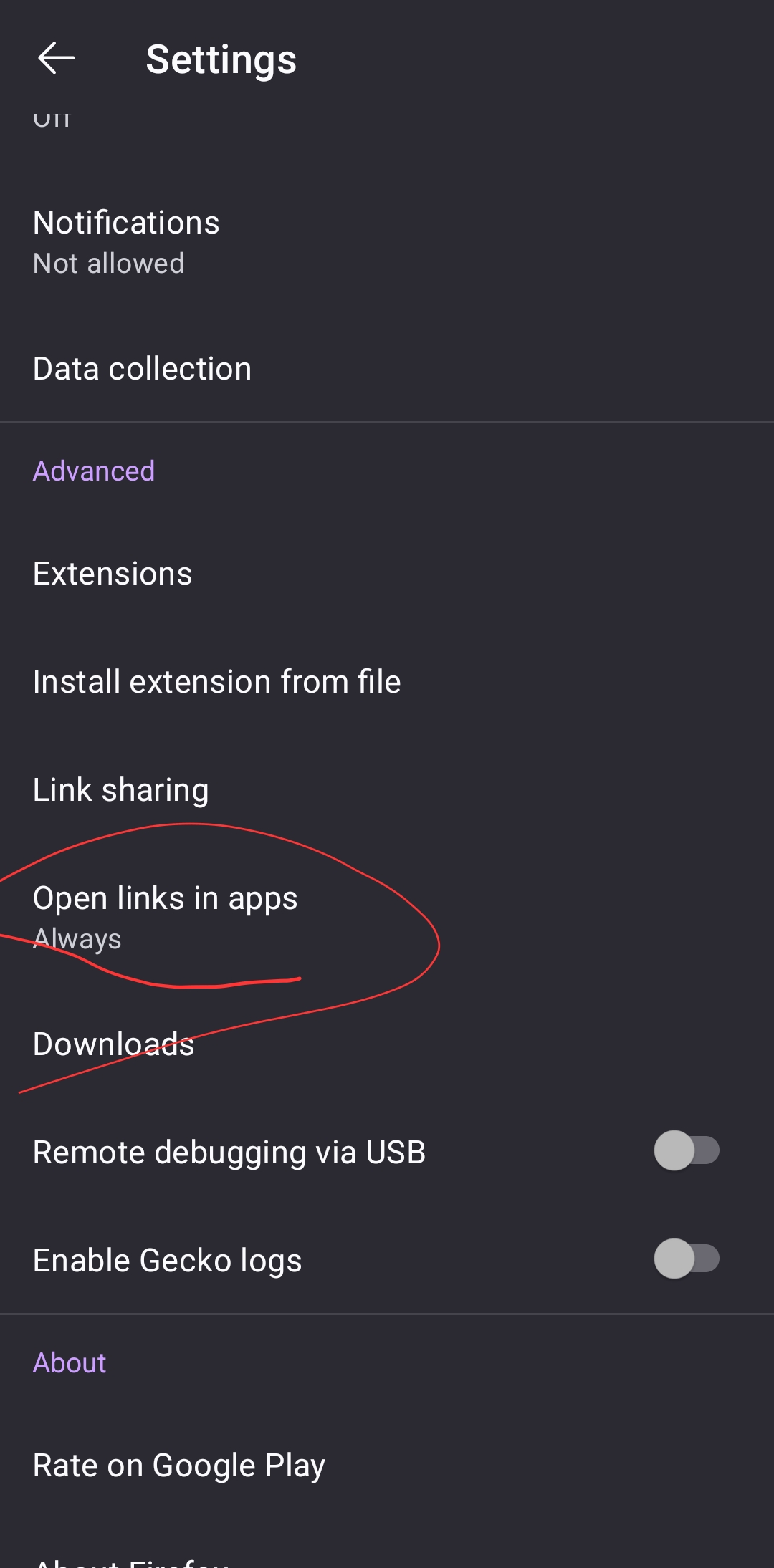
however the attachment demonstrates it's not set to that preference — is that meant by that it does not stick? So the issue is not that's it's set correctly but not being honored, but that you set it to your preferred value and its then gets reset on its own to the value in the screenshot?

I had a similar issue, it changed my settings from "never" use an app, to "always" and at the same time "never" was still selected, so somehow "always" got added without my knowledge or consent.