


Windows 10 reached EOS (end of support) on October 14, 2025. If you are on Windows 10, see this article.

Search Support

Avoid support scams. We will never ask you to call or text a phone number or share personal information. Please report suspicious activity using the “Report Abuse” option.

Learn More

Why is Youtube not loading videos correctly seemingly at random?

  • No replies
  • 1 has this problem
  • Open

I have noticed that since around Friday, April 24th, 2026, that Youtube videos will sometimes refuse to load properly. The page for the video will come up, but buttons on the page will not load, and nor will the video. This started happening around mid-day, when prior to it, things had been fine. At first I thought it might be tied into the 'ambient mode' option on Youtube itself., But even after shutting that off, I found it was still happening at ranodm.

Is this something new Yotube is doing in their continued (idiotic) fight against ad blockers, or is there an actual glitch in the browser or, more likely, a glitch in Youtube? Like I said, this seems to occur at random and I can't trace the cause for it. I'll include a screenshot of what I'm seeing. But if anyone knows what's happening here, I'd appreciate it.

I should add that I am on Windows 11 and using the new version 150.0 for Firefox. (Congrats on that, by the way.)

I'll be honest, I keep hearing some other browser can block youtube ads innately. (Brave, I think it was called?) and while the idea is cool, I'm not giving up a browser I've used for over 20 years for it. If Firefox can find a way to implement a similar means of blocking Youtube ads innately, I;d love it. But for now, I just wanna know what the devil is happening with the site. Can anyone help?
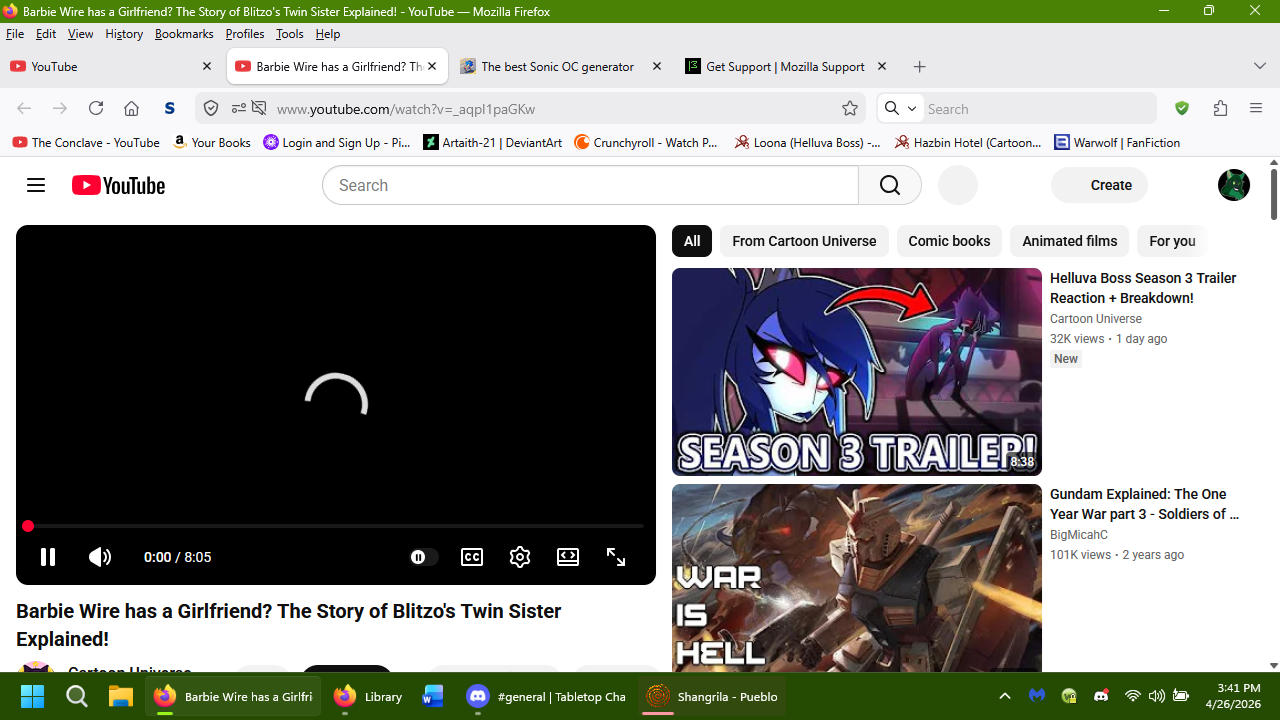
I have noticed that since around Friday, April 24th, 2026, that Youtube videos will sometimes refuse to load properly. The page for the video will come up, but buttons on the page will not load, and nor will the video. This started happening around mid-day, when prior to it, things had been fine. At first I thought it might be tied into the 'ambient mode' option on Youtube itself., But even after shutting that ''off'', I found it was still happening at ranodm. Is this something new Yotube is doing in their continued (idiotic) fight against ad blockers, or is there an actual glitch in the browser or, more likely, a glitch in Youtube? Like I said, this seems to occur at random and I can't trace the cause for it. I'll include a screenshot of what I'm seeing. But if anyone knows what's happening here, I'd appreciate it. I should add that I am on Windows 11 and using the new version 150.0 for Firefox. (Congrats on that, by the way.) I'll be honest, I keep hearing some other browser can block youtube ads innately. (Brave, I think it was called?) and while the idea is cool, I'm not giving up a browser I've used for over 20 years for it. If Firefox can find a way to implement a similar means of blocking Youtube ads innately, I;d love it. But for now, I just wanna know what the devil is happening with the site. Can anyone help?
Attached screenshots

You must log in to your account to reply to posts. Please start a new question, if you do not have an account yet.