


Android - thunderbird doesn't sync all folders at once

Hi,
After the installation of thunderbird in android all went well.
Then i try to sync all folders , 300, from my google account.
It seem is not like windows/linux, where you use the right button on the account and the process move on.
In android looks i can achive this, but doing one folder at time.
Is there any way to do this at once ?
Best regards Rui Pimentel
Chosen Solution
Hi.
I think this clarifies the sync process in both versions.
Therefore, I think we are in a position to close the post.
Thank you once again for your collaboration.
Best regards.
Modified by Rui Pimentel
All Replies (4)

I'm not clear too clear what your asking.
You need to enable "sync" for each folder from account > manage folders > [folder name]. This is done one folder at a time. There's no method to enable sync for all folders in one step.
All sync enabled folders update automatically per the sync interval or manually with a pull down gesture.
Hi,
Yes, you did understand what I meant.
However, 24 hours later the synchronization still hadn't finished.
I opted for another solution.
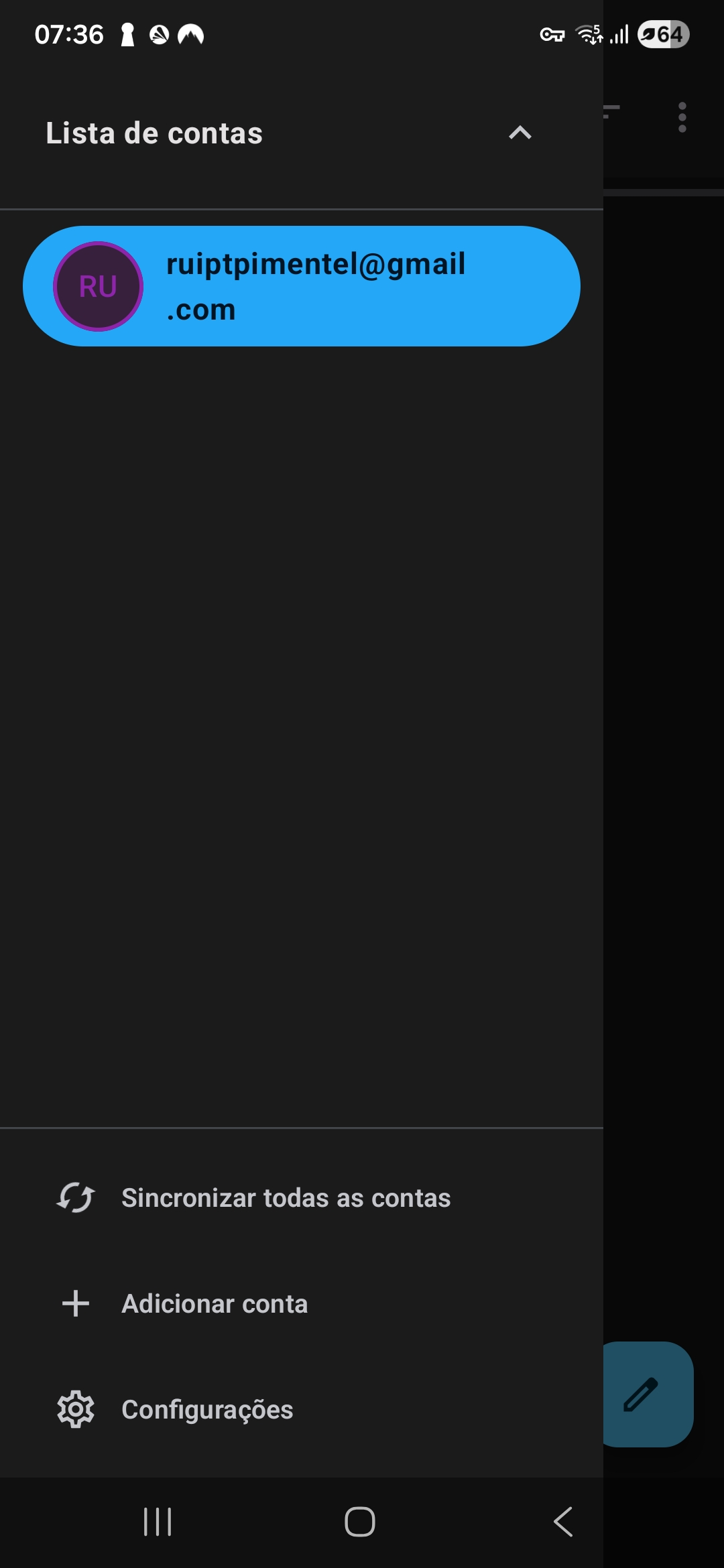
I installed the beta version which already has an option to perform a full synchronization.
This is still in progress.
However, thank you for your support.
No problem :)
For what it's worth, in your prior version, a pull down gesture on the side bar performed the full synchronization. They changed the method to a button press in the latest beta. From your reply, it's been a positive more intuitive change.
Chosen Solution
Hi.
I think this clarifies the sync process in both versions.
Therefore, I think we are in a position to close the post.
Thank you once again for your collaboration.
Best regards.
Modified by Rui Pimentel