


Firefox switches from built-in viewer to Adobe after 1-2 seconds

I have Firefox set to use the built-in .pdf viewer to avoid Adobe's intrusive AI features. I have disabled Adobe's AI features in the Acrobat settings, that does not seem to apply when Firefox opens the Acrobat reader. Consequently, I have to fight off AI "suggestions" and offers of help when I simply want to read a document from the web.
So I set Firefox to use the built-in reader. After 1-2 seconds, it switched to Adobe, and brings up all the annoying AI features. How can I keep Firefox from switching to Adobe?
As a test, I renamed Acrobat.exe to AcrobatX.exe. Firefox behavior did not change. I also killed all Acrobat-related tasks in Task Manager. My document still displayed in Acrobat after 1-2 seconds, but none of the Acrobat-related tasks reappeared in the Task Manager.
I am using Firefox 145.0.2 64 bit in Windows 11 with all updates current.
Many thanks for advice.
Chosen solution
Hi,
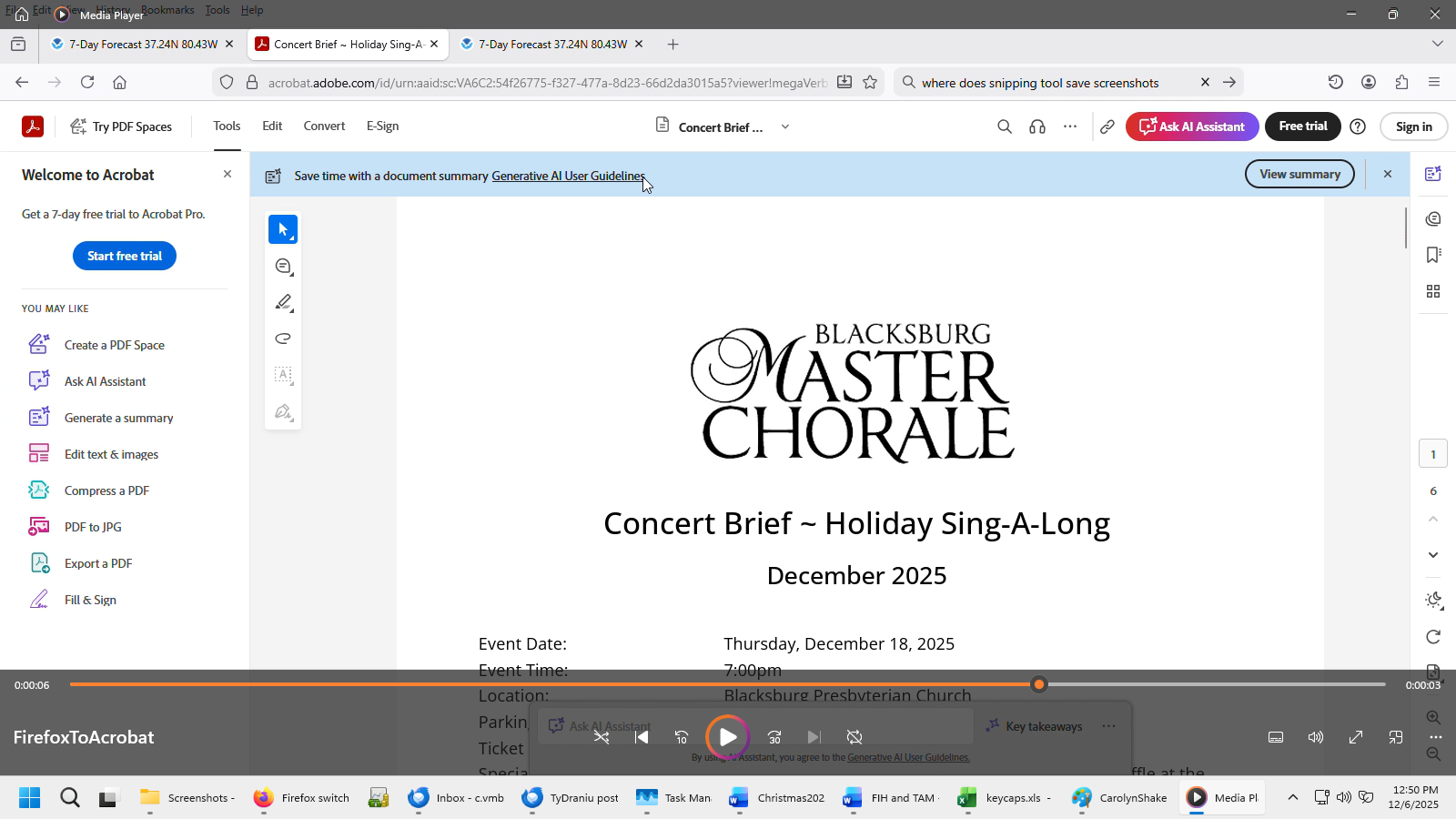
The second image is Adobe's reader loading. Unfortunately, there's no Firefox one in your screenshots. What's more, it's the Adobe Acrobat website (as you can see from the address bar), not Acrobat on your PC. The reason is that the link you're opening leads directly to the Adobe Acrobat website instead of requesting file downloading. Firefox can't do anything here.
Read this answer in context 👍 0All Replies (4)
Hi, it seems impossible. Could you attach a screenshot of this behavior? Thanks.
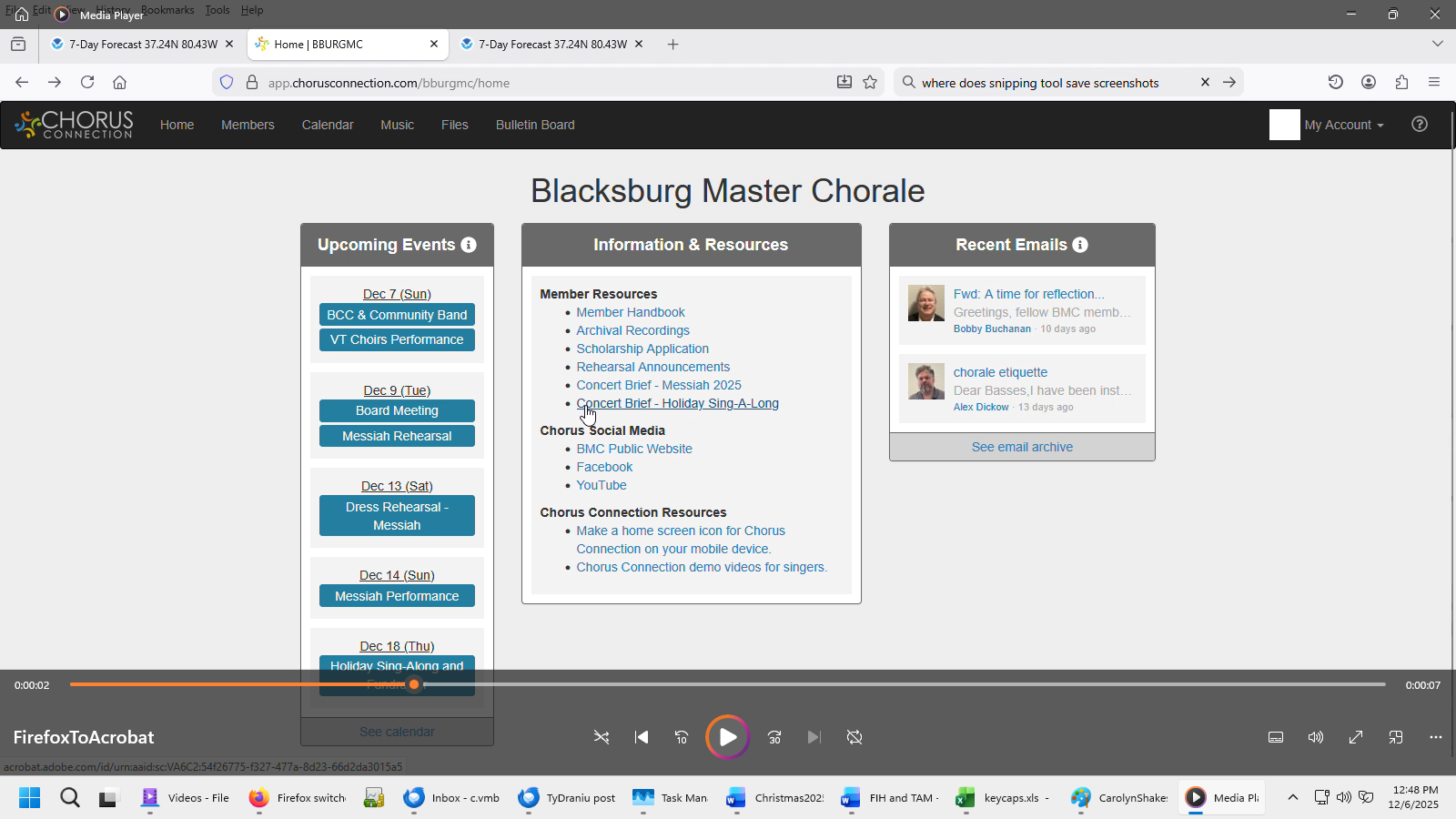
I captured a recording of the behavior. In the Blacksburg Master Chorale home page (first image) I click on the link to the "Concert Brief- Holliday Sing-a-Long" which loads and appears to be in Firefox's viewer (second image). After a couple of seconds, without any user action, it shifts to the new Adobe reader (third image). I can send the recording, but the site will only allow stills. So I have sent three frames from the 10 second recording that shows the behavior. Between the second and third frame, I did nothing. Image changed spontaneously.
Thanks for your interest.

Chosen Solution
Hi,
The second image is Adobe's reader loading. Unfortunately, there's no Firefox one in your screenshots. What's more, it's the Adobe Acrobat website (as you can see from the address bar), not Acrobat on your PC. The reason is that the link you're opening leads directly to the Adobe Acrobat website instead of requesting file downloading. Firefox can't do anything here.
Well, that does make me feel stupid. Thanks for diagnosing the problem. I did not know websites could do that, but I should have suspected. Just could not figure out what was executing the Adobe software, but it turns out it was in the cloud, hence I couldn't see it locally.
Sorry to be a bother, and thanks for the education.