


Containers, VPN, How to set up
I am trying to set up a container and add some sites that I want to browse using my Mozilla VPN subscription. I am following the directions below but it is not clearly written. I have the VPN app installed and updated. Then in step 2 it shows a dropdown window that I can not find... Please help...
All Replies (7)
Click the puzzle icon  on a toolbar, then click the Multi-Account Containers extension's icon.
Ok. I see that now and can open links in a container. I want them to open with my Mozilla VPN VPN... How do I do that... Possible?
It should be. Can't you see the Mozilla VPN section in Manage containers?
I cant get to "manage containers" per the original question, #2 in the link...
here is screen shot... I don't get the icon with plus... and when I click on he one I have it just lists containers.
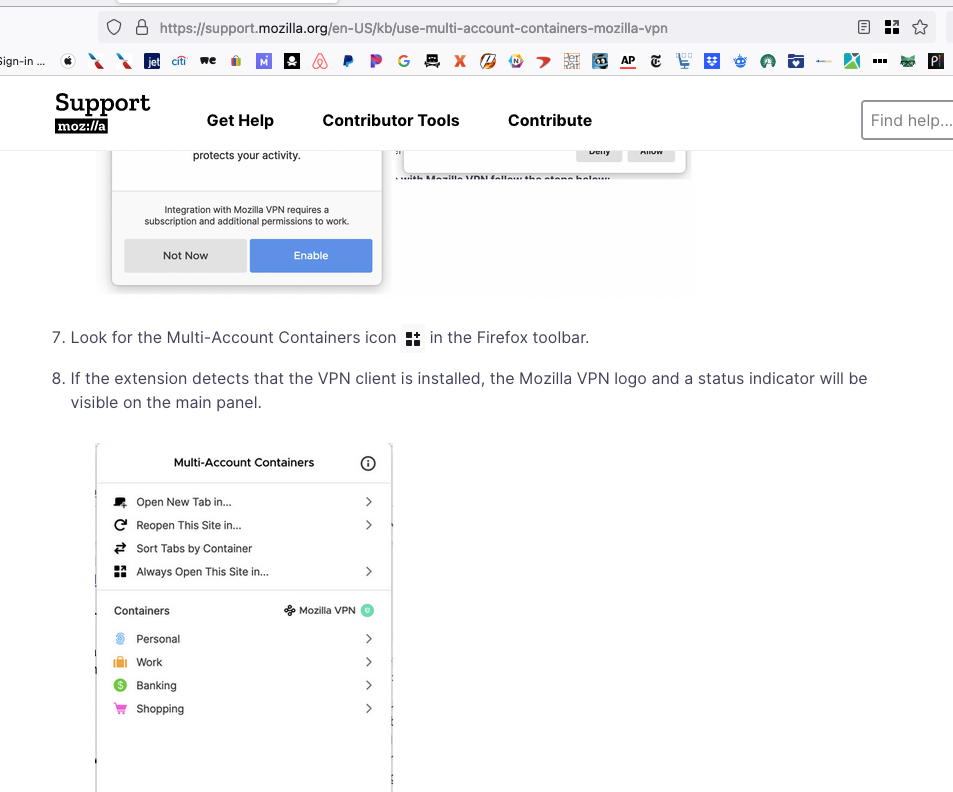
I don't have a VPN, but try to force update the extension. It should be version 8.1.2.
It is that version. And it's MAC so there's that... It just doen't work I am assuming...