


Google Popup Sign-in from T-0Bird links to a *ghost*/ disabled gmail account

I use T-bird for my email accounts and have for decades. This includes accessing an enterprize version (work) as well as basic personal gmails and even another non-google web based email account. I'm an ardent fan. I recently had to reinstall on wiped/cleaned laptop (workplace IT situation). Since then, the 2-factor authorizations have been creating problems. Including: a pop-up whenever I open T-Bird on my laptop, requiring me to sign-in to a ghost Google account. This would be less of a problem if either:
1] the account in the pop-up window hadn't been disabled over a year ago, OR
2] I could change the account in the pop-up to one I still have (can't)
3] PS: yes, my settings for my other google accounts are at SSL/TLS & OAuth2 (except for the one that requires 4]PPS: No, the ghost account is not listed as one of my 6 accounts in T-Bird, and it was deleted long before I had to re-install T-Bird on the newly wiped hard drive... 5] I cannot log into the ghost account and disable the 'sign-in with google' option, because it's disabled/shuttered/NoLongerLive. 6] Yes, I've cleared the cache. Multiple times. 7] Yes, I've updated to the most recent T-Bird (158.0)
The popup only happens with T-bird, and only on one laptop (ot others I use, which also have T-Bird). I really don't think this is a problem at the google end, much as I'd be happy to blame them.
- MY QUESTION*: Where would T-bird, supposedly a fresh install on a recently wiped drive, be pulling the ghost of a previous account as part of the 2-factor authentifications, from? Would it be in the Config Editor? Bottom line: How can I make it stop?
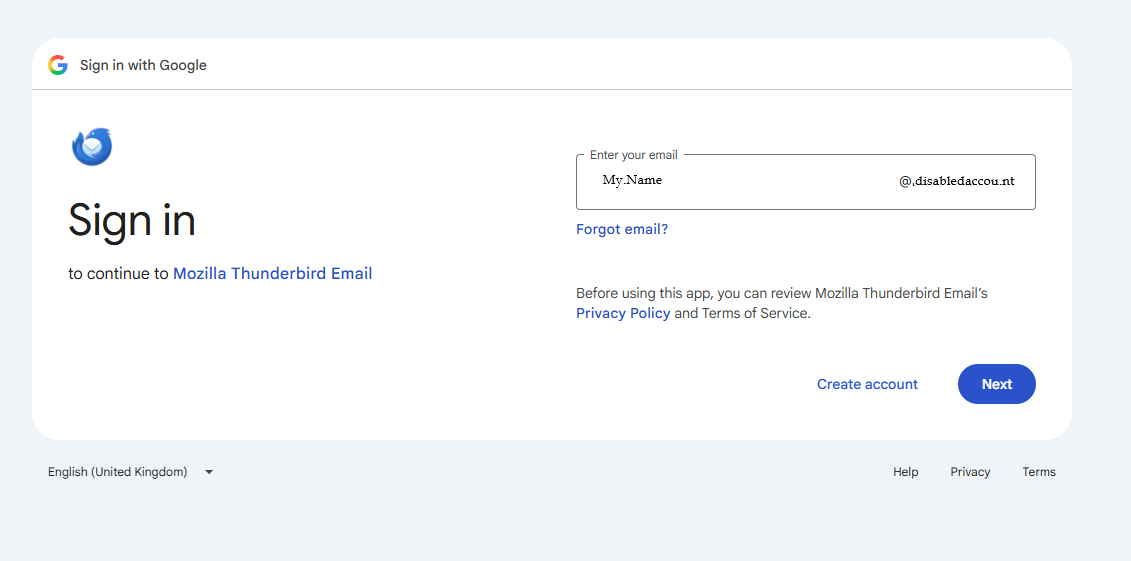
All Replies (1)
Please check your saved passwords:
- Settings > Privacy & Security
- Scroll down to Passwords section
- click on 'Saved Passwords'
Do you see any mention of the old removed gmail account that no longer exists in the Account Settings? The username should show the email address. there may be more than one line and they may start with the following:
- Pop uses 'mailbox://account....
- Imap uses: 'imap://account....
- SMTP uses: 'smtp://account....
- Oauth uses: 'oauth://account
If you see any lines using the old deleted username email address, then remove those lines.
Exit Thunderbird - wait a few moments for background updates to files to occur then restart Thunderbird.
Please report back on results. If this information fixes the issue, then please mark as a Chosen solution.