


Before the last update to TB I could easily search for a single email address messages in inbox, now all I can do is organize senders alphabetically

I'd like to be able to search for a single email address in TB's inbox. Often I just need to find one email from an email address. I don't need or want to do a "saved search" I just want to reread a specific email from a specific sender. I believe I'm using the classic layout. I've looked through settings, layout, but can't find a way to do that. When I looked through the help articles, etc, all that came up w/saved search. Before one of the latest updates, I could just type in the sender's name or email address, look through all of them, then restore the inbox to list all emails by date. I'd like to be able to restore that function, is there a way to do that?

Chosen Solution
Look at menu option <View | Toolbars> - "Quick Filter Bar" is one of the options. You can also customize the main Toolbar (right-click on it to customize) to add a button to toggle the Quick Filter Bar off and on.
All Replies (4)
How are you doing it? Quick Filters seems to do what you want. See the attached animation. My example uses a word, but it works the same for an email address.
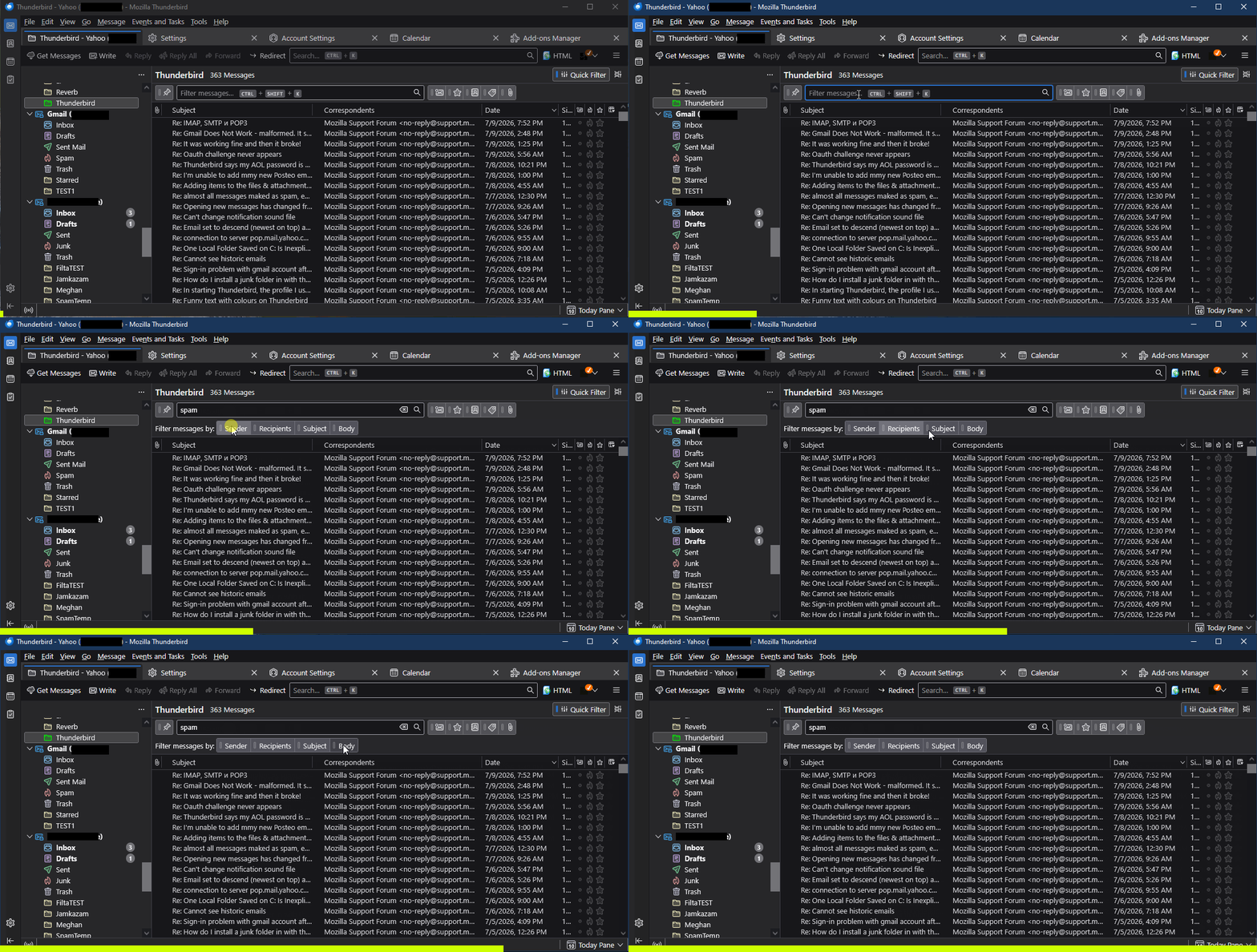
I've looked at TB after viewing your reply I don't see how to set up the quick search your attachment demonstrates. There is no such search box in my current view.
Chosen Solution
Look at menu option <View | Toolbars> - "Quick Filter Bar" is one of the options. You can also customize the main Toolbar (right-click on it to customize) to add a button to toggle the Quick Filter Bar off and on.
I found the menu option you've listed and will try it next time, same for trying customization of the main Toolbar. Thanks very much for your expertise & taking the time to answer my questions & laying out steps to two solutions.