


how to get to my mailbox

This is absolutely insane. I set up a email account(also did about a year ago) and I can not get back to my mail. Why in gods name is it so difficult? I have multiple email accounts with most all the major email websites and this one is utterly impossible to use. I just keep ending up in the same spot with no information to help get out of the endless circle. I don't even know if I could find my way back to here. I will give you my email address to try and get something more constructive than the past two days. I want to make mozilla products my main users for all my different platforms to simplify my life but I am having my doubts about thunderbird. So far it is a useless time waster. I'm shocked that this is under the Mozilla name. I normally associate Mozilla with high quality, easy to use products. My goal is to have all the phones, tablets,laptops, and desktops operating on linux and mozilla. Thank you in advance. X@yahoo.com
(PII redacted by moderator)
Modified by Ed
All Replies (12)
It is difficult to understand what you mean by writing that you cannot "get back to my mail". Maybe this is just a problem of the choice of the appropriate view? Can you show a screen shot of your Thunderbird main window when you start Thunderbird ?
Rather orthodox screen shot! I see that you have activated "Unified Folders" view although it seems that you have only one email account. Go to menu View > Folders .. , enable "All Folders" and disable "Unified Folders"... Now your email account and its folders should be displayed in the folder pane on the left.
I must apologize, I have no idea where that came from.I believe the screenshot I took was the home page for Thunderbird and it was an actual screen shot. I don't know how I got stuck on the various pages there and could not move on to download the email. I had some time this afternoon and I have it working on a desktop with Windows Pro 11. Maybe I can get it from there. Will Sync be able to help for there?
Can't you show a screen shot of your actual main window when you start Thunderbird? From your description I am unable to guess what you mean by "how to get to your mailbox" ... Maybe you should follow the menu Go > Folders > Account name > Inbox (see image)?
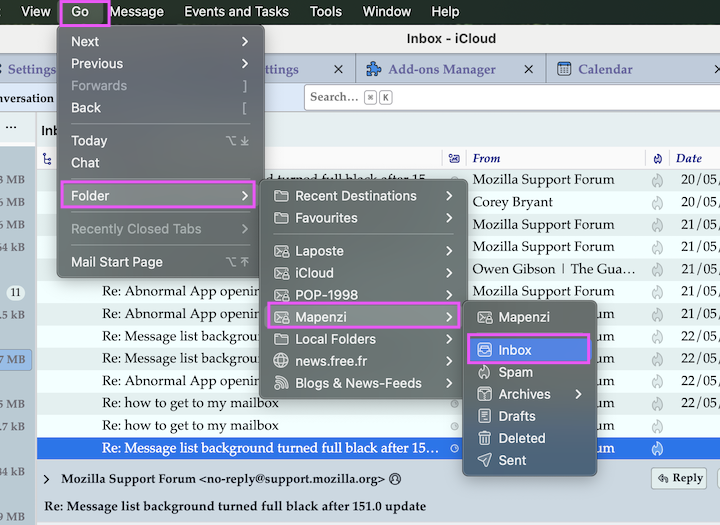
If you type in "thunderbird email", you open the homepage for thunderbird. That screenshot(that I sent you) is the PC that is on that page but it blanked out the rest of the page.Hope that makes some sense. Now I am working on the PC that is on Linux.I somehow managed to get in and set up a account. Have absolutely no idea how.Now it is "there", but now I have no way of returning to it. I tried to create, on Mozilla Firefoxs' front page a shortcut to get there. You need an address that takes you directly to the email account. https://www.thunderbird.net will only get to the home page. I can not get to the front of my email. What do I type into the "edit" , in the short cut to send me directly to the email account. I need to back up a moment. When I attempted to sync from the windows 11 machine, normally it moves information to the linux machine just fine. It would not move the thunderbird account, so I had to start over again. I am really starting to question my sanity for trying to do this. I am not a IT person of any sort, however, I am a master auto tech with 50+ yrs and specialize in electronics, and own a repair/bodyshop. This is apparently too geeky for me.
Sorry, I don't understand your description of your issue. When you open Thunderbird what do you see in the Thunderbird main window? Is it so difficult to take a screen shot of this main window on startup? Without an image of your Thunderbird main window I cannot tell you what to do to fix your problem.

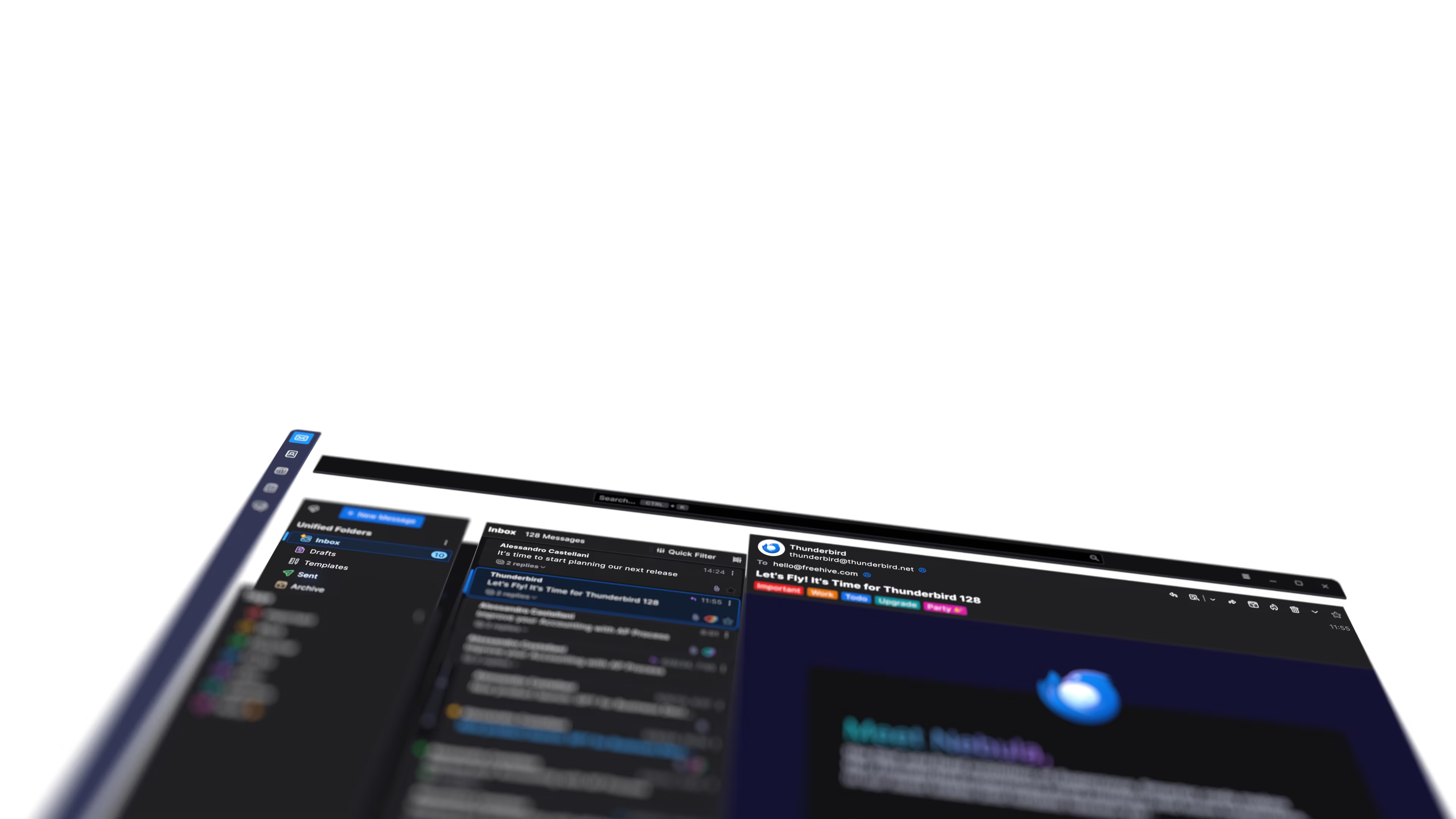
Some of your statements suggest that you are trying to access Thunderbird on the Web. Are you? If not, why do you mention Firefox? Why do you visit thunderbird.net?
Rick said
Some of your statements suggest that you are trying to access Thunderbird on the Web.
Thank you, Rick. i couldn't imagine that Bob is trying to view his email account on thunderbird.net ....
As I told you before I did take a screenshot. What you got is the bottom of the picture when you open thunderbird.net. I have no idea how that happened. file:///home/bob/Downloads/Screenshot%202026-05-23%20at%2010-54-03%20Thunderbird%20%E2%80%94%20Free%20Your%20Inbox.%20%E2%80%94%20Thunderbird.png To Rick: Where do I type in the Thunderbird.net if I don't use a browser to do so?
Bob Leistner said
As I told you before I did take a screenshot. What you got is the bottom of the picture when you open thunderbird.net.
Who told you to go to the thunderbird.net website and take a screen shot?? I asked you you start the program Thunderbird which you installed on your computer and where you already have set up an email account. You are familiar with a computer and you know how to launch a program such as Thunderbird?
Thank you, Rick. i couldn't imagine that Bob is trying to view his email account on thunderbird.net ....
I'm not, however where do I get to my email. On my mozilla opening page, are two rows of shortcuts. When I click on it it takes me to the Thunderbird.net home page. I did not do that. It set itself up and I do not know the address to my actual email account to open it. Everything I have tried brings me back around to the Thunderbird.net homepage again and again.file:///home/bob/Downloads/Screenshot%202026-05-23%20at%2011-10-24%20New%20Tab.png
what do I type into my PC and where do I type it into, to get to my email?